
EHR Cloud Computing Explained Simply for Healthcare
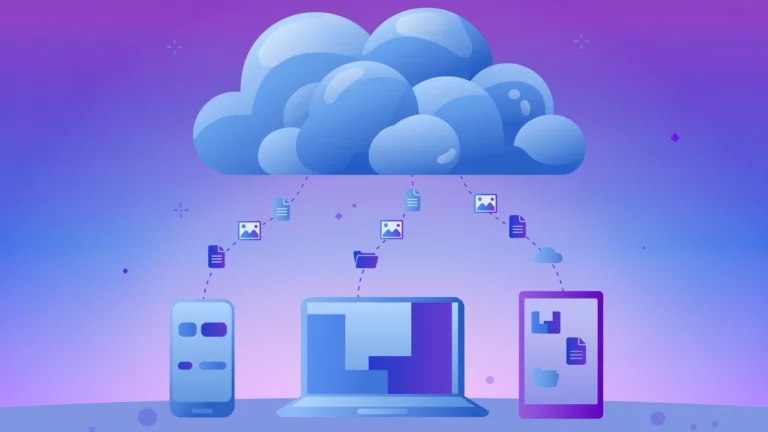
EHR cloud computing means running an electronic health record system on remote servers managed by a vendor, instead of on computers and servers inside a clinic or hospital. Doctors, nurses, and billing staff open the record through a secure internet connection, from a clinic desk, a hospital ward, a home office, or a mobile device on a ward round. EHR cloud computing gives a clinic a complete patient record without owning server hardware, patching software by hand, or hiring a large IT team to keep the system running.
In short, EHR cloud computing is this: a vendor hosts the EHR software and patient data in secure data centers, keeps the software updated, backs the data up, and lets authorised clinicians access the record from anywhere with an internet connection, while the healthcare organisation keeps clinical responsibility and must still check that security, privacy, and data access rules are met.
Key Takeaways
- EHR cloud computing moves the EHR from local servers to vendor managed remote servers accessed over the internet.
- The main gains are lower upfront cost, automatic updates, remote access, built in backup, and easier scaling.
- Security depends on encryption, access controls, audit trails, and a signed business associate agreement, not on the word cloud alone.
- Cloud computing in healthcare works best when interfaces, data cleaning, training, and downtime plans are prepared before go live.
- Migration needs a data audit, a parallel run, staff training, and a written exit and data export plan.
Table of Contents
- What is EHR cloud computing?
- How does EHR cloud computing work?
- What is the difference between cloud-based and on-premises EHR?
- How does cloud computing in healthcare improve care coordination?
- Is EHR cloud computing secure and HIPAA compliant?
- What does EHR cloud computing cost?
- What are the challenges and limits of EHR cloud computing?
- How do you migrate an EHR to the cloud?
- How do you choose a cloud EHR vendor?
- Frequently asked questions
- Conclusion
What is EHR cloud computing?
An electronic health record, usually shortened to EHR, is the digital version of a patient chart. A typical EHR holds visit notes, diagnoses, medication lists, allergies, lab results, imaging reports, immunisation dates, treatment plans, and messages between clinicians and patients. An electronic medical record, or EMR, is narrower: it is the chart inside one practice. An EHR is designed to travel, in a controlled way, across providers and settings, so a hospital, a clinic, a pharmacy, and a lab can work from a fuller picture of the same patient.
EHR cloud computing is the delivery model for that record. Instead of installing EHR software on a server in a back room, the organisation subscribes to software as a service. The vendor runs the application, the databases, and the storage in data centers. Clinicians log in through a browser or an app. Updates, security patches, and backups are handled centrally, so every site on the same system moves to the new version together. That central model is why cloud EHR vendors can add features, fix problems, and meet new interoperability rules faster than a clinic that must update each local server by hand.
For readers new to the wider topic, this guide builds on the basics explained on the CPN Tech homepage, with a healthcare specific view that follows. The rest of this guide stays practical: how the system works, what it costs, where it can fail, and how to move to it safely.
How does EHR cloud computing work?
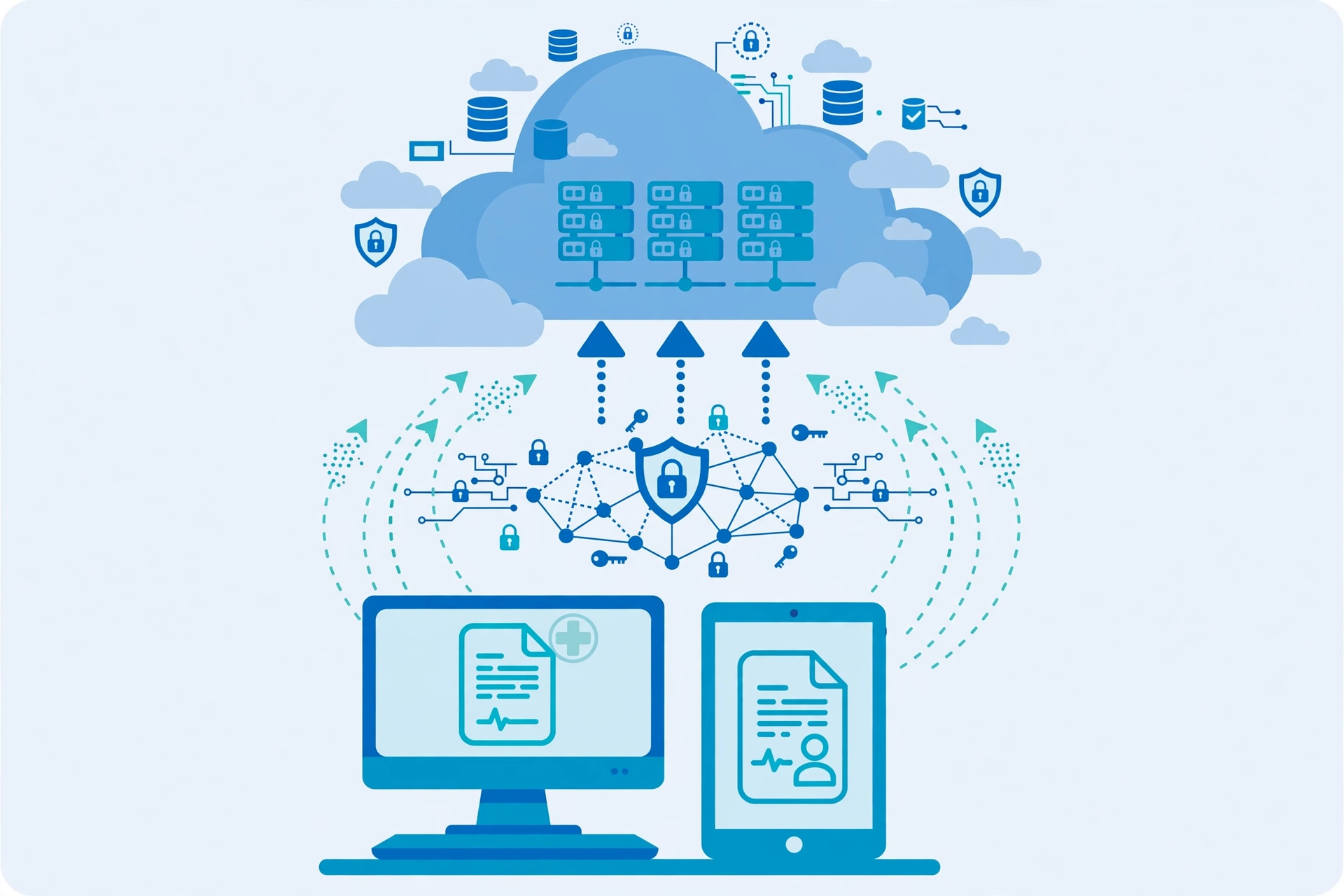
EHR cloud computing works in four layers that a clinician never needs to see, but should understand at a high level. First, the presentation layer is what staff see: the chart, the schedule, the prescribing screen, and the patient portal. Second, the application layer holds clinical logic: templates, order sets, alerts, billing rules, and decision support. Third, the data layer stores structured records, documents, and images. Fourth, the infrastructure layer provides servers, storage, networks, and security controls in vendor data centers.
When a clinician opens a chart, the request travels over an encrypted connection to the vendor system, which checks the user identity, checks what that role is allowed to see, and returns only that patient record. Role based access is central here. A receptionist may see scheduling and contact details but not full clinical notes. A prescribing clinician sees medications and allergies. An auditor sees access logs. Every access can be logged, which matters for privacy investigations and for trust.
Data does not sit in one single computer. Reputable vendors copy data across more than one data center, so a hardware failure in one location does not erase the record. Backups run on a schedule, and restore tests should prove that a backup can actually be brought back. That backup discipline links closely to general cloud backup practice, and the CPN Tech guide to encrypted cloud backup explains why encryption and a tested restore matter for any sensitive data set.
Cloud EHR systems also connect to other tools. Labs send results, pharmacies receive prescriptions, imaging systems send reports, and billing systems receive charges. Standards make those connections possible. HL7 version 2 has carried lab and admission messages for years. FHIR, a newer standard from HL7, uses modern web APIs to let an app request a specific piece of data, such as a medication list, without copying a whole chart. A buyer should ask which standards a vendor supports in practice, not only on a sales page, because two systems can both claim FHIR support yet still fail to exchange a lab result cleanly if field formats differ.
What is the difference between cloud-based and on-premises EHR?
The choice is less about where data lives and more about who carries the work, the risk, and the cost over time.
| Feature | Cloud-based EHR | On-premises EHR |
|---|---|---|
| Where data is stored | Vendor data centers, accessed over the internet | Servers inside the clinic, hospital, or its own data room |
| Upfront cost | Lower, usually a subscription plus implementation | Higher, servers, licences, installation, and setup |
| Ongoing maintenance | Vendor patches, updates, and backups | In-house IT team or contractor patches, updates, and backs up |
| Access | Any authorised device with internet access | Mainly inside the building, remote access needs extra setup |
| Scaling | Add users or sites by changing the subscription | Buy hardware, add licences, and plan capacity in advance |
| Disaster recovery | Built in replication across data centers in most products | Depends on the local backup plan and off site copy |
| Upgrade timing | Vendor schedules updates for all customers | Organisation schedules each upgrade and tests it locally |
| Control | Less direct control over infrastructure and timing | More direct control, but also more responsibility |
On-premises EHR suits a large hospital that already runs a strong IT department, needs deep customisation, or must keep data inside a specific building for legal reasons. Cloud EHR suits most small and mid sized clinics, multi site groups, and new practices, because it removes server work and spreads cost over time. The trade off is dependence: if the internet fails, or the vendor has an outage, clinicians need a tested downtime procedure, covered later in this guide.
How does cloud computing in healthcare improve care coordination?
Cloud computing in healthcare improves care coordination by giving every authorised member of a care team the same current record, at the same time, from different places. That sounds simple, yet it changes daily work in concrete ways.
For clinicians, a cloud record means a hospital doctor can see the clinic note, the current medication list, and the recent lab result before a consultation, instead of waiting for a fax or a phone call. For nurses, shared task lists and handover notes reduce duplicate questions to patients. For pharmacists, an up to date allergy and medication list reduces prescribing risk. For billing staff, charges flow from the clinical note into the billing system without retyping, which cuts errors and delays. For patients, a portal lets them book appointments, view results, refill prescriptions, and message the clinic, without a separate trip or phone queue.
Coordination also helps across organisations. A primary care clinic, a specialist, a lab, and a hospital can share results through a health information exchange or through direct FHIR connections, under patient consent and privacy rules. During a telehealth visit, the clinician can document in the same cloud chart used in the clinic, so the next clinician sees one continuous history rather than two separate notes. That continuity is the real prize of cloud computing in healthcare: fewer repeated tests, fewer missed allergies, and fewer gaps between visits.
The gain is not automatic. Coordination fails when interfaces are half built, when duplicate patient profiles split one person into two records, or when staff keep side spreadsheets because the system is slow. A good rollout therefore includes a patient matching plan, a single record rule, and a ban on shadow records outside the EHR except for approved downtime forms.
Is EHR cloud computing secure and HIPAA compliant?

Security is the question every clinic asks first, and the honest answer is that a cloud EHR can be more secure than a local server, or less secure, depending on the vendor and on how the clinic uses it. A small clinic rarely has round the clock monitoring, intrusion detection, physical data center security, and a dedicated security team. A reputable cloud vendor does. That is why many analysts argue that a certified cloud system gives a small practice a higher and more consistent level of protection than it could build alone.
That protection rests on specific controls, and a buyer should verify each one. Data should be encrypted in transit, while it travels over the internet, and at rest, while it sits in storage. Strong vendors use AES-256 encryption, multi factor authentication, and regular penetration testing. Access should follow the minimum necessary rule: each role sees only what the job needs. Audit trails should record who viewed, changed, or exported a record, and when. Backups should be encrypted, replicated, and restore tested.
In the United States, HIPAA sets the legal frame. HIPAA does not certify a product as compliant in the abstract. A healthcare organisation must sign a business associate agreement, known as a BAA, with any vendor that handles protected health information. The BAA states how the vendor will safeguard data, report breaches, and return or destroy data at the end of the contract. The clinic must still run its own risk analysis, train staff, manage passwords, and control devices. A vendor cannot make a clinic HIPAA compliant by itself, and a clinic cannot outsource its HIPAA responsibility by signing a contract.
Practical risks deserve plain language. Phishing can steal a clinician login, so multi factor authentication and staff training matter more than any server location. Shared devices can leak data, so automatic logout and device controls matter. Misconfigured access can expose records, so role reviews should happen when staff join, change roles, or leave. Vendor lock in is a security and business risk too: if export is hard, the clinic loses leverage. Ask for the export format in writing before signing, and test a sample export during the trial if the vendor allows it.
For organisations weighing backup options alongside an EHR move, the CPN Tech guide to cloud backup services for business sets out how business backup planning differs from a personal backup, and that distinction helps a clinic size its EHR backup expectations correctly.
What does EHR cloud computing cost?
Cloud EHR pricing is usually a monthly subscription per provider or per user, plus implementation, training, data migration, and interface fees. Published figures vary widely by practice size and features. A small clinic may pay a few hundred dollars per provider per month for a combined EHR and practice management product, while larger or specialist products cost more. Free or low cost plans exist for very small practices, but they often limit users, appointments, or features. Treat any single price as a starting point, not a total.
A fair total cost comparison needs five lines, not one. First, the subscription, per provider, per month, over three to five years. Second, implementation and migration, including data cleaning and interface building. Third, staff time, including training, parallel running, and the productivity dip in the first weeks after go live. Fourth, add ons and interface fees, charged per connection to a lab, pharmacy, or billing system. Fifth, exit and switching costs, if the clinic later moves vendor. On-premises cost needs the mirror image: servers, licences, IT staff or contractor time, electricity, cooling, physical space, backups, and a hardware refresh every three to five years.
Subscription pricing helps budgeting because cost is predictable month to month, but it can also rise at renewal, and per provider pricing can punish a growing team. Ask whether pricing is per provider, per user, or per site, what is included, what counts as an extra interface, and how renewal increases are capped. Get every interface fee and every data export fee in writing. A cheap subscription with expensive interfaces can cost more than a dearer product with interfaces included.
Return on investment does not come only from saved server cost. It comes from fewer missed appointments through portal reminders, faster billing through cleaner charge capture, less retyping through interfaces, and fewer duplicate tests through shared results. A clinic should measure those four items before and after migration, so the decision is based on its own numbers, not a vendor case study.
What are the challenges and limits of EHR cloud computing?
Cloud EHR has real limits, and naming them helps a clinic plan around them. Internet dependence is first. In areas with weak or unreliable internet, a cloud only system can stall at the worst moment. A clinic needs an offline or downtime plan: printed schedules, paper forms for critical notes, a phone tree, and a clear rule for entering paper notes back into the system after service returns. Some vendors offer limited offline charting, but offline access is rarely full, so test it before relying on it.
Interoperability is second. Standards help, but they do not guarantee clean exchange. Two systems can use different HL7 versions, different field formats, or different code sets for problems, labs, and medications. SNOMED CT codes problems, LOINC codes lab tests, and RxNorm codes medications, and coding at entry matters. Without a data quality plan, a migration can create duplicate patients, split histories, or attach a lab result to the wrong chart. That is a patient safety risk, not only an IT annoyance.
Migration effort is third. Moving years of records, cleaning duplicates, mapping old templates, and rebuilding custom alerts takes time. During parallel running, the clinic pays for both systems at once, a cost Deloitte calls the double bubble. Staff also need new skills, and healthcare organisations often lack in-house cloud expertise, which pushes them toward managed services or consultants.
Vendor dependence is fourth. Update timing, interface pricing, and feature roadmaps sit with the vendor. A forced update can change a workflow overnight. A vendor acquisition can change pricing or support. A clear contract, a tested export, and a regular backup held in a form the clinic can read reduce that dependence, even if they cannot remove it.
Privacy variation is fifth. In the United States, state privacy rules differ, and data location can matter for some organisations. A clinic should ask where data is stored, which subcontractors touch it, and how breach notification works. Outside the United States, local health data rules may be stricter, so a product built for one country cannot be assumed lawful in another.
How do you migrate an EHR to the cloud?
A safe migration follows a sequence, not a single big switch. Use these steps as a checklist, and adapt the timing to clinic size.
- Audit the current record. Count active patients, inactive patients, duplicate profiles, and custom templates. Decide what migrates in full, what migrates as a summary, and what stays archived read only. Clean duplicates before migration, not after.
- Map interfaces and workflows. List every lab, pharmacy, imaging, billing, scheduling, and telehealth connection. Record message formats, code sets, and any undocumented routing rules. Rebuild only the workflows that still add value.
- Choose the migration scope. A big bang switch suits a small single site clinic. A phased move, site by site or department by department, suits a larger group. A parallel run, where old and new systems run together for a short period, catches errors but costs more.
- Clean and validate data. Standardise names, dates of birth, phone numbers, and addresses so patient matching works. Validate key clinical fields, such as allergies and active medications, on a sample of records, then on the full set.
- Test interfaces under load. Test lab results, prescriptions, and billing charges with realistic peak volumes, not only with a single test patient. Test downtime procedures and restore from backup before go live.
- Train by role. Clinicians, nurses, receptionists, billing staff, and managers need different training. Use real clinic scenarios, not only vendor slides. Name super users on each shift who can help colleagues in the first weeks.
- Go live with support. Keep vendor support on call, keep the old system read only for a defined period, and hold daily huddles in the first two weeks to catch workflow breaks early.
- Review after 30, 60, and 90 days. Measure appointment throughput, billing lag, interface error rates, and staff satisfaction. Fix the top three workflow problems before adding new features.
Data migration also raises a backup question that clinics often miss: moving from one cloud system to another is itself a migration. The CPN Tech guide to cloud to cloud backup explains the idea of keeping a separate, restorable copy when data moves between cloud platforms, and that principle applies directly to an EHR switch.
How do you choose a cloud EHR vendor?
Vendor choice should follow the clinic workflow, not a feature list. Start with must have clinical needs: specialty templates, prescribing, lab ordering, imaging, scheduling, billing, patient portal, and telehealth, in that order for most clinics. Then test usability with real tasks: book a patient, document a visit, order a lab, prescribe a drug, and send a bill, timed, with the staff who will do the work daily.
Ask these contract and technical questions in writing, and keep the answers with the contract:
- Is a business associate agreement included, and what are the breach notification times?
- Where is data stored, which subcontractors process it, and how is it encrypted in transit and at rest?
- What is the uptime promise, how is downtime measured, and what compensation applies?
- Which FHIR and HL7 interfaces are included, and what does each extra interface cost?
- What is the data export format, how often can the clinic export, and what help is given on exit?
- How are updates scheduled, can a clinic delay a major update, and how is training given for changes?
- What support hours, response times, and escalation paths apply, including weekends?
- What does implementation include, how long does it take, and what happens if migration runs late?
- How is pricing calculated, how are renewals capped, and what triggers extra charges?
Run a trial with real, de-identified test data if possible, and speak to two or three reference clinics of similar size and specialty. Ask those clinics what broke at go live, what they wish they had asked, and what the vendor support is like after the sale. A vendor that answers hard questions plainly before signing is more likely to answer them plainly after signing.

Frequently asked questions
What is EHR cloud computing in simple terms?
EHR cloud computing is an electronic health record system hosted on vendor managed servers and accessed over the internet, instead of on servers inside a clinic. Clinicians log in securely from any authorised device, the vendor handles updates and backups, and the clinic focuses on care rather than server maintenance.
Is a cloud-based EHR the same as a web-based EHR?
In most vendor language, yes. A web-based EHR is cloud-based, because it runs in a browser and stores data on remote servers rather than a local server. Some vendors use web-based to mean browser access only, so check whether mobile apps, offline access, and interfaces are included in that label.
Is EHR cloud computing safe for patient data?
A reputable cloud EHR can be very safe, because it uses encryption, multi factor authentication, audit trails, and monitored data centers. Safety also depends on the clinic: strong passwords, staff training, role based access, and a signed business associate agreement are all required, and no vendor can replace those clinic duties.
What happens if the internet goes down?
Clinicians switch to the downtime procedure: printed schedules, paper notes for critical care, and phone contact with labs and pharmacies. After service returns, paper notes are entered into the EHR and checked. Clinics should test this procedure before go live, and should not assume full offline charting unless the vendor proves it.
How long does EHR cloud migration take?
A small clinic may migrate in a few weeks, while a multi site group may take several months. Time depends on data cleaning, interface building, training, and whether the move is big bang or phased. Parallel running adds time and cost, but it catches errors that a rushed switch would miss.
Can a clinic leave a cloud EHR vendor later?
Yes, if the contract allows a clean export. Before signing, ask for the export format, the export frequency, the cost, and the help given on exit. Keep a regular export in a readable form, so leaving is a planned project rather than a crisis.
Does cloud computing in healthcare help small clinics most?
Small clinics often gain most, because they avoid server purchases, IT hiring, and manual patching, and they gain remote access and shared records quickly. Larger hospitals may still prefer on-premises or hybrid models when they need deep customisation, local control, or specific data location rules.
Conclusion
EHR cloud computing is not magic, and it is not only a cheaper server. It is a different way of running the most important system in a clinic: the patient record lives on vendor managed infrastructure, updates and backups happen centrally, and authorised clinicians can reach the current record from clinic, hospital, home, or telehealth visit. That model cuts upfront cost, improves access, and supports care coordination across providers, which is why cloud computing in healthcare keeps growing.
The model works best when a clinic treats migration as a clinical project, not an IT purchase. Clean the data, map the interfaces, train by role, test downtime and restore, sign a clear business associate agreement, and keep a written exit plan. With those steps done, EHR cloud computing gives a clinic a record system that scales with the practice, stays current without server work, and keeps the focus where it belongs: on the patient in front of the clinician, with a complete and current record to support the next decision.