What Is Web Development? A Beginner’s Guide
What Is Web Development? A Beginner’s Guide
Every website you have ever visited, from a tiny personal blog to a streaming platform serving millions, exists because of web development. Beginners usually picture someone typing code into a dark screen for hours. That picture is not wrong, but it misses most of the story.
Web development is the process of building, launching, and maintaining websites and web applications that people use through a browser. It covers everything from the buttons you click to the servers, databases, and security systems running quietly behind the scenes. Web development combines planning, design, coding, testing, and ongoing maintenance, and it powers nearly every digital experience you use each day.
This guide explains web development from the ground up: how the web works, the three main types, the languages and tools professionals use, the step by step process behind every project, what it costs, and how to start learning today.
Key Takeaways
- Web development means building websites and web apps: planning, design, code, testing, launch, and maintenance together.
- The three types are front-end (what users see: HTML, CSS, JavaScript), back-end (servers, databases, logic), and full-stack (both combined).
- Beginners start with HTML, CSS, and JavaScript, then add a framework like React and a back-end language such as Python or Node.js.
- You do not always need a developer: website builders cover simple sites; custom development is for unique features and scale.
- Realistic timeline: 3 to 6 months to learn front-end basics, 6 to 12 months to become job ready.
Table of Contents
- What Is Web Development?
- How Does Web Development Work?
- What Are the Three Main Types of Web Development?
- What Languages and Tools Do Web Developers Use?
- What Is the Web Development Process?
- Web Development vs Website Builders: Which Should You Choose?
- What Does Web Development Cost and How Long Does It Take?
- How Can a Beginner Start Learning Web Development?
- What Are the Biggest Web Development Myths and Mistakes?
- Frequently Asked Questions
What Is Web Development?
Web development is the craft of creating and maintaining websites and web applications. Before a single line of code is written, someone plans what the site should do and how visitors will use it. After launch, someone monitors, fixes, and improves it. Coding is the heart of the work, surrounded by planning, design, testing, and maintenance.
The field grew up with the World Wide Web itself, invented by Tim Berners-Lee at CERN in 1989 and opened to the public in the early 1990s; our article on who invented the World Wide Web tells that story. Early sites were simple static HTML pages. Today, web development produces online stores, banking portals, and social networks built with frameworks, servers, databases, and cloud infrastructure.
Web developers usually specialize. Front-end developers build the part visitors see and interact with. Back-end developers build the server side: logic, databases, and systems. Full-stack developers do both. One common confusion: web development is not web design. Design focuses on appearance and user experience; development focuses on making it all actually work.
How Does Web Development Work?
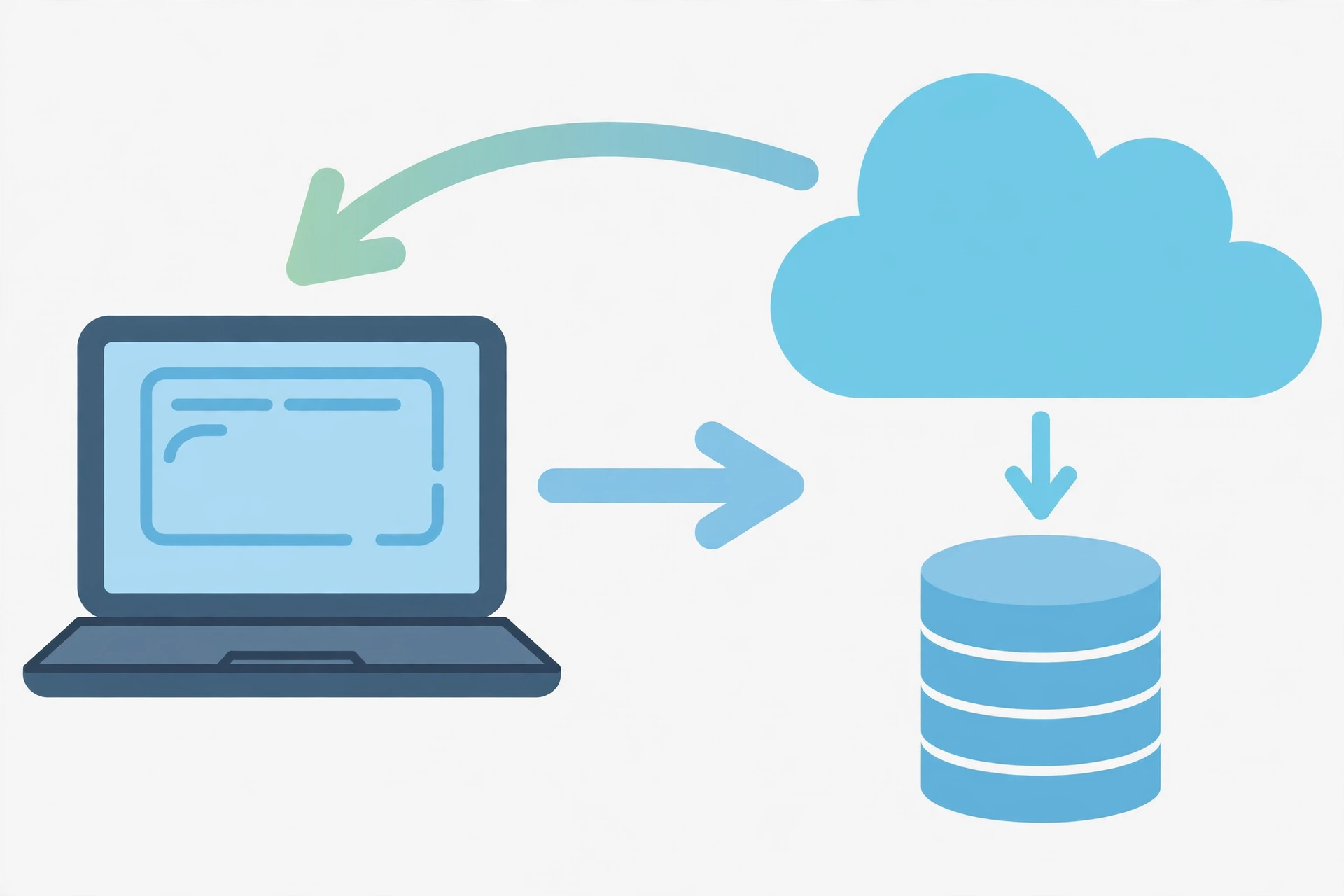
Every website visit is a quiet conversation between your browser and a server, and web developers build both sides of it.
Your browser (Chrome, Safari, Firefox) is the client. When you type an address, it first asks the Domain Name System (DNS) to translate the domain into a server’s numeric address, like looking up a phone number. Then the browser sends a request using HTTP (or secure HTTPS).
The server, a computer in a data center, receives the request, pulls data from a database if needed, and sends back a response: HTML for structure, CSS for styling, JavaScript for interactivity, plus images. Your browser renders it all into the page you see, usually in a fraction of a second.
Front-end code shapes what the browser renders. Back-end code decides what the server sends and how it handles data. Developers also set up the supporting infrastructure: hosting, databases, caching, security certificates, and deployment pipelines that move code from a developer’s computer to the live server safely. That is why maintenance never ends: launch is the middle of a project, not the finish line.
What Are the Three Main Types of Web Development?
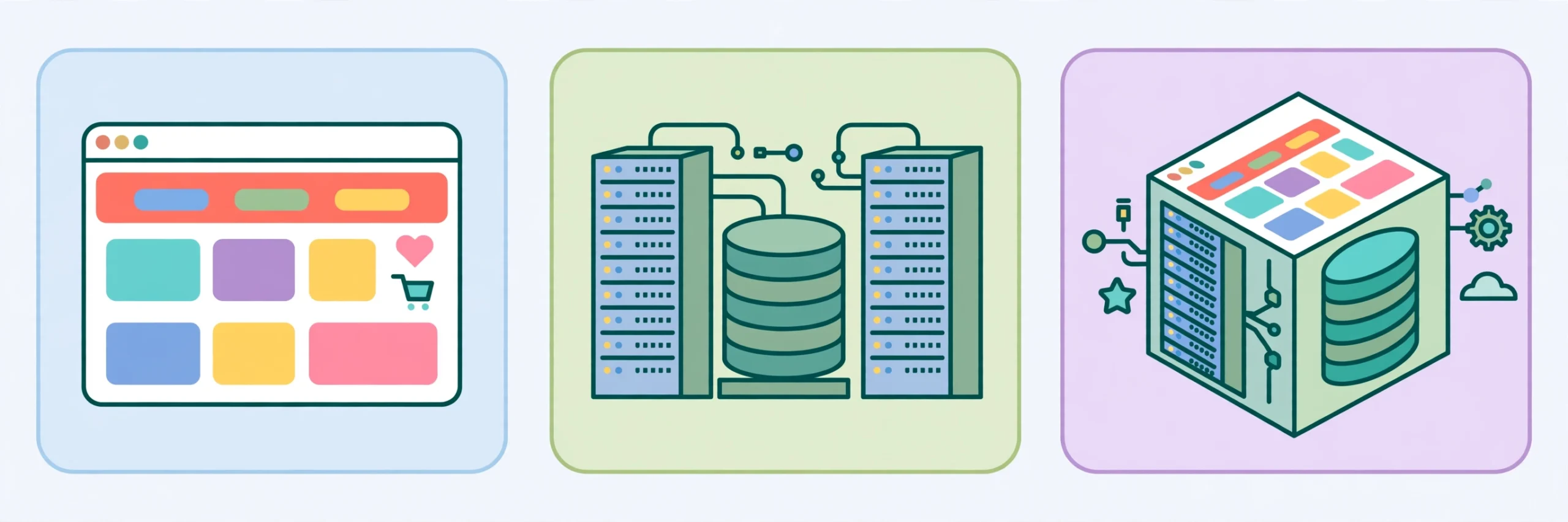
Web development splits into three types. Knowing the split is the first decision every beginner faces: which path to learn first.
| Type | What it builds | Core technologies |
|---|---|---|
| Front-end | Everything the visitor sees and clicks in the browser | HTML, CSS, JavaScript, React, Vue.js |
| Back-end | Servers, databases, application logic, APIs | Node.js, Python, PHP, SQL databases |
| Full-stack | The whole application, front and back | Both of the above, plus deployment skills |
Front-end development: the visible half
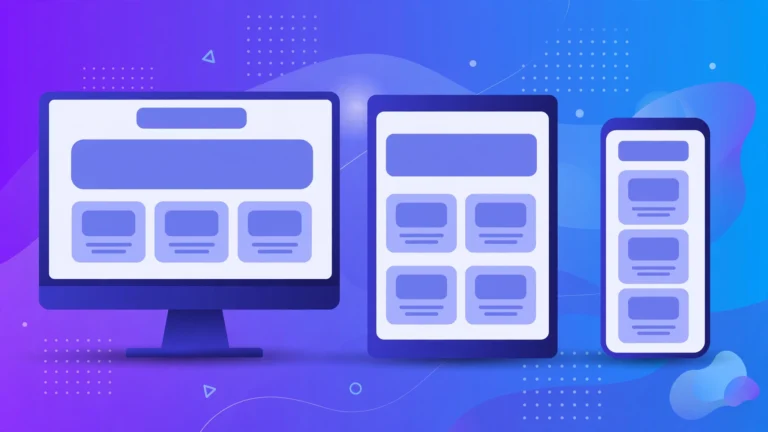
Front-end developers turn designs into working pages using HTML for structure, CSS for styling, and JavaScript for interactivity. Modern front-end work also covers page speed, cross-browser compatibility, and accessibility for users with disabilities. Developers connect interfaces to back-end services through APIs, so a click can fetch fresh data without reloading the page. Frameworks like React, Vue.js, and Angular help manage complex interfaces. Our guide to responsive web design techniques shows how layouts adapt from phones to wide monitors.
Back-end development: the engine room
Back-end developers build what visitors never see. When you log in, place an order, or save a file online, back-end code checks your credentials, writes to a database, and enforces the application’s rules. Developers pick a server language (Node.js, Python, PHP, Java, Ruby), a framework (Django, Laravel, Express), and a database (MySQL, PostgreSQL, MongoDB), then build APIs the front-end talks to. They also handle security, performance, and scaling. When a site slows under traffic or leaks data, the cause is usually back-end, which is why the role carries real responsibility.
Full-stack development: the whole picture
Full-stack developers work across both layers, and startups love them because one person can take a feature from idea to live site. The tradeoff is breadth: full-stack takes longer to learn, and on large projects specialists outperform generalists. Treat full-stack as a destination, not a starting line: learn front-end first, then add back-end.
What Languages and Tools Do Web Developers Use?
The three foundations: HTML, CSS, and JavaScript
Every website is built from these three. HTML defines structure: headings, links, images, forms. CSS controls appearance: colors, fonts, layout. JavaScript adds interactivity: menus, validation, live updates. They are the non-negotiable starting point for every specialty, and they are enough to build real websites on their own.
Frameworks and libraries
Once the basics are solid, developers add tools for bigger jobs. React (from Meta) is the most used front-end framework; Vue.js has a gentler learning curve; Angular (from Google) is common in enterprises. On the server side, popular pairings include Node.js with Express, Python with Django or Flask, and PHP with Laravel (PHP still powers a huge share of the web, including WordPress). A classic beginner mistake is jumping to a framework before understanding JavaScript; learn the language first or the framework becomes a black box.
Databases and developer tools
Sites that remember anything need a database: MySQL and PostgreSQL store structured data queried with SQL; MongoDB stores flexible documents and pairs well with JavaScript stacks. Day to day, developers also use Visual Studio Code as their editor, Git with GitHub for version control, browser developer tools for debugging, and a terminal for running servers. Learning these early pays off for the rest of your career.
What Is the Web Development Process?
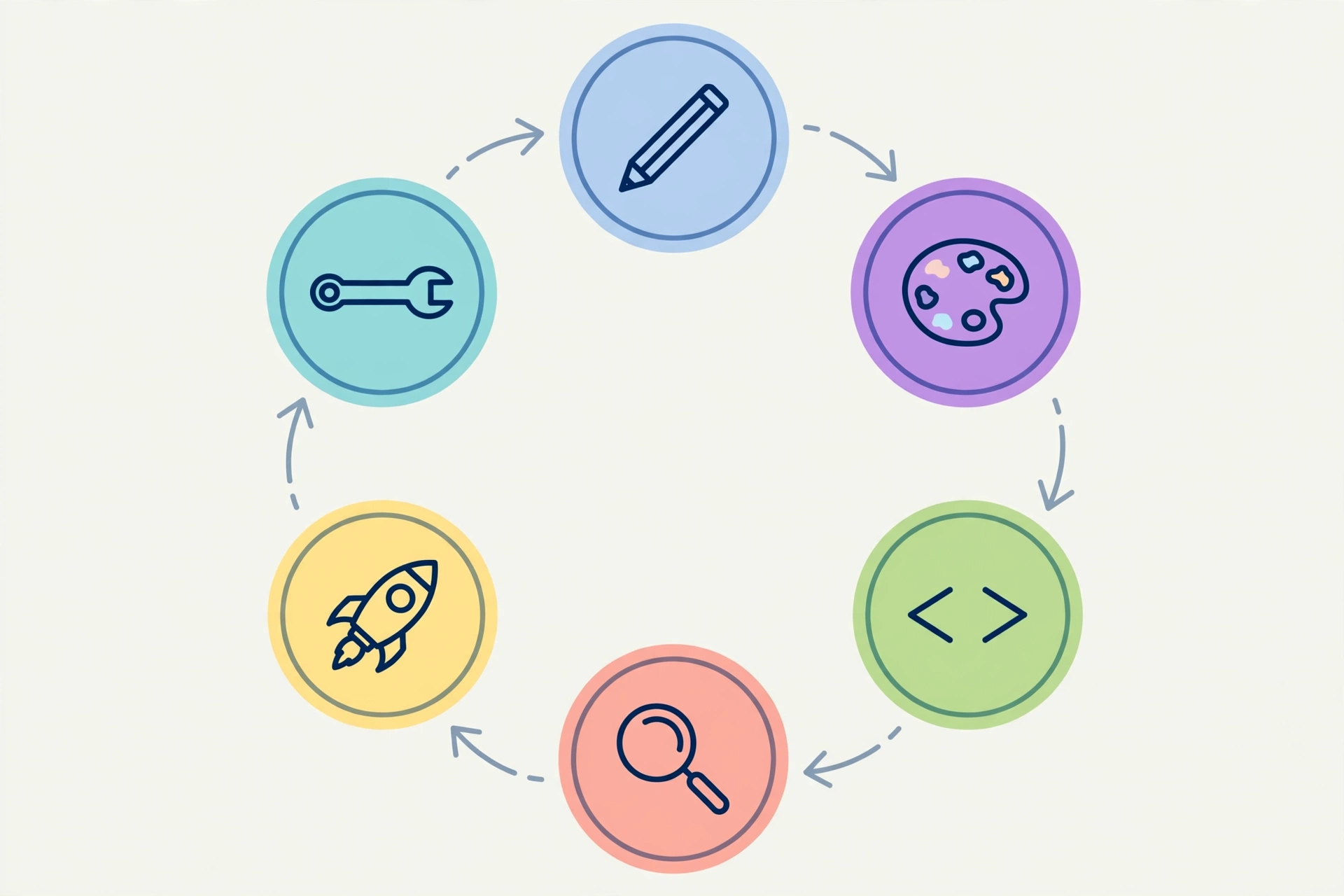
Most beginner guides skip this: how a website actually gets built from start to finish. Every professional project follows roughly the same lifecycle.
1. Planning. Define what the site must do, who it serves, and what features it needs. This produces a sitemap and timeline. Skipping planning is the most expensive mistake in web development, because late changes cost far more than early ones.
2. Design. Designers create wireframes (simple layout sketches), then polished mockups with colors and typography, often as clickable prototypes in tools like Figma so the site can be reviewed before it is built.
3. Development. Developers turn designs into a working site: front-end for the interface, back-end for logic and data, connected through APIs. Professionals build in small, testable pieces and track every change with version control.
4. Content. Real text, images, and video go in during development, not after. Content shapes design decisions, and writing it early exposes missing pages while they are still cheap to add.
5. Testing. The site is checked across browsers, phones, tablets, and desktops: forms, links, speed, accessibility, and login security. Bugs found here cost little; the same bugs after launch cost far more.
6. Launch. The site moves to its production server, the domain connects, HTTPS is enabled, analytics go in, and search engines are notified. A careful launch includes a rollback plan.
7. Maintenance. The forgotten step. Software needs updates, security patches, backups, and content refreshes. Budget for maintenance from the start, not as an afterthought.
Web Development vs Website Builders: Which Should You Choose?
Not every website needs a developer. Builders like Wix, Squarespace, and Shopify, plus WordPress, let non-developers launch a professional site in days with no code. So when is custom web development worth it?
Choose a builder or WordPress for a standard site: portfolio, blog, small business site, simple store. Builders are cheaper, handle hosting and security, and include good templates. Our guide on how to create a website walks through this route.
Choose custom development when you need what templates cannot do: unique features, complex accounts, integrations with other software, high traffic at scale, or a distinctive brand experience. It costs more and takes longer but has no ceiling; see what custom web development is for where that line sits.
For beginners learning the craft, the knowledge transfers: understanding web development makes you better at configuring and troubleshooting builders too.
What Does Web Development Cost and How Long Does It Take?
A simple brochure site from a freelancer costs a few hundred to a few thousand dollars; a custom small business site runs into the low thousands; a serious web application starts in the tens of thousands and climbs with complexity. The biggest cost drivers are custom features, integrations, design originality, and content volume. Add ongoing costs: hosting, domain renewal, and maintenance.
Build timelines: 2 to 6 weeks for a simple site, 2 to 4 months for a custom business site or store, 4 to 12 months or more for a complex application. The most common delay is late content and changing requirements, which is why planning matters.
Learning timelines are just as honest: 3 to 6 months of steady study for front-end fundamentals, 6 to 9 months to become job ready as a front-end developer, 9 to 18 months for full-stack. Anyone promising mastery in 30 days is selling something, not teaching something.
How Can a Beginner Start Learning Web Development?
You need a computer, a browser, and an internet connection. Here is the order that works.
Step 1: HTML and CSS (weeks 1 to 6). Learn document structure, then styling: selectors, the box model, Flexbox and Grid, responsive design. Build small pages constantly; every concept should end in something visible in the browser.
Step 2: JavaScript (months 2 to 5). The steepest and most valuable climb: fundamentals, DOM manipulation, then fetching data from APIs. Do not touch a framework until you can build interactive pages with plain JavaScript.
Step 3: Git and GitHub (alongside step 2). Commit every project. Employers look at GitHub profiles, and version control saves you from losing work.
Step 4: A framework (months 5 to 8). Learn React and build complete projects: a weather app, a task manager, a small store front-end. Projects teach debugging and finishing, which tutorials cannot.
Step 5: Back-end skills (months 8 to 14). Pick one path: Node.js with Express, or Python with Django. Learn servers, databases, authentication, and REST APIs, then connect your front-end projects to your own back-end. That is full-stack development.
Step 6: Deployment. Put projects online with real hosting, domains, and HTTPS. A live project beats ten tutorial certificates.
The golden rule: spend at least half your learning time writing your own code. Tutorial hell, watching courses without building, is the trap that stalls most beginners.
What Are the Biggest Web Development Myths and Mistakes?
Myth 1: You need to be a math genius. Web development uses logic, not advanced math. If you can follow a recipe and figure out why the cake failed, you can learn to code.
Myth 2: AI will replace web developers. AI assistants are tools professionals use daily, but someone must define requirements, design architecture, verify output, and own security. AI changes the job; it does not eliminate it.
Myth 3: Learn every language. Trying to learn five languages at once teaches none of them. Depth in one stack beats shallow familiarity with many.
Myth 4: A website is finished at launch. Maintenance is part of the job; unmaintained sites decay into slow, insecure relics.
The real mistake: ignoring accessibility, performance, and security. Fast pages rank better, accessible sites serve everyone, and protecting user data is non-negotiable. Learn these as habits from day one, not as advanced topics later.
Frequently Asked Questions About Web Development
What is web development in simple words?
Web development is the work of building websites and web apps: the pages in your browser plus the servers, databases, and code behind them. It covers planning, design, coding, testing, launching, and maintaining the site.
What is the difference between front-end and back-end development?
Front-end development builds what users see and interact with in the browser, using HTML, CSS, and JavaScript. Back-end development builds the server side: application logic, databases, and APIs. Full-stack developers do both.
Is web development hard to learn?
It is challenging but very learnable. Most beginners get comfortable with front-end basics in 3 to 6 months of steady practice. Learn in the right order, build real projects constantly, and do not skip fundamentals to chase frameworks.
Do I need a degree to become a web developer?
No. Employers care about what you can build, shown through a portfolio and a GitHub profile. Many professionals are self-taught or learned through bootcamps and online courses rather than computer science degrees.
Should I learn web development in 2026?
Yes. Every business needs a web presence, web apps keep growing more central to daily life, and the barrier to entry is low: a computer and free resources are enough to start. AI tools have made developers more productive, not obsolete.
Conclusion
Web development is the craft behind every website and web application: part design, part engineering, part ongoing care. It splits into front-end, back-end, and full-stack work, runs on HTML, CSS, and JavaScript, and follows a clear process from planning through maintenance. Whether you want a career, a freelance skill, or simply to understand how the digital world is built, the path is open and the first steps are free.
Start with HTML and CSS this week, build something small, and keep going. For more beginner friendly technology guides, visit the CPN Tech homepage and explore the Web Dev section.