What Is a VPN Router? Explained Simply
A VPN router is a Wi-Fi router that connects to a VPN service directly, so every device on your home network is protected by the same encrypted VPN tunnel automatically. Instead of installing VPN apps on each phone, laptop, and TV, the router maintains one always-on VPN connection for everything connected to it.
The details decide whether one is right for you. This guide explains what a VPN router is in plain language, how it works, the three realistic ways to get one, how it compares to a VPN app and a VPN concentrator, plus setup steps and the tradeoffs and pitfalls vendor guides skip. By the end, you will know if one suits your home.
Key Takeaways
- A VPN router is a Wi-Fi router with VPN client software built in, encrypting every connected device’s traffic through one tunnel.
- It differs from a VPN app (protects one device) and from a VPN concentrator (enterprise hardware for inbound VPN sessions).
- Three ways to get one: buy a router with built-in VPN support, flash your router with DD-WRT or OpenWrt, or buy a dedicated travel VPN router.
- Best for households with many devices and gadgets that cannot run VPN apps; less ideal if you switch server locations often.
- Router CPUs limit speed, so check VPN throughput and enable the kill switch first.
What Is a VPN Router?
A VPN router is a standard network router with VPN client software running on it. A normal router moves data between your devices and your internet provider. A VPN router adds one more step: it encrypts all outgoing traffic and sends it through a VPN server before it reaches the public internet. Every device on that router, by Wi-Fi or Ethernet cable, inherits the VPN protection without needing its own VPN app.
VPN stands for virtual private network, and our beginner guide to a VPN (virtual private network) covers the basics from scratch. The key difference a router makes is location: the encrypted tunnel starts at the router instead of on your laptop or phone. Your devices just connect to Wi-Fi as usual while the router handles encryption behind the scenes.
This matters most for devices that cannot run VPN software at all. Most smart TVs, streaming sticks, game consoles, and IoT gadgets have no VPN app option. A VPN router puts those behind a VPN tunnel because protection happens upstream, at the gateway they all share.
How Does a VPN Router Work?

When your laptop requests a website, the request goes to your router first. On a normal router, it then travels to your internet provider in the open. On a VPN router, the router encrypts the request, wraps it in the VPN protocol, and sends it through the tunnel to your VPN provider’s server. That server forwards it to the website. The site sees the VPN server’s IP address, not yours, and your provider sees only encrypted traffic heading to one server.
VPN routers work in two modes. In VPN client mode, the router connects outward to an external VPN server and pushes all household traffic through it, which is what almost every home user wants. In VPN server mode, the router accepts incoming connections from outside, letting you securely reach your home network from a hotel.
The protocols doing the heavy lifting are usually WireGuard, OpenVPN, IPsec, or L2TP/IPsec. WireGuard is newer and faster on limited router processors. OpenVPN is older, highly configurable, and supported almost everywhere. The router’s CPU performs the encryption, which is why hardware quality matters.
What Types of VPN Routers Are There?
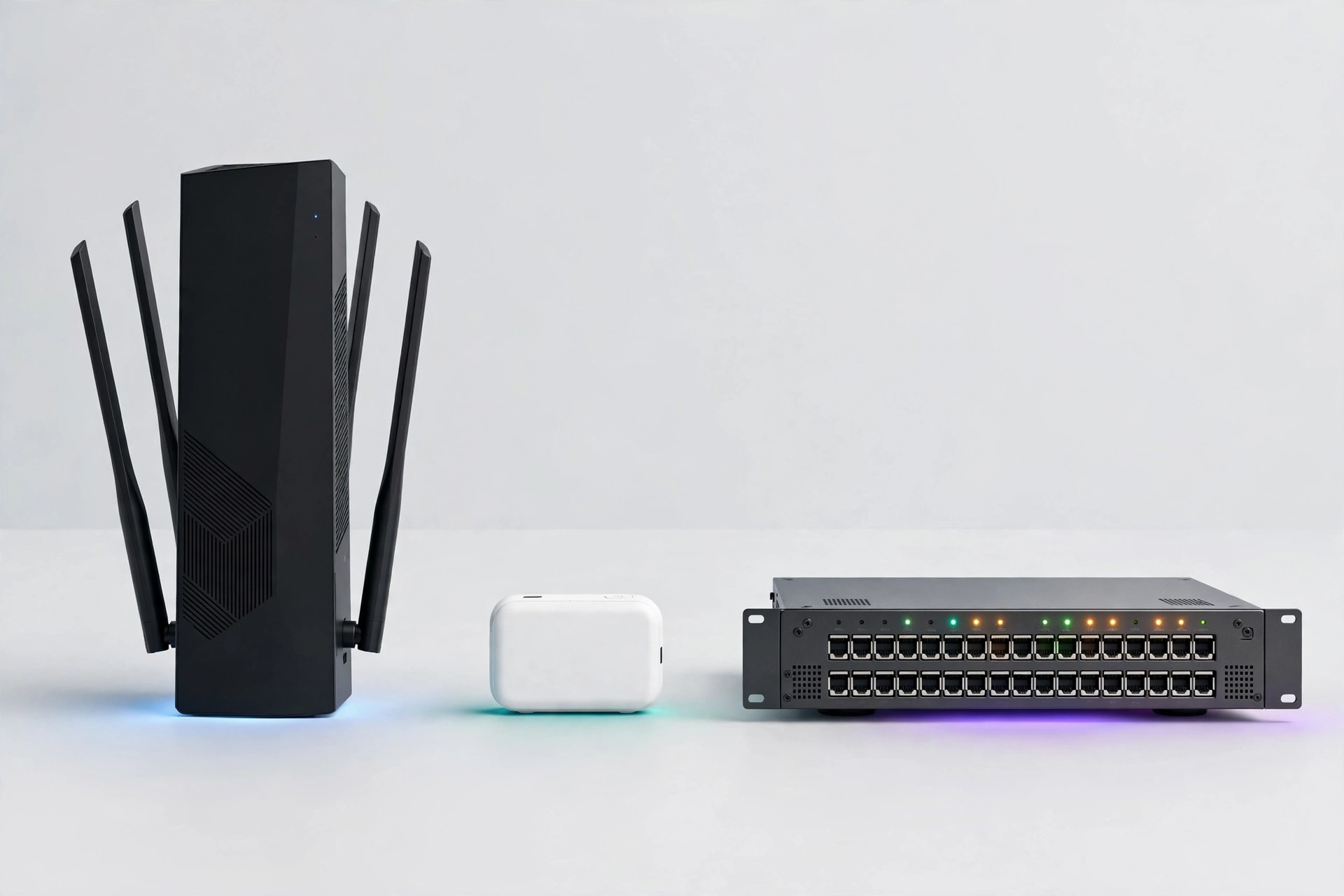
Routers with built-in VPN support
Many consumer routers from brands like Asus, Netgear, and TP-Link include VPN client settings in their stock firmware. You log in to the admin panel, choose a protocol, paste in your VPN credentials, and the router handles the rest. This is the easiest path. Check that the model supports OpenVPN or WireGuard, since some older routers only offer insecure PPTP.
Flashed routers: DD-WRT, OpenWrt, Tomato
If your current router lacks VPN support, you can sometimes replace its firmware with open-source alternatives like DD-WRT, OpenWrt, or Tomato. This process, called flashing, unlocks VPN clients and advanced firewall controls on hardware you already own. The risks are real: flashing the wrong file can brick a router and usually voids the warranty.
Dedicated and travel VPN routers
Pocket-sized travel routers from companies like GL.iNet run friendly firmware with VPN profiles, kill switches, and repeater mode, which joins a hotel’s Wi-Fi and rebroadcasts it as your own private network. These are excellent for travelers and for corporate-managed laptops that cannot run VPN software.
What Is the Difference Between a VPN Router and a VPN App?
With a VPN app, the encrypted tunnel starts on the device itself: laptop, then VPN tunnel, then internet. Only that device is protected, and the protection follows it everywhere, including on cellular data. With a VPN router, the tunnel starts at the router: laptop, then router, then VPN tunnel, then internet. Every device on the network is protected, but the protection stays at home with the router.
| Factor | VPN app | VPN router |
|---|---|---|
| Devices protected | One per installation | Every device on the network |
| Devices without VPN apps (TVs, consoles, IoT) | Not protected | Protected automatically |
| Setup difficulty | Install an app, tap connect | Router admin panel or flashing |
| Switching server locations | One tap | Editing router settings |
| Works on cellular data | Yes | No, the router stays home |
| Simultaneous connection limits | Counts each device | Counts as one connection |
A VPN app is better when you mainly use one device, switch locations often, or need protection away from home. A VPN router wins with many devices, gadgets that cannot run apps, or a need for one always-on household connection.
What Is a VPN Router vs a VPN Concentrator?
This is a common point of confusion that almost no popular guide addresses. A VPN router and a VPN concentrator sound similar but do opposite jobs.
A VPN router sits at the edge of your network and encrypts your outbound traffic toward a VPN server on the internet. It is a client-side device: it starts the VPN connection on behalf of your household or office.
A VPN concentrator is enterprise hardware on the server side. It accepts thousands of incoming VPN connections from remote employees and branch offices at once, authenticates each one, and routes them into the company network.
In short: a VPN router protects your own traffic leaving your network, while a VPN concentrator manages VPN traffic arriving at a company’s network. Home shoppers want the router.
How Do I Set Up a VPN Router?

The process follows the same six steps on almost every router with built-in VPN support.
- Check compatibility. Log in to your router’s admin panel (usually at an address like 192.168.1.1) and look for a VPN client section. Confirm it supports OpenVPN or WireGuard.
- Get your VPN credentials. Sign up with a provider that supports routers and download its configuration files.
- Upload the configuration. In the router’s VPN client settings, upload the file or paste the server details, then enter your VPN username and password.
- Connect and verify. Start the VPN connection from the router panel, then visit an IP checker site from a connected device to confirm your public IP changed.
- Enable the kill switch. Turn on the kill switch or “block internet if VPN drops” option, so no device leaks unprotected traffic if the tunnel fails.
- Set up split tunneling if needed. Many routers support policy-based routing, letting you choose which devices use the VPN.
If your router has no VPN section, your options are flashing DD-WRT or OpenWrt, or buying a router with built-in support. Never flash unless your exact model is listed as supported.
What Are the Pros and Cons of a VPN Router?
Advantages
- Whole-network protection: one setup covers phones, laptops, TVs, consoles, and IoT gadgets, including devices that cannot run VPN apps.
- Always-on privacy: the VPN runs on the router around the clock, so nobody has to remember to launch an app.
- Single connection counting: a VPN router counts as one connection against your subscription’s device limit.
- Network-level kill switch: a router kill switch can block all traffic for every device if the VPN drops.
- Travel convenience: a travel router in repeater mode puts every device online through hotel Wi-Fi VPN.
Disadvantages
- Speed reduction: encryption takes processing power, and many consumer routers have weak CPUs.
- Harder to configure: router admin panels and firmware flashing are more intimidating than tapping “connect” in an app.
- Inflexible server switching: changing VPN locations means editing router settings.
- Single point of failure: if the VPN drops without a working kill switch, your entire network is exposed at once.
- Upfront cost: a good VPN-capable router costs more than a basic one, on top of the VPN subscription itself.
Who Should Use a VPN Router?
A VPN router fits households with many connected devices, especially when some cannot run VPN apps. If your home has smart TVs, streaming boxes, game consoles, and IoT cameras, it is the only clean way to cover all of them. It also suits families wanting always-on protection and travelers who want one secure network name from hotel to hotel.
Remote workers with corporate-managed laptops benefit too. If your employer restricts software installation, a travel VPN router puts the VPN outside the laptop entirely. Note this does not bypass your company’s device management or policies.
Skip a VPN router if you mainly use one laptop, switch VPN locations constantly, need protection on cellular data, or dislike router settings. A VPN app is simpler in those cases. And if your internet plan is already slow, router-level encryption on weak hardware can make browsing noticeably worse.
How Fast Is a VPN Router?
Encryption is math, and math takes processing power. Every byte through the VPN must be encrypted on the way out and decrypted on the way in. On a powerful laptop this barely registers. On a budget router with a small processor, it can bottleneck your whole connection.
Three factors decide your speed. First, the router’s processor: a modern multi-core CPU with hardware encryption acceleration handles VPN traffic far better than an old single-core model. Second, the protocol: WireGuard is lean and usually delivers much higher speeds than OpenVPN on the same hardware. Third, the VPN server: distance, load, and your provider’s capacity all matter.
Practical advice: look up real-world VPN throughput numbers for the router model, not just its advertised Wi-Fi speed. A router advertised at 1 Gbps Wi-Fi might only push 100 to 200 Mbps through an OpenVPN tunnel. If your internet plan is faster than that, the router becomes your speed limit.
Is a VPN Router Secure?
A VPN router is as secure as its configuration. The encryption is strong, but several pitfalls can quietly undermine it.
The biggest one is the kill switch. If the tunnel drops and the router keeps routing traffic normally, every device is exposed. Always enable the router’s kill switch, then test it by deliberately disconnecting the VPN and confirming devices lose internet access.
Next, watch for IPv6 and DNS leaks. Many VPN tunnels only handle IPv4 traffic, so provider-supplied IPv6 can slip around the VPN entirely. Disable IPv6 on the router or confirm your VPN setup covers it.
Also avoid the double tunnel trap: connecting to the VPN router and then switching on a VPN app on your laptop stacks two tunnels. This usually just slows everything down without adding security. Use one or the other.
Finally, keep the firmware updated. Router firmware has bugs like any software. Enable automatic updates if available, and change the default admin password first.
Frequently Asked Questions
Do I need a separate VPN subscription to use a VPN router?
Yes. The router is the hardware that runs the VPN connection, but you still need a VPN provider account for the server network and credentials. The router connects to your provider’s servers using the configuration files your provider supplies, much like a phone needs a plan.
Will a VPN router slow down my internet speed?
Usually, yes, at least somewhat. Encryption needs processing power, and many consumer routers have modest CPUs that become a bottleneck. Speed loss depends on the router’s processor, the protocol, and server distance. WireGuard is typically much faster than OpenVPN on router hardware, so check throughput figures before buying.
Can I use a VPN router and a VPN app at the same time?
You can, but you usually should not. A VPN app behind a VPN router stacks two encrypted tunnels, which slows your connection and complicates troubleshooting. Use the router VPN at home and the app only when you are away from it.
Does a VPN router protect devices that cannot run VPN apps?
Yes, and this is one of its biggest strengths. Smart TVs, game consoles, streaming boxes, and IoT gadgets usually cannot install VPN software, but they are protected automatically through a VPN router because the encryption happens at the router before traffic leaves your network.
Is it legal to use a VPN router?
In most countries, using a VPN router is completely legal, just like using a VPN app. A small number of countries restrict or ban VPN use, so check your local laws, especially when traveling. A VPN does not make illegal activity legal; it only encrypts your connection.
Conclusion
A VPN router is simply a Wi-Fi router that runs your VPN connection for the whole network at once. It shines in homes full of devices that cannot run VPN apps, in households wanting always-on protection without per-device setup, and for travelers who want one secure network everywhere. The tradeoffs are real: slower speeds on weak hardware and trickier configuration.
If that sounds like your situation, check whether your current router has built-in VPN client support for WireGuard or OpenVPN. If it does, you may only need a VPN subscription and ten minutes in the admin panel. For more beginner-friendly guides on CPN Tech, browse the Software category and keep building your home network knowledge one simple explainer at a time.