What Is a VPN vs Proxy? Differences Explained Simply
A VPN and a proxy both hide your IP address, but that is where the similarity ends. A VPN creates an encrypted tunnel protecting all traffic from every app on your device, while a proxy only forwards one app’s traffic and usually adds no encryption. That is the core answer to what is a VPN vs proxy.
Both tools sit between your device and the internet, both can make websites see a different location, and both get sold with the same privacy promises, so the confusion is understandable. At CPN Tech, we explain technology simply: this guide shows what each tool actually does, how it works, where each one shines, and which one fits your situation, with no jargon and no sales pitch.
Key Takeaways
- A VPN encrypts all traffic from your entire device inside a secure tunnel, hiding your IP address and activity from your provider and Wi-Fi snoops.
- A proxy only forwards traffic for the app or browser you configure it in, and it does not encrypt your data by itself.
- Use a VPN for everyday privacy, banking, public Wi-Fi, and remote work. Use a proxy for quick single-app tasks like checking a site from another region.
- Neither tool makes you anonymous: logins, cookies, and device fingerprints still identify you.
- Free proxies and free VPNs carry real risks, including logging, ad injection, and data resale. Use them only for non-sensitive tasks.
- What is a VPN?
- How does a VPN work?
- What is a proxy server?
- How does a proxy server work?
- What are the main types of proxies?
- Which VPN protocols should beginners know?
- What is the VPN vs proxy difference?
- VPN encryption vs proxy: which one protects you better?
- What are the benefits of a VPN and a proxy?
- What are the risks and limitations of VPNs and proxies?
- When to use a VPN vs proxy: which one do you need?
- Are free proxies and free VPNs safe?
- Frequently asked questions
- Conclusion: which one will you choose?
What is a VPN?
A VPN, short for virtual private network, is software that builds an encrypted tunnel between your device and a remote server. Everything your phone or laptop sends online travels inside that tunnel, unreadable to outsiders, and websites see the VPN server’s IP address instead of yours. For the full background, start with our VPN definition guide.
Think of it as sending a sealed armored package by private courier instead of mailing a postcard. Anyone along the postcard route can read it, but the sealed package stays hidden from everyone except you and the recipient. A VPN gives every app on your device that sealed-package treatment at once.
How does a VPN work?
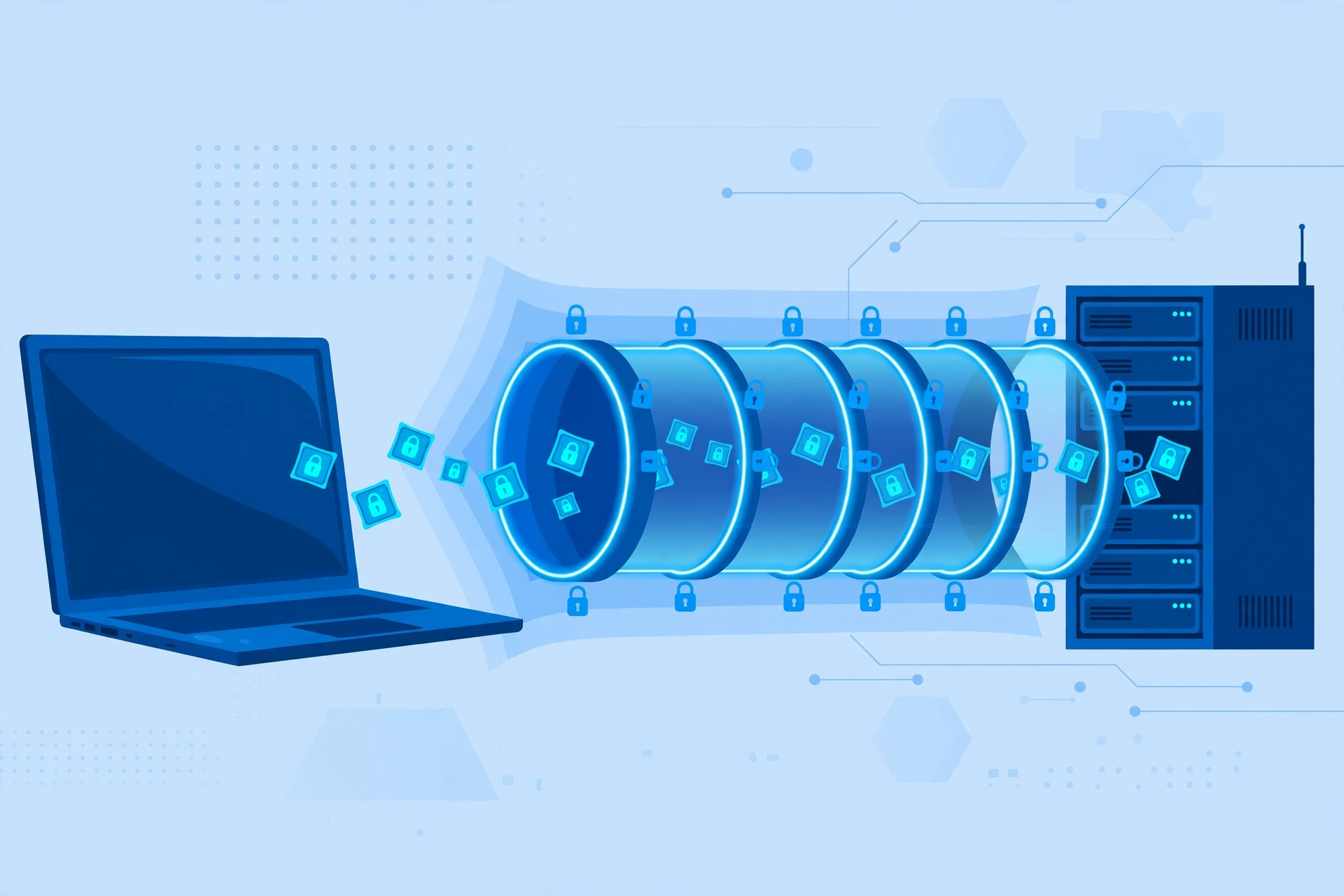
When you switch on a VPN, the app encrypts your traffic, wraps it in a secure container called a VPN tunnel, and sends it to a VPN server. The server unwraps it, forwards it to the website using its own IP address, and sends the reply back through the tunnel. Your provider and anyone on your local Wi-Fi only see scrambled data.
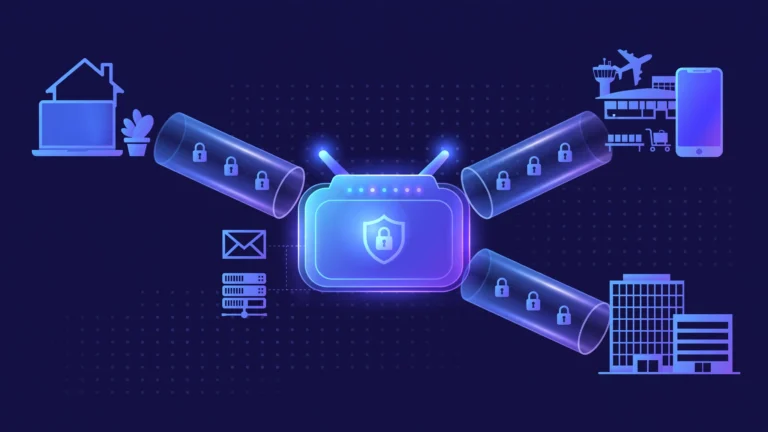
On company networks, one device called a VPN concentrator can manage thousands of these tunnels at once for remote employees. At home it is the same idea at a smaller scale: one encrypted connection covering your browser, email, games, and everything else on the device.
The tunnel’s strength comes from the VPN protocol, the software recipe used to build it. Modern protocols like WireGuard and OpenVPN use strong ciphers such as ChaCha20 and AES, which are practically unbreakable with current technology.
What is a proxy server?
A proxy server is a middleman computer that receives your internet requests and passes them to their destination for you. Set one up in your browser and websites see the proxy’s IP address instead of yours, which can make you appear to be in another city or country. Unlike a VPN, a proxy server only covers the app you configure it in, and it does not encrypt your traffic by itself.
Picture an assistant who runs errands for you. You hand over a shopping list, they visit the store, and the cashier only ever sees the assistant. That hides your face from the cashier, but anyone who intercepts the assistant along the way can still read your list. That is exactly how a proxy treats your data.
How does a proxy server work?
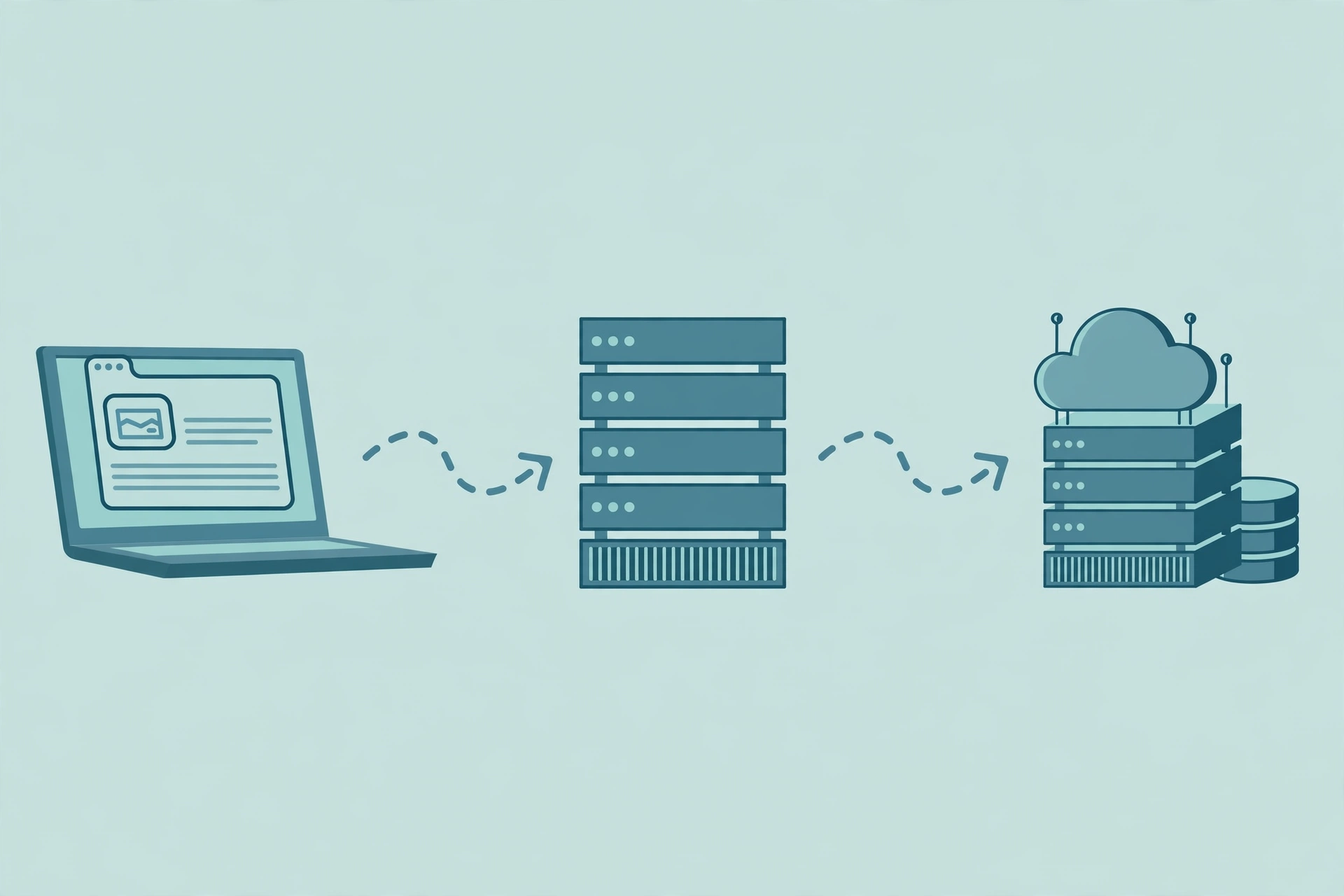
When you browse through a proxy, your browser sends each request to the proxy server first. The proxy forwards it to the website, receives the response, and hands it back. Since the website only talks to the proxy, it records the proxy’s IP address and location, not yours.
The key detail: this relaying adds no encryption. On HTTPS sites, TLS still protects your passwords between browser and website, but the proxy sees metadata such as which domains you visit. Anything sent over plain HTTP is fully visible to the proxy operator.
What are the main types of proxies?
The three you will meet most often are HTTP proxies, which forward browser traffic for basic region changes or office filtering; HTTPS proxies, which add TLS encryption between you and the proxy itself; and SOCKS5 proxies, which relay almost any traffic, including games and video calls, but encrypt nothing on their own.
Some proxies you never choose yourself: transparent proxies run by schools, offices, or public Wi-Fi filter your traffic automatically, while anonymous and elite proxies strip headers so sites cannot tell you are using one. Businesses also choose IP sources: residential proxies borrow real home IPs that are harder to detect, while cheaper datacenter proxies use server IPs that sites block more easily.
Which VPN protocols should beginners know?
A VPN protocol is the software recipe a VPN app uses to build its encrypted tunnel, affecting speed, battery life, and reliability. OpenVPN is the veteran: open source, heavily audited, trusted for years with AES encryption. WireGuard is the modern favorite: a tiny codebase, fast setup, and excellent phone performance with the ChaCha20 cipher. IKEv2/IPSec reconnects quickly when switching networks.
Older protocols like PPTP still appear in settings, but PPTP is broken by modern standards and should never guard anything sensitive. Good VPN apps pick the best protocol automatically.
What is the VPN vs proxy difference?
The short version of what is a VPN vs proxy: a VPN encrypts everything from your whole device, while a proxy only changes the address for one app.
| Feature | VPN | Proxy |
|---|---|---|
| Encryption | Encrypts all traffic in a secure tunnel | None of its own; relies on the app’s HTTPS |
| Traffic coverage | Every app on your device | Only the app or browser you configure |
| IP address hiding | Yes, for all tunneled traffic | Yes, for requests that use the proxy |
| Protection from your internet provider | Yes, provider sees only scrambled data | No, provider can still see your activity |
| DNS handling | Good VPNs route DNS inside the tunnel | Often leaks DNS to your provider |
| Kill switch | Blocks traffic if the tunnel drops | Not available |
| Speed | Small encryption overhead with modern protocols | Low overhead, but free servers are often congested |
| Setup | Install an app and connect | Manual setup per app, needs some know-how |
| Cost | Usually a paid subscription | Many free options, quality varies wildly |
| Best for | Privacy, security, public Wi-Fi, remote work | Quick single-app tasks, testing, filtering |
VPN encryption vs proxy: which one protects you better?
In the VPN encryption vs proxy debate, the VPN wins on security. A VPN encrypts everything between your device and the VPN server, so your provider, the cafe Wi-Fi owner, and local snoops cannot read your traffic. A proxy hides your IP from the destination website but leaves your data readable to anyone watching.
VPN encryption only covers the hop from your device to the VPN server; beyond that, traffic travels normally, so a site without HTTPS leaves that final leg exposed (most major sites use HTTPS today). And encryption cannot hide you from accounts you log into: your email and social media still know exactly who you are.
This is why the claim that a proxy is “just as safe for browsing” falls apart. Even on an HTTPS site behind a proxy, your provider still sees which domains you visit, and one misconfigured app can send traffic outside the proxy without warning you.
What are the benefits of a VPN and a proxy?
The benefits of a VPN center on protection and simplicity. It guards traffic on public Wi-Fi, keeps browsing private from your provider, and covers every app at once. Setup is simple: install the app, tap connect, and you are protected. Extras like a kill switch, which blocks traffic if the tunnel drops, and split tunneling for excluding specific apps, add real safety.
A proxy’s benefits are lightness and precision. It sets up fast for a single browser, is often free, and adds almost no overhead. Offices and schools use proxies to filter sites and cache content, developers test how pages look from other countries, and researchers use rotating proxy pools for data collection. When the job is narrow and security is not the point, a proxy is the lighter tool.
What are the risks and limitations of VPNs and proxies?
A VPN is powerful but not magic. It does not make you anonymous: logins, cookies, browser fingerprints, and payment records still identify you, and it does not block malware or phishing. You also shift trust to the VPN provider, which sees metadata such as when you connect, so a strict no-logs policy and independent audits matter. A 2026 audit of popular Android VPN apps found traffic leaks in some of them.
Proxy risks are more direct. With no encryption, the operator can read anything sent over unencrypted connections, and shady free operators have been caught logging traffic, injecting ads, and stealing logins. A proxy also protects only the configured app, so email and background updates keep broadcasting your real IP, and DNS requests often leak around it.
The shared lesson: neither tool replaces basic security hygiene. Keep software updated, use strong unique passwords, enable two-factor authentication, and treat unexpected login pages with suspicion.
When to use a VPN vs proxy: which one do you need?

When to use a VPN vs proxy comes down to one question: do you need protection, or just a different address? Use a VPN on public or shared Wi-Fi; for banking, email, or work accounts; to hide browsing from your provider; for secure remote work; or to cover every app, not just the browser. For whole-home coverage, a VPN router encrypts traffic for every device on your network in one step.
Use a proxy for a quick one-off region change in a single browser tab; for testing how a site appears from another country; where your office or school already filters traffic through a proxy; or for lightweight automation. Gamers chasing the lowest latency sometimes skip both, since every extra hop adds delay.
Are free proxies and free VPNs safe? Understanding free proxy risks
Free proxy risks start with one question: how does a free service pay for its servers? Infrastructure costs real money, so free tools usually monetize you instead, through ads, logging and selling browsing data, injecting tracking scripts, or reselling your unused bandwidth.
Free proxies are the riskiest because they combine zero encryption with unknown operators. Traffic over plain HTTP is fully readable, and malicious owners have intercepted logins and payment details. Even honest ones are overcrowded, slow, and sometimes vanish overnight.
Free VPNs are not automatically safe either, though reputable providers offer limited free tiers funded by paid plans. Reserve free tools for low-stakes tasks like reading region-blocked news, never for banking or logins, and check permissions: a VPN has no legitimate need for your contacts or location history.
Frequently asked questions
Do I need a VPN or a proxy?
Most people need a VPN. If your goal is privacy on public Wi-Fi, protection from your internet provider, or coverage for every app, a VPN is the right tool. You only need a proxy for narrow single-app jobs like checking a website from another region. When in doubt, the VPN is the safer default.
Is a proxy as safe as a VPN?
No, a proxy is not as safe as a VPN. A proxy hides your IP from websites but does not encrypt your traffic, so your provider and anyone on your Wi-Fi can see what you do. A VPN encrypts everything between your device and its server and covers all your apps. For anything involving passwords, choose the VPN.
Is a proxy or a VPN faster?
There is no universal winner in proxy vs VPN speed. A proxy skips encryption, removing some overhead, but free proxies are often congested and slow. Modern VPN protocols like WireGuard add only a small overhead, and a nearby well-run VPN server can beat a distant overloaded proxy.
What is a VPN tunnel?
A VPN tunnel is the encrypted connection between your device and the VPN server. Your data is encrypted before it leaves your device, travels through this sealed tunnel unreadable to outsiders, and is decrypted at the VPN server. Think of it as a private armored pipe inside the public internet.
Can I use a VPN and a proxy at the same time?
Yes, you can chain a proxy on top of a VPN, but most people gain nothing. The combination adds complexity and slows your connection without improving privacy, because the VPN already hides your IP and encrypts your traffic. The one real use case is giving a single app a different exit location.
Will a VPN or proxy make me anonymous online?
No single tool makes you anonymous. A VPN or proxy changes the IP address websites see, but your logins, cookies, browser fingerprint, and device identifiers still identify you. True anonymity needs tools like Tor plus disciplined habits, such as separate accounts. For everyday privacy, a VPN is plenty.
How can I check if my VPN or proxy is leaking?
Connect your VPN or proxy, then use a reputable IP and DNS leak test site to check three things: your visible IP matches the server location, your DNS requests go through the provider, and no IPv6 address reveals your real location. If anything leaks, switch servers, enable the kill switch, and test again.
Conclusion: VPN vs proxy, which one will you choose?
Now you understand what is a VPN vs proxy in practice, not just in theory. A VPN is your everyday shield: encrypted, device-wide, and simple enough for anyone to use. A proxy is a specialist’s screwdriver: perfect for narrow single-app jobs, but the wrong tool for protecting your privacy. Your next step is easy: decide whether your goal is protection or just a different address, then pick the tool that matches. And if everyday privacy is the goal, start with a reputable VPN with a clear no-logs policy. It is the single most effective upgrade most people can make to their online safety.