
What Is an AI Code Generator? A Simple Guide
Introduction
Imagine describing the app you want in plain English and watching working code appear in seconds. That promise is drawing millions of developers and beginners to AI code generators.
An AI code generator is a software tool that uses a large language model trained on huge collections of code and human language to turn plain English descriptions, partial code, or examples into working source code. You describe what you want, and the tool writes the code most likely to do the job.
In this guide, you will learn what an AI code generator is, how it works, and how to use one safely. No coding background is needed.
Key Takeaways
- An AI code generator turns plain language descriptions into source code using models trained on code and documentation.
- It works by predicting the most likely next pieces of code, not by understanding your project the way a human does.
- Common uses include writing functions, completing code, fixing bugs, explaining unfamiliar code, and generating tests.
- Generated code must always be read, run, and tested, because it can contain bugs, outdated methods, or security flaws.
- The best results come from clear prompts, small steps, and treating the tool as an assistant, not a replacement for learning to code.
Table of Contents
- What Is an AI Code Generator?
- How Does an AI Code Generator Work?
- What Types of AI Code Generators Are There?
- What Can an AI Code Generator Do for You?
- What Are the Benefits of Using an AI Code Generator?
- What Are the Limitations and Risks of AI Code Generators?
- How Do You Use an AI Code Generator Effectively?
- How Do You Choose the Right AI Code Generator?
- What Is the Future of AI Code Generation?
- Frequently Asked Questions
- Conclusion
What Is an AI Code Generator?
An AI code generator is a tool that writes computer code from human input. Instead of typing every line yourself, you describe what you want in everyday language or paste in a half-finished function, and the tool produces code in a language such as Python, JavaScript, Java, or SQL.
Think of it as an autocomplete system taken to the next level. A basic code editor can finish a variable name for you. An AI code generator can write a whole function, build a web page layout, create a database query, or convert code from one language to another.
These tools come in several forms. Some live inside code editors such as Visual Studio Code and suggest code as you type. Others work through a chat window. A newer group, called agentic coding tools, can work across many files at once, run commands, and test their own output.
An AI code generator does not truly understand your idea. It recognizes patterns in the code and text it was trained on and predicts the code that best matches your request. That prediction is often excellent, and sometimes wrong, which is why human review remains essential.
How Does an AI Code Generator Work?

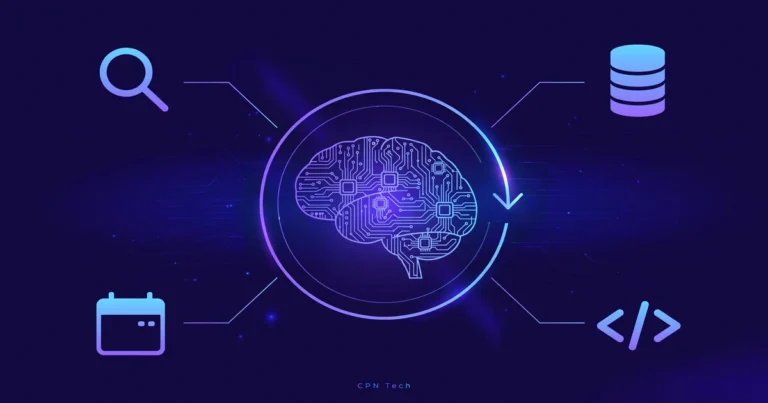
An AI code generator works in three broad stages: training, understanding your prompt, and generating code one piece at a time.
Training on Code and Language
Before you ever use it, the model behind the tool is trained on massive datasets: public code repositories, programming documentation, tutorials, and question-and-answer discussions. During training, the model learns how programming languages are structured and how human descriptions relate to code.
Modern tools are usually built on large language models, neural networks designed to work with sequences of text. The model does not store copies of the code it saw. Instead, it stores statistical patterns: which words and symbols tend to follow which others.
From Prompt to Prediction
When you submit a prompt, the tool breaks your words and any code you provided into small units called tokens. It then predicts the most likely next token, adds it to the output, and repeats the process until the code is complete. This is why generated code reads smoothly: every piece was chosen as the most probable continuation of what came before.
Context matters a great deal here. If you paste in your existing function, name the programming language, and describe the expected input and output, the model has far more clues to work with. Vague prompts produce generic code. Specific prompts produce code that fits your actual problem.
Iteration and Feedback
Good AI code generators support a back-and-forth loop: ask the tool to fix an error, explain a line, or simplify the code. Each round gives the model more context, and the result usually improves. This loop, prompt, output, review, refine, is the real workflow of AI-assisted coding.
What Types of AI Code Generators Are There?
Not every AI code generator works the same way. The main types are:
- Inline code completion tools: These suggest lines or blocks of code inside your editor as you type. GitHub Copilot and Tabnine are well-known examples. They are best for speeding up code you already know how to write.
- Chat-based code generators: These work through a conversational interface. You describe a task, and the tool returns code with an explanation.
- Agentic coding tools: Tools such as Cursor and Replit Agent can read many files, plan changes across a project, run tests, and fix their own mistakes with limited supervision.
- Specialized generators: Some tools focus on one job, such as writing SQL queries or creating test cases. They trade breadth for accuracy in their niche.
For a beginner, a chat-based tool or an inline completion tool is the easiest starting point. Use agentic tools once you can read and judge the code they produce.
What Can an AI Code Generator Do for You?
An AI code generator can help with far more than writing a first draft of code. Its most useful jobs include:
- Writing new code: Generate functions, classes, scripts, and small programs from a description.
- Completing code: Finish a function you started or fill in repetitive boilerplate.
- Debugging: Paste in an error message and the failing code, and ask for a fix with an explanation of what went wrong.
- Explaining code: Ask what an unfamiliar block of code does, line by line, which is valuable when learning a new language or joining an existing project.
- Translating between languages: Convert a Python script to JavaScript, or a SQL query to another database dialect.
- Writing tests and documentation: Generate unit tests for your functions and draft clear comments and documentation.
- Refactoring: Simplify messy code or restructure a function without changing what it does.
Similar AI writing tools exist beyond code: AI writing generators help draft articles and marketing copy from prompts, following the same predict-from-patterns idea.
What Are the Benefits of Using an AI Code Generator?
The benefits explain why adoption has grown so fast: the 2025 DORA research suggests that a large majority of professionals now use AI tools daily.
- Speed: Boilerplate code and repetitive patterns that once took an hour can appear in minutes.
- Lower barrier for beginners: A beginner can build a working project earlier, which keeps motivation high while core skills develop.
- Learning aid: Explanations of generated code help beginners see how experienced developers structure solutions.
- Fewer blank-page moments: When you are unsure how to start, a generated draft gives you something concrete to improve.
- Consistency: Generated code tends to follow common conventions, which makes team projects easier to read.
- Coverage of unfamiliar areas: You can get a working starting point in a language you have not used before, then refine it as you learn.
What Are the Limitations and Risks of AI Code Generators?
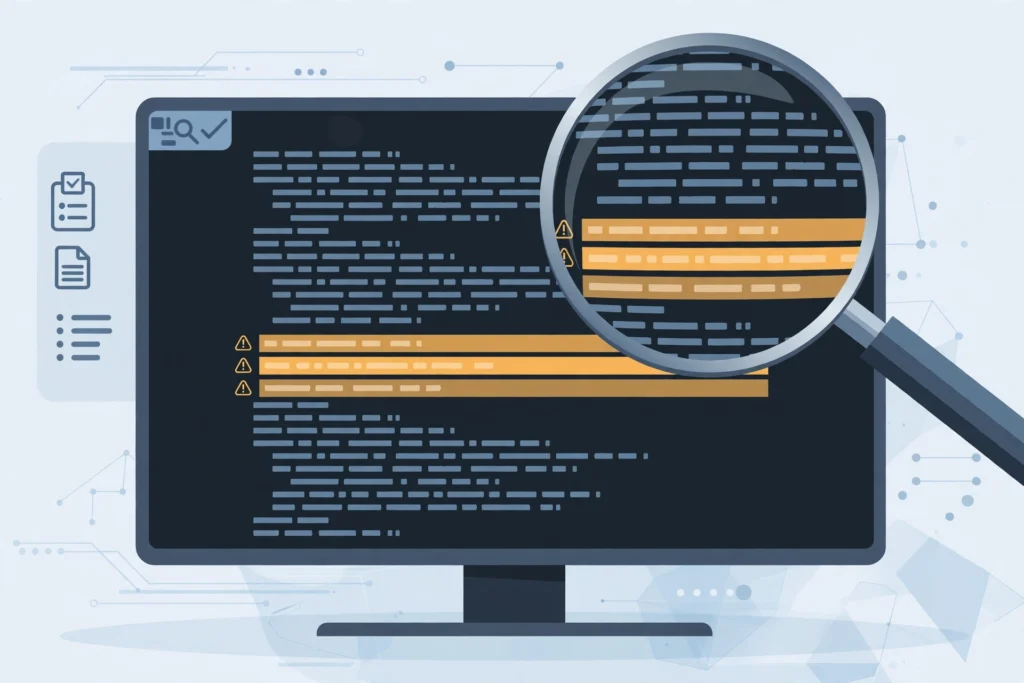
An AI code generator is a powerful assistant, but not a reliable authority. Its weaknesses matter most when the code will run in a real product.
- Hallucinated code: The model can invent functions, libraries, or settings that do not exist, because it predicts plausible-looking text rather than verified facts. The output may look correct while failing to run.
- Outdated knowledge: Training data has a cutoff date. A generator may suggest an old version of a library or a method that has since been replaced.
- Security flaws: Generated code can include unsafe practices, such as unsanitized database queries or weak password handling. It should never be trusted in security-sensitive areas without expert review.
- Licensing questions: Because models learn from public code, generated snippets can resemble existing licensed code. Teams working on commercial products should follow their organization’s policy on AI-generated code.
- Over-reliance: Beginners who accept every suggestion without reading it may finish projects without understanding them, which creates problems when something breaks.
- Privacy: Code pasted into a cloud-based tool may be stored or used for further training, depending on the provider’s terms. Private code belongs in tools with clear privacy guarantees.
The safe rule is simple: treat generated code as a draft from a talented but unreliable junior colleague. Useful, fast, and always worth checking.
How Do You Use an AI Code Generator Effectively?
Getting good results is a skill. These practices make the biggest difference:
- Be specific in your prompt. Name the language, the framework, the input, and the expected output. “Write a Python function that takes a list of numbers and returns the average, ignoring empty lists” beats “write code for averages.”
- Work in small steps. Ask for one function at a time, test it, and then build on it. Large requests produce large, hard-to-check outputs.
- Give context. Paste the surrounding code and error messages so the tool matches your project’s style.
- Ask for an explanation. When the tool returns code you do not fully understand, ask it to explain each part before you use it.
- Always run and test the code. Write a few test cases, including edge cases such as empty inputs, and confirm the output.
- Review for security. Check how user input is handled, whether secrets are hard-coded, and whether database queries are protected against injection.
- Iterate, do not settle. If the first output is close but not right, point out exactly what is wrong and ask for a revision.
Good prompting is a skill in its own right. A solid grounding in prompt engineering will improve everything you generate, from code to documentation.
How Do You Choose the Right AI Code Generator?

With dozens of tools on the market, the choice depends on your needs, not on which tool tops a list:
- Where you work: If you live in an editor such as Visual Studio Code, an inline tool fits naturally. If you prefer a browser, a chat-based tool may suit you better.
- Languages: Check that the tool supports the languages you actually use.
- Privacy needs: For personal learning projects, a cloud tool is fine. For work code, look for business plans with no-training guarantees or tools that run locally.
- Budget: Many tools offer free tiers with daily limits. Paid plans add larger context windows, faster models, and team features.
- Codebase awareness: Tools that can read your whole project produce better-fitting suggestions than tools that see only one file.
- Trial before commitment: Try the free tier on a real task, check the output quality, and only then pay.
If you are still deciding how AI fits into your daily routine, our guide on how to use AI is a useful companion read.
What Is the Future of AI Code Generation?
AI code generation is moving from autocomplete toward autonomy. Agentic tools already plan multi-file changes, run tests, and fix errors with limited input. Industry trackers such as G2 now list more than 150 products in the category.
Three trends are worth watching. First, models with larger context windows will understand whole projects, not just single files. Second, tighter editor integration will turn coding into a conversation, where developers describe goals rather than typing syntax. Third, better verification through automatic tests and security scans will reduce the risk of flawed code.
None of this removes the developer. Someone still has to decide what to build, judge whether the result is correct, and take responsibility for it. The role is shifting from writing every line to directing and reviewing what the machine drafts.
Frequently Asked Questions
Is an AI code generator free?
Many AI code generators offer free tiers, usually with daily usage limits or slower models. GitHub Copilot, Cursor, Tabnine, and Replit all provide free starting options. Full features and business privacy controls generally require a paid plan, typically around 10 to 20 dollars per month.
Can an AI code generator replace a programmer?
No. An AI code generator can draft routine code quickly, but it cannot decide what to build, understand business requirements, or take responsibility for correctness. Programmers still design systems, review output, fix subtle bugs, and handle security and architecture decisions.
Is code written by an AI code generator safe to use?
Not automatically. Generated code can contain bugs, outdated methods, or security flaws, and it may resemble licensed code. Always read it, run it, test edge cases, and review security-sensitive parts before using it in a real project, especially anything handling user data or payments.
What programming languages do AI code generators support?
Most tools support the popular languages: Python, JavaScript, TypeScript, Java, C++, Go, Rust, PHP, Ruby, and SQL, plus HTML and CSS. Support is strongest for widely used languages with large amounts of public code, and weaker for niche or very new languages.
Do I need to know how to code to use an AI code generator?
You can generate code without coding experience, but you will get far better results if you can read and judge the output. Beginners benefit most when they use the tool as a learning aid: generate code, ask for explanations, test it, and study it.
Which AI code generator is best for beginners?
A chat-based tool or an inline editor assistant with a free tier is the best starting point for beginners. Look for clear explanations alongside the code, support for your chosen language, and a simple interface. Start with small projects, and move to agentic tools once you can review multi-file changes.
Conclusion
An AI code generator turns plain language into working code by predicting the most likely code for your request. It speeds up routine work and lowers the barrier for beginners, but its output must always be reviewed, tested, and understood before use.
The developers who benefit most treat the generator as an assistant: they write clear prompts, work in small steps, and keep learning the fundamentals underneath. Start with a small project, try a free tier, and build the habit of checking every line. That habit turns a fast tool into a reliable one.
For more beginner-friendly technology explainers, visit CPN Tech, where every topic is broken down in plain language.