
Free AI Writing Generator: What It Is and How to Use It
Struggling with a blank page? You are not alone. Students, freelancers, bloggers, and small business owners all face the same pressure: produce good writing, fast, and on a budget. That is exactly where a free AI writing generator comes in. These tools turn a short description into a full draft in seconds, and the best ones cost nothing to start using.
A free AI writing generator is a software tool that uses artificial intelligence, usually a large language model, to create written content such as essays, emails, blog posts, product descriptions, and social media captions at no cost. You type a short prompt describing what you need, and the tool generates a draft instantly. Most free AI writing generators offer a limited daily or monthly quota of words before asking you to upgrade to a paid plan.
In this guide from CPN Tech, you will learn how free AI writing generators work, which free AI writing tools are worth your time in 2026, how to write prompts that produce better results, and the risks to watch out for. If you are new to AI tools, our beginner-friendly overview of how to use AI is a good companion read.
Key Takeaways
- A free AI writing generator uses large language models to draft essays, emails, blog posts, captions, and more at no cost.
- Free plans come with real limits: monthly word caps, usage quotas, and fewer features than paid tiers.
- The strongest free options in 2026 include ChatGPT, Claude, Google Gemini, Rytr, QuillBot, and Grammarly, each suited to different tasks.
- Good prompts decide output quality. Specific instructions, context, and examples beat vague one-line requests.
- Always edit and fact-check AI drafts. Free AI writing tools can invent facts, and some schools and employers restrict their use.
Table of Contents
- What Is a Free AI Writing Generator?
- How Does a Free AI Writing Generator Work?
- What Types of Free AI Writing Generators Are Available?
- Which Free AI Writing Generator Is Best in 2026?
- How Do You Use a Free AI Writing Generator Effectively?
- What Are the Main Benefits?
- What Are the Risks and Limitations?
- When Should You Avoid Using One?
- Frequently Asked Questions
What Is a Free AI Writing Generator?
A free AI writing generator is an online tool or app that produces written text using artificial intelligence without charging you. Instead of writing from scratch, you describe your task, for example “write a friendly product description for a handmade candle”, and the tool returns a finished draft in a few seconds.
Behind the scenes, most free AI writing generators are powered by large language models, the same technology behind well-known assistants such as ChatGPT and Google Gemini. A large language model is an AI system trained on enormous amounts of text, which allows it to predict natural-sounding sentences on almost any topic.
Common uses of a free AI writing generator include school essays, college application letters, blog post drafts, email replies, resumes and cover letters, social media captions, product descriptions, and brainstorming ideas. Some tools are general purpose, meaning they can write anything, while others specialize in one job, such as academic essays or marketing copy.
How Does a Free AI Writing Generator Work?
A free AI writing generator works by predicting the most likely next words based on patterns it learned during training. It does not look up facts in a database and it does not truly understand your topic. It generates text that statistically resembles the kind of writing it saw during training.
Trained on Massive Text Datasets
Before a free AI writing generator can write anything, its underlying model is trained on billions of words from books, websites, articles, and public documents. This training teaches the model grammar, writing styles, common facts, and how ideas connect. The quality of this training data is a big reason why leading models write more naturally than smaller or older ones.
Predicting One Word at a Time
When you enter a prompt, the AI writing generator processes your words and then predicts the most probable next word, then the next, building a sentence step by step. Your prompt acts as a guide: a detailed prompt steers these predictions toward exactly what you want, while a vague prompt leaves the model guessing. This is why two people can get very different results from the same tool.

What Types of Free AI Writing Generators Are Available?
Not all free AI writing generators work the same way. Knowing the four main types helps you pick the right one for your task instead of forcing one tool to do everything.
1. General Chatbot Assistants
Tools like ChatGPT, Claude, and Google Gemini are conversational assistants that can write essays, explain topics, brainstorm ideas, and revise drafts. They are the most flexible type of AI writing generator because you can have a back-and-forth conversation, ask for changes, and refine the result. Their free plans usually limit how many advanced messages you can send per day.
2. Purpose-Built AI Writing Tools
Platforms such as Rytr, Copy.ai, and Writesonic are designed specifically for writing tasks. They offer templates for blog intros, product descriptions, ad copy, and emails, so you pick a template, fill in a few details, and get a draft. These tools are popular with marketers and freelancers because the templates save setup time, but their free plans usually cap the number of words per month.
3. Editing and Rewriting Helpers
QuillBot, Grammarly, and Wordtune focus on improving text you already wrote. They paraphrase sentences, fix grammar, adjust tone, and shorten wordy passages. These are excellent second-step tools: draft with one AI writing generator, then polish with another. Most offer genuinely useful free tiers with daily or per-use limits.
4. Niche and Specialized Generators
Some free AI writing generators focus on one job. AI essay writers help students structure academic papers, cover letter generators tailor applications to job postings, and story generators assist fiction writers. These can be convenient, but general assistants often match or beat them in quality, so compare before committing to a niche tool.
Which Free AI Writing Generator Is Best in 2026?
The honest answer is that no single free AI writing generator is best for everyone. The right choice depends on what you write. Below is a comparison of the most popular free options, based on their free plans, strengths, and limits.
| Tool | Free Plan | Best For | Main Limitation |
|---|---|---|---|
| ChatGPT | Free plan with daily usage limits on advanced models | All-purpose drafting, brainstorming, outlines | Advanced features and heavy use require a paid plan |
| Claude | Free plan with session limits on a rolling window | Natural-sounding rewriting and long documents | Message caps reset on a timer, not monthly |
| Google Gemini | Free with a Google account | Research help inside Gmail and Google Docs | Fewer writing templates than dedicated tools |
| Rytr | Free plan with a monthly character allowance | Short copy: emails, captions, product blurbs | Monthly cap runs out quickly on long projects |
| Copy.ai | Limited free plan with monthly credits | Marketing copy and headline variations | Free credits are tight for regular use |
| QuillBot | Free paraphrasing with per-use word limits | Rewording sentences and academic polishing | Only two paraphrase modes on the free tier |
| Grammarly | Free grammar, spelling, and punctuation checks | Final proofreading of any draft | Advanced tone and clarity tools are paid |
For most beginners, the smartest setup is a combination: draft with ChatGPT or Claude, rewrite awkward sentences with QuillBot, and proofread with Grammarly. All three have usable free tiers, and together they cover every stage of writing. If you mainly need marketing copy, Rytr or Copy.ai deserve a look. For a deeper dive into ready-made prompt ideas, see our collection of ChatGPT prompts for common writing tasks.
How Do You Use a Free AI Writing Generator Effectively?
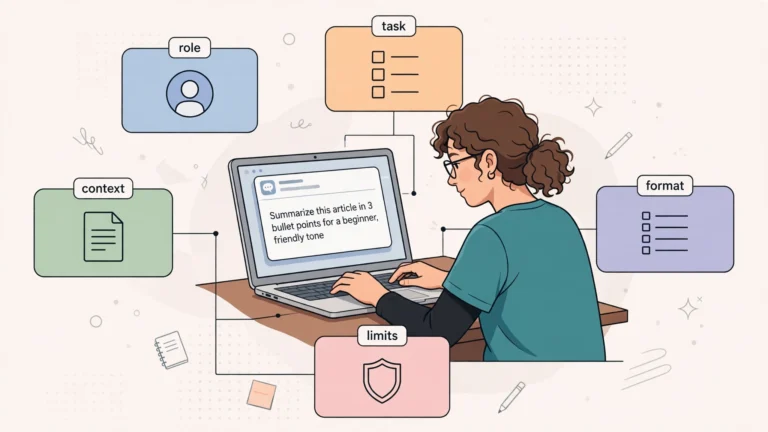
Most disappointing AI writing comes from vague prompts, not bad tools. A free AI writing generator can only work with the information you give it. Follow these five steps to get noticeably better results from any free AI writing tool.
- Define the task precisely. State the format, length, and goal. “Write a 150-word product description for a lavender soy candle, friendly tone, aimed at gift shoppers” beats “write about a candle”.
- Add context and constraints. Tell the tool your audience, key facts to include, and anything to avoid. AI writing generators cannot know your business or your reader unless you say so.
- Give an example when possible. Paste a sentence or paragraph you like and ask for a similar style. Examples anchor the model far better than adjectives like “professional”.
- Iterate in rounds. Treat the first draft as a starting point. Ask for a shorter version, a warmer tone, or a different opening, one change at a time.
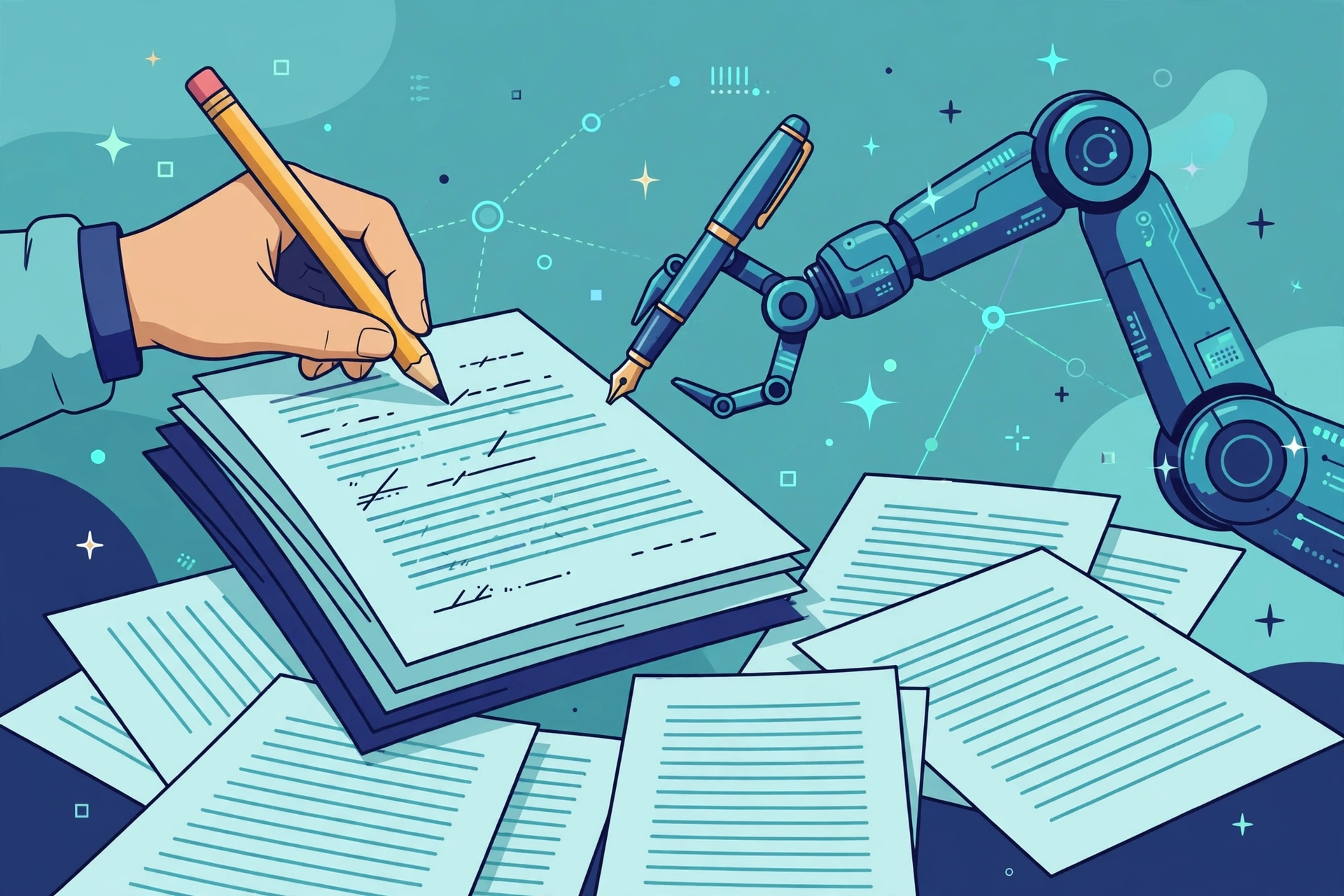
- Edit and fact-check everything. Read the draft critically, verify names, numbers, and claims, and rewrite in your own voice. The AI writes the first draft; you write the final version.
Prompt quality is a skill in its own right. Our beginner guide to prompt engineering explains the techniques behind clear, reliable instructions for any AI tool, and the same ideas apply directly to free AI writing generators.
What Are the Main Benefits of Using a Free AI Writing Generator?
Free AI writing generators have earned their popularity because they solve real problems for writers on a budget. Here are the biggest advantages.
- Speed. A first draft that might take an hour appears in under a minute, which is a major help for bloggers, students, and freelancers on deadlines.
- Zero cost to start. Free plans let you test AI-assisted writing without a subscription, which is ideal for occasional use.
- Beating the blank page. Even a rough draft gives you something to react to, and reacting is easier than creating from nothing.
- Multilingual support. Many free AI writing generators write in dozens of languages, helping non-native English speakers draft and polish English content.
- Learning aid. Studying AI-generated outlines and examples can teach you structure, transitions, and tone for different writing formats.
What Are the Risks and Limitations of Free AI Writing Generators?
Free AI writing generators are useful assistants, but they are not magic, and using them blindly can cause real problems. Here is what to watch for.
Inaccurate Information
AI writing generators predict likely words, not verified facts. They can invent statistics, quote sources that do not exist, and state false claims with total confidence. This behavior is often called hallucination. Never publish or submit AI-generated facts without checking them against a reliable source.
Generic, Forgettable Voice
Free AI writing tools tend to produce safe, average-sounding prose. If you publish unedited AI drafts, your content will read like everyone else’s. Search engines and readers both reward originality, so always add your own examples, opinions, and voice.
AI Detection and Academic Rules
Many schools and universities now use AI detection tools and have policies limiting AI-assisted work. Some employers have similar rules. AI detectors are not perfectly accurate, but violating an academic integrity policy can have serious consequences, so check the rules before submitting AI-assisted writing.
Privacy Concerns
Free AI writing generators may use your prompts to improve their models. Avoid pasting sensitive information such as passwords, financial details, medical records, or unpublished business plans into any free tool. Check the privacy policy of the tool you use, and prefer tools that clearly state they do not retain your text.

When Should You Avoid Using a Free AI Writing Generator?
A free AI writing generator is the wrong choice for some tasks. Avoid relying on one for legal documents, medical advice, financial decisions, or anything where an error could cause real harm. Do not paste confidential data into free tools, and do not submit AI-written work where rules forbid it, such as exams or certain job applications. Finally, never publish AI content without a human review pass, because factual errors and awkward phrasing are common and they reflect on you, not the tool.
Frequently Asked Questions
Are free AI writing generators really free?
Mostly yes, with limits. Genuinely free AI writing generators let you create text without paying, but free plans cap words, messages, or features per day or month. Some tools advertise as free but only offer a short trial. Always check the free plan details before relying on a tool for regular work.
Which free AI writing generator is best for essays?
ChatGPT and Claude are strong free choices for essay drafts and outlines because they handle structure and argument well. QuillBot is useful for paraphrasing and polishing academic sentences. Whatever tool you choose, check your school’s AI policy first, since many institutions restrict or ban AI-assisted submissions.
Can AI writing be detected?
AI detectors exist and are used by schools, publishers, and some employers, but they are not perfectly accurate and can flag human writing by mistake. Heavily editing AI drafts and writing in your own voice reduces the robotic patterns detectors look for, but no method guarantees a text will pass as human.
Is it legal to publish AI-generated content?
In most places, publishing AI-assisted content is legal, and search engines allow it as long as the content is helpful and original. However, purely AI-generated works may face copyright questions in some jurisdictions, and platforms can have their own rules. Adding your own research, examples, and editing strengthens both legality and quality.
Do free AI writing tools store my text?
It depends on the tool. Many free AI writing generators use prompts to improve their models unless you opt out. Some privacy-focused tools state they do not retain your text. As a rule, never paste passwords, financial data, or confidential business information into any free AI writing tool.
Can I use a free AI writing generator for my blog without hurting SEO?
Yes, if you use it wisely. Search engines reward helpful, original content regardless of how the first draft was made. Use the AI writing generator for outlines and first drafts, then add original research, personal experience, and thorough editing. Publishing raw, unedited AI text is what tends to perform poorly.
How much text can I generate for free?
Limits vary widely. Some free AI writing generators allow a set number of words or characters per month, others limit messages per day or per few hours, and some restrict advanced features to paid users. Free limits also change often, so check each tool’s current plan page before starting a big project.
Conclusion
A free AI writing generator is one of the most practical AI tools a beginner can try in 2026. It drafts essays, emails, blog posts, and marketing copy in seconds, and the free plans from tools like ChatGPT, Claude, Gemini, Rytr, QuillBot, and Grammarly are genuinely useful without spending anything.
The key is using these tools as assistants, not authors. Write specific prompts, combine tools for drafting and polishing, and always edit and fact-check the output. Do that, and a free AI writing generator becomes a reliable shortcut for better writing, not a risky one. Pick one tool from the comparison above, try it on a small task today, and build from there.