Is 8GB RAM Enough? A Beginner’s RAM Guide for 2026
Every laptop and phone listing shouts about RAM: 8GB here, 16GB there. If you are shopping for a student laptop, a family computer, or your next phone, the numbers blur together fast, and few sellers translate them into plain English. Welcome to CPN Tech, where tech is explained simply.
Here is the short answer: for most people in 2026, 8GB of RAM is the minimum comfortable amount for a laptop or a phone, enough for browsing, streaming, office work, and video calls. It struggles with dozens of open tabs, photo or video editing, demanding games, and on-device AI features, where 16GB is the safer buy.
This guide gives you a simple task-based answer, explains the jargon in plain language, and ends with a checklist to use before you pay.
Key Takeaways
- RAM is your device’s short-term working memory: it holds everything you are actively doing, and more of it means smoother multitasking.
- In 2026, 8GB is the realistic minimum, and 16GB is the sweet spot for most laptop buyers.
- RAM and storage are different things: RAM is your desk, storage is your filing cabinet.
- On-device AI features are pushing memory baselines upward, and AI-focused laptops now treat 16GB as standard.
- Many thin laptops have soldered RAM, so check upgradeability before you buy.
Table of Contents
- What Is RAM, Exactly?
- What Does RAM Actually Do for You?
- Is 8GB of RAM Enough in 2026?
- The Task-Based RAM Decoder
- How Much RAM Do I Need for a Laptop?
- How Much RAM Does a Phone Need in 2026?
- Why On-Device AI Is Raising the RAM Baseline
- DDR4 vs DDR5: Do the Letters Matter?
- Can I Upgrade My Laptop RAM Later?
- How to Check Your RAM Usage Right Now
- Budget-First Buying Rules
- FAQs
- Conclusion
What Is RAM, Exactly?
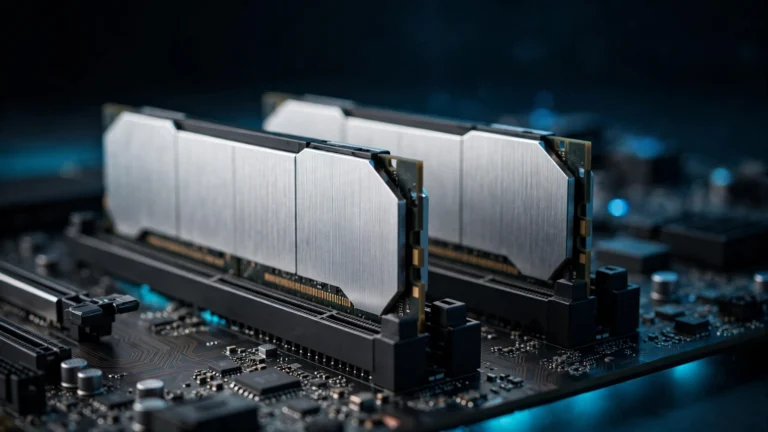
RAM stands for Random Access Memory. It is the short-term working memory of your laptop or phone: the space where everything you are actively doing lives. Your open apps, browser tabs, documents, and games all sit in RAM while you use them.
The key word is temporary: RAM forgets everything when power is lost, which is why unsaved work vanishes when a battery dies. That is the trade that makes it fast, since it can hand data to the processor almost instantly.
The desk analogy that makes it click
Picture your device as an office. Storage (your SSD or phone storage) is the filing cabinet in the corner: huge capacity, but slow to dig through. RAM is the desk surface: whatever you are working on right now is spread out on it, within arm’s reach. A bigger desk means more projects open at once.
Laptop RAM explained: is it different from desktop or phone RAM?
Functionally, no: laptop, desktop, and phone RAM all do the same job, and the differences are physical. Laptops use smaller sticks or soldered chips; phones use low-power LPDDR5 or LPDDR5X variants that sip battery. When a listing says “16GB LPDDR5X,” read it as “16 gigabytes of battery-friendly working memory.” The amount matters far more than the letters.
What Does RAM Actually Do for You?

RAM decides how much your device can juggle at once: every open tab, background app, and video call claims a slice. With enough memory, switching feels instant. When RAM runs out, the operating system falls back on virtual memory (swap memory), borrowing space on your much slower storage drive and pretending it is RAM. Everything keeps working, but it stutters.
That is why adding RAM is the most noticeable upgrade for a sluggish older laptop: it stops the constant shuffling between desk and filing cabinet. Multitasking performance is almost entirely a RAM story.
RAM vs. storage: the classic beginner mix-up
RAM is short-term workspace that empties when the device turns off; storage is long-term space that keeps your files permanently. A phone advertised with “256GB” means storage, not RAM. They are not interchangeable: a laptop with 512GB of storage and 4GB of RAM will still choke on ten browser tabs. If your confusion is really about where files live off your device, our beginner’s guide to what cloud storage is explains that side of the picture.
Processor vs. RAM: which matters more?
Think of the processor as the office worker and RAM as the desk. For everyday browsing, office apps, and streaming, moving from 4GB to 8GB or 16GB of RAM improves the feel of a device more than a faster chip does. The processor matters more for specific heavy jobs like gaming frame rates and video rendering. If your budget forces a choice and your work is ordinary, choose the RAM.
Is 8GB of RAM Enough in 2026?
Short version: yes, for most people, but the margin is thinner than it used to be. 8GB handles the everyday load comfortably: web browsing with a sensible number of tabs, email, streaming video, office documents, video calls, and social media. If that list describes your whole digital life, 8GB remains a sensible, budget-friendly buy.
It strains when you ask more of it: thirty browser tabs plus a video call plus a spreadsheet is where 8GB laptops start stuttering. Photo editing, video editing, modern gaming, virtual machines, and heavy development tools all want more headroom. And the newest pressure comes from AI: on-device assistants keep their models in memory, which is why AI-focused machines treat 16GB as the floor.
Is 8GB RAM enough for Windows 11?
Microsoft lists 4GB as the official minimum RAM for Windows 11 (see Microsoft’s Windows 11 specifications), but 4GB in practice means constant slowdowns the moment you open a browser. Treat 8GB as the realistic minimum for a Windows 11 laptop you use daily, and 16GB if you keep your machines for several years.
The Task-Based RAM Decoder

Find what you do, read across, and you have your answer.
Laptops
| What you do on it | RAM to buy |
|---|---|
| Browsing, email, streaming, office docs, video calls | 8GB: the budget floor |
| Student laptop: classes, research, lots of tabs, light coding | 16GB (8GB if the budget is tight) |
| Photo editing, big spreadsheets, programming projects | 16GB |
| Video editing, 3D work, modern gaming, virtual machines | 16GB minimum, 32GB for comfort |
Phones and tablets
| What you do on it | RAM to buy |
|---|---|
| Calls, messaging, social media, casual games | 6 to 8GB |
| Heavy multitasking, mobile photo or video editing, demanding games | 8 to 12GB |
| On-device AI features, keeping a flagship for 4+ years | 12GB or more |
Note: these are working memory numbers, not storage (a “128GB phone” describes storage), and phone RAM can never be upgraded.
How Much RAM Do I Need for a Laptop?
8GB is the sensible minimum. It covers browsing, streaming, office work, and video calls, and it is where the best budget deals live.
16GB is the sweet spot for most buyers in 2026. Students juggling research tabs, office workers in spreadsheets and video calls, programmers, and photo editors all land here. It costs more up front, but it stays fast for years.
32GB is for specialists: 4K video editors, developers running virtual machines, and gamers who stream while they play. If none of those describe you, it is headroom you will never touch.
Windows 11 vs. macOS vs. ChromeOS
Windows 11 is the hungriest: 8GB minimum, 16GB comfortable. macOS on Apple Silicon uses unified memory, one pool shared between processor and graphics, so 8GB Macs punch above their weight; but Mac memory is soldered and never upgradeable, so 16GB is the wiser buy. ChromeOS is the lightest: 4GB works, 8GB feels generous, and that covers nearly every Chromebook workload.
How Much RAM Does a Phone Need in 2026?
Budget Android phones ship with 4 to 6GB: fine for calls and messaging, but they reload apps aggressively when you multitask. The sweet spot is 8GB, enough for heavy multitasking, mobile photo editing, and demanding games. Flagships carry 12GB to 16GB, increasingly to feed on-device AI features that keep models resident in RAM.
iPhones need less on paper because iOS manages memory aggressively, but recent models still ship with 8GB for on-device Apple Intelligence. Practical rule: 8GB suits most phone buyers in 2026; 12GB if you buy flagships and keep them for years. Phone RAM is soldered permanently, so this decision is final at checkout.
Why On-Device AI Is Raising the RAM Baseline
The biggest change since the older buying guides were written is AI moving onto the device itself. Live transcription, on-device photo editing, and AI assistants now run partly on your device, and those AI models live in RAM while they work, quietly raising the memory floor.
The industry has responded: Microsoft’s Copilot+ PC standard requires 16GB of RAM, which is why every AI-branded Windows laptop in 2026 ships with at least that much. Apple Intelligence runs on recent iPhones carrying 8GB, and Apple’s M-series chips use unified memory shared between processor, graphics, and AI accelerators. Intel Core Ultra and AMD Ryzen AI processors pair their built-in AI accelerators with 16GB-or-more configurations.
If you plan to use AI features, treat 16GB as the new laptop baseline. Since these assistants keep getting more capable, learning to direct them well matters as much as the hardware: our beginner’s guide to writing better AI prompts shows you how. New AI laptops also tend to ship with the latest wireless hardware, so our explainer on what Wi-Fi 7 is covers the connectivity half of the upgrade.
DDR4 vs DDR5: Do the Letters Matter?
On spec sheets you will see DDR4 (the older standard), DDR5 (its faster, more efficient successor), and LPDDR5 or LPDDR5X low-power variants in phones and thin laptops. Technically, DDR5 moves data faster and uses less energy.
Practically, the letters matter far less than the amount. A laptop with 16GB of DDR4 will feel smoother in everyday use than a laptop with 8GB of DDR5, because capacity decides how much you can juggle while speed only decides how fast each juggle goes. Never pay extra for DDR5 if it means dropping from 16GB to 8GB to afford it.
Can I Upgrade My Laptop RAM Later?

Sometimes, and you must check before you buy. Some laptops have RAM slots (SO-DIMM modules) you or a technician can upgrade: common in gaming, business, and budget models. Others have memory soldered to the motherboard, which is permanent: the design in nearly all ultra-thin laptops and every Apple Silicon Mac.
Use this checklist before you pay:
- Read the spec sheet for “soldered.” Soldered or “onboard” means no upgrades; SO-DIMM slots or “user upgradeable” means you can.
- Check the slots and the maximum supported. One free slot is an upgrade path; a fully populated board is not.
- If it is soldered, buy for year three, not day one. Choose 16GB now if you will still own the machine in three years.
- Ask about the warranty. Some manufacturers allow user upgrades; others treat opening the chassis as a warranty risk.
A cheap 8GB laptop with an empty slot can beat a nicer 8GB machine with soldered memory, because only one can grow.
How to Check Your RAM Usage Right Now
Windows 10 or 11: Open Task Manager (Ctrl + Shift + Esc), click Performance, then Memory. If “In use” tops 80 percent during normal work, your next machine needs more RAM.
Mac: Open Activity Monitor and click the Memory tab. Green memory pressure is comfortable; red means the Mac needs more.
Chromebook: Open the Diagnostics app from the launcher, or type chrome://system in the address bar.
Android: Go to Settings, then About phone, and look for RAM. Steps vary slightly by manufacturer.
iPhone: Apple provides no built-in RAM meter; the iPhone Storage screen shows storage, a different thing. If apps constantly reload when you switch between them, that is the symptom of tight memory.
Budget-First Buying Rules
- 8GB is the floor, 16GB is the sweet spot. Never buy a daily-use laptop with less than 8GB in 2026.
- On a fixed budget, choose RAM over a fancier processor for everyday work.
- Check upgradeability before price. Soldered 8GB at a discount can be a trap.
- Ignore the alphabet soup. Capacity beats DDR4-versus-DDR5 for normal workloads.
FAQs
Is 8GB RAM enough for a student laptop? For essays, browsing, streaming, and video lectures, yes, 8GB gets the job done. But students multitask heavily with dozens of tabs open, so 16GB is safer if the budget stretches, especially for a laptop meant to last a full degree.
Is 8GB RAM enough for Windows 11? Yes, 8GB is the realistic minimum for comfortable daily Windows 11 use. Microsoft’s official minimum is 4GB, but those machines slow down badly with a browser open. Choose 16GB if you multitask heavily or plan to keep the laptop for years.
How much RAM does a phone need in 2026? Most buyers are comfortable with 8GB, which handles multitasking, mobile photo editing, and demanding games smoothly. Budget phones with 6GB suit lighter everyday use, while 12GB or more fits flagships with on-device AI and buyers who keep phones for years.
Can I upgrade my laptop RAM later? Only if the laptop has RAM slots rather than soldered memory. Gaming, business, and many budget laptops are upgradeable, while ultra-thin laptops and Apple Silicon Macs are not. Check the spec sheet for “soldered” versus “SO-DIMM” before you buy your laptop.
What is the difference between RAM and storage? RAM is short-term working memory that empties when the device turns off; storage keeps your files permanently. More RAM means smoother multitasking, while more storage means room for more apps, photos, and videos. A big storage number never compensates for too little RAM.
Is 16GB RAM overkill? Not in 2026. For basic browsing it is more than you need, but for students, office workers, photo editors, programmers, and anyone using on-device AI, 16GB is the sensible sweet spot, and the configuration most likely to still feel fast in four years.
Conclusion
So, is 8GB RAM enough? For everyday browsing, streaming, office work, and video calls, yes: it remains the sensible minimum in 2026. But the margin is shrinking as multitasking grows heavier and on-device AI claims its share of memory, which is why 16GB has become the sweet spot for most laptop buyers and the required baseline for AI-focused machines.
Before you buy: match RAM to your actual tasks with the decoder above, confirm whether the memory is upgradeable, and favor capacity over alphabet soup. Buy a little more than today needs, and your device will thank you for years to come.