How to Tell If an Email Is a Scam: A Beginner’s Guide
You open your inbox to an urgent message: your bank account will be locked in 24 hours unless you verify your details. The logo looks right, the tone sounds official, and that manufactured panic is the point. Learning how to tell if an email is a scam is one of the most valuable digital skills you can build, because phishing attacks target your emotions, not your computer’s security holes.
The short answer: a phishing email or message is fake if it pressures you to act fast, comes from a lookalike address, hides a suspicious link behind innocent-looking text, or asks for passwords or payment details. Check the sender, inspect the link, and go to the official site yourself instead.
This CPN Tech guide walks you through it: annotated examples, phone walkthroughs, and a calm recovery plan if you already clicked.
Key Takeaways
- Phishing is a con trick by email, text, call, or QR code that impersonates someone you trust to steal passwords, money, or personal data.
- The five red flags: pressure and urgency, a lookalike sender address, a disguised link, requests for sensitive information, and a fake login page.
- On a phone you cannot hover, so press and hold a link to preview its real destination before tapping.
- AI has made phishing messages nearly flawless, so grammar is no longer a warning sign. Judge the sender and the link, not the writing.
- If you clicked, stay calm: change passwords from the official site, enable multi-factor authentication, and report the message.
Table of Contents
- What Is Phishing?
- How Does a Phishing Attack Work?
- Types of Phishing You Should Know
- Why Phishing Works Even Better in the AI Era
- How to Tell If an Email Is a Scam: The 7-Step Checklist
- Phishing Email Examples: Two Annotated Cases
- How to Check a Suspicious Link on Your Phone
- What to Do If You Already Clicked a Phishing Link
- How to Report Phishing Emails and Texts
- Frequently Asked Questions
- Conclusion
What Is Phishing?
What is phishing? Phishing is online fraud: a scammer pretends to be a trusted company or person to trick you into revealing passwords, payment details, or personal information, or into installing malware. The name plays on “fishing”: the scammer casts a wide net of fake messages and waits for someone to bite.
Phishing is a form of social engineering: it attacks human psychology, not technology. The message creates urgency, curiosity, or fear, then offers one convenient button or link to a trap. No antivirus can stop you from typing your password into a fake login page, so recognizing the scam is your strongest defense.
How Does a Phishing Attack Work?
A phishing attack follows a repeatable playbook:
- Bait. Thousands of messages go out at once, impersonating your bank, a delivery company, or a coworker.
- Hook. The message invents a reason to act now: a locked account, a failed delivery, a waiting refund.
- Trap. You are pushed to click a link, open an attachment, or scan a QR code leading to a fake website that looks identical to the real login page.
- Harvest. Typed credentials are captured instantly, and some attacks then ask for the one-time passcode your bank just texted you, letting the scammer into your real account within seconds.
- Exploit. Stolen credentials are tested across other services, since people reuse passwords; email access alone unlocks password resets for almost everything else.
Break the chain before you click or type.
Types of Phishing You Should Know
Email phishing is mass-sent fake mail impersonating banks or delivery firms; email spoofing fakes the “From” line so a message appears to come from support@yourbank.com. Filters catch most of it.
Spear phishing targets one person with something personal, like a fake invoice from “your supplier,” after researching you first.
Smishing (SMS phishing) is a fake parcel notice, bank fraud alert, or “Hi, is this still your number?” text pushing you to click a shortened link or reply with a code.
Vishing (voice phishing) is a scam call posing as your bank’s fraud team. Real banks never ask for your full password or a one-time passcode by phone.
Quishing (QR-code phishing) hides a malicious link in a QR code, like a sticker pasted over a parking meter sign. Check the URL your phone previews before opening it.
| Type | Channel | Typical lure |
|---|---|---|
| Email phishing | “Your account will be locked, verify now” | |
| Spear phishing | Email, LinkedIn | Personalized invoice or boss’s urgent request |
| Smishing | SMS | Fake delivery notice or bank fraud alert |
| Vishing | Phone call | Fake fraud team asking for codes |
| Quishing | QR code | Sticker over a real parking meter or menu |
Why Phishing Works Even Better in the AI Era
The classic advice, “look for bad grammar,” is now dangerously outdated: scammers use the same AI writing tools you might use for drafting emails, producing flawless, professional messages in any language that match a company’s tone.
AI also lets scammers personalize thousands of messages cheaply, clone voices for vishing calls, and build pixel-perfect fake sites.
The lesson: judge the message by its sender and its links, not by its writing quality. To understand the technology scammers are weaponizing, see our beginner guide to writing better AI prompts.
How to Tell If an Email Is a Scam: The 7-Step Checklist

This checklist is the practical core of learning how to spot a phishing email. If two or more checks fail, treat the message as a scam.
1. Inspect the sender address, not just the name. Tap or click the display name to reveal the real address: support@yourbank.com is plausible, support@yourbank-secure-alerts.xyz is not. Large companies do not send account alerts from free Gmail addresses.
2. Look for a lookalike domain. A lookalike domain fakes a real one: arnazon.com instead of amazon.com, paypaI.com with a capital I instead of a lowercase L. Read it character by character; when in doubt, type the company’s real address into your browser yourself.
3. Question the urgency. Urgent message scams are the engine of phishing: “Your account will be suspended in 24 hours.” Genuine companies give you time and alternatives, but pressure is a tactic to stop you thinking.
4. Preview the link before touching it. A suspicious link often hides behind innocent text like “Verify your account.” On a computer, hover to see the real destination; on a phone, press and hold to preview it. If it does not match the claimed company, do not tap.
5. Treat unexpected attachments and QR codes as guilty until proven innocent. Fake invoices and “voicemail” files are classic malware carriers, so never open unexpected attachments, especially ZIP files or documents urging you to “enable macros.”
6. Notice what the message asks for. No legitimate company asks you to “confirm” your full password, PIN, or one-time passcode by message or call: such a request is one of the clearest signs of a scam message.
7. Check how the message greets you. Services you use address you by name, so “Dear valued customer” is a mild warning sign: not proof alone, but combined with another red flag it strengthens the case.
Phishing Email Examples: Two Annotated Cases

These phishing email examples are fictional but built from real-world patterns.
Example 1: the “bank security alert” email. From: First National Bank <security-alerts@f1rstnational-secure.com>. Subject: URGENT: Unusual activity detected on your account. “Dear Customer, we detected an unusual login attempt, so your account is temporarily restricted. [Verify Your Identity Now.] Verify within 24 hours to avoid permanent closure.”
Red flags: the sender domain swaps the letter i for a number 1, the greeting is generic, the message manufactures panic with a 24-hour deadline, and the button hides a non-bank link. A real bank addresses you by name and never threatens closure by email.
Example 2: the “failed delivery” text. From: +1 (555) 014-8823. “Your package could not be delivered. Reschedule here: bit.ly/3xKp9Qz.”
Red flags: delivery companies do not send tracking links from random numbers via URL shorteners. This classic smishing trick hides the real destination, and the fake delivery page demands your address plus a card “redelivery fee.”
How to spot a phishing email: the shared pattern
Both share three ingredients: a trusted brand, a manufactured emergency, and a single link as the “solution.” Real companies tell you to log in through your usual app or site, never through the message.
How to Check a Suspicious Link on Your Phone
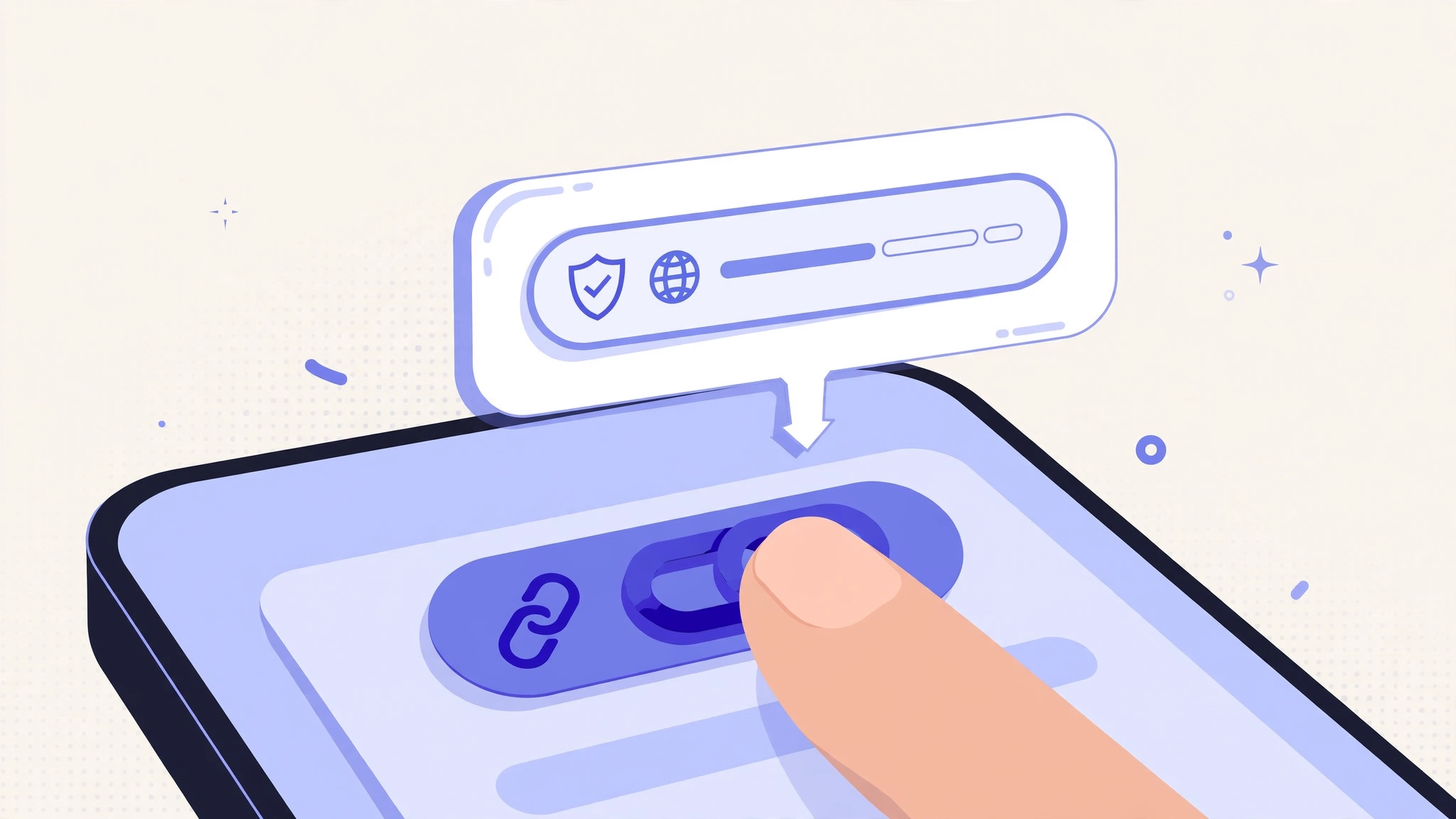
You cannot hover on a phone, but every major app lets you inspect a link first.
Gmail app (Android and iPhone): open the message, press and hold the link without tapping, and read the full address in the preview card. If the domain does not match the named company, tap the three dots and choose Report phishing.
iPhone Messages: press and hold any link to preview the full URL, and confirm the domain matches the supposed sender. For unknown senders, use Report Junk; for fake bank texts, forward the message to your bank’s official fraud-reporting number.
WhatsApp: press and hold any link to preview the real address, and check the preview card’s domain matches the sender’s claim. Distrust “forwarded many times” labels paired with urgent money or prize claims, and call a seemingly hijacked contact on another channel to verify.
Still unsure? Check the link against Google Safe Browsing, the same database Chrome uses for dangerous-site warnings. It takes seconds and beats opening the page “just to see.”
What to Do If You Already Clicked a Phishing Link
First, breathe. Clicking alone rarely causes damage; the danger starts when you type information or download something.
- Do not enter anything. Close any open login tab immediately; type no password, card number, or code.
- Disconnect if you downloaded something. If you opened an attachment or installer, disconnect from Wi-Fi, then run a full scan with Microsoft Defender (built into Windows).
- Change the password from the real site. Type the company’s real address into your browser and change your password there. If you reused it elsewhere, change those accounts too, starting with your email.
- Set up a password manager. Unique passwords stop one stolen password from unlocking everything. Our step-by-step password manager setup guide covers options like Bitwarden or 1Password and takes about 15 minutes. Managers also protect you next time by refusing to autofill credentials on fake lookalike domains.
- Turn on multi-factor authentication (MFA). Even with your password, scammers usually cannot log in without your second factor. Prefer an authenticator app or passkeys, which cannot be phished at all. The FIDO Alliance, the industry group behind passkeys, explains how they resist phishing.
- Check whether your data is already exposed. Enter your email at Have I Been Pwned to see if it appeared in known data breaches. If so, treat that password as burned and change it everywhere it was reused.
- Review your accounts for strange activity. Check recent logins and transactions at your bank, email, and main accounts. If your files or photos might be affected, review your cloud account’s recent activity and connected devices too; our cloud storage beginner guide explains how.
- Report and delete. Report the original message (next section), then delete it: reporting helps providers block the same scam for everyone else.
How to Report Phishing Emails and Texts
Reporting takes a minute: every report trains spam filters and gets malicious sites taken down faster.
- Gmail: open the message, tap the three dots, choose Report phishing.
- Apple Mail: move it to Junk or forward it to your provider’s abuse address.
- Outlook: use the Report Message button and choose Phishing.
- Text messages: forward the text to 7726 (spells SPAM), then block the sender. On iPhone, use Report Junk under unknown senders.
- Impersonated company: most banks publish an address like
phishing@companyname.com; forwarding there helps their security teams kill the fake site. - Authorities: in the US, the Cybersecurity and Infrastructure Security Agency (CISA) accepts cyber incident reports; other countries have their own national cyber agencies with similar pages.
Frequently Asked Questions
Is this email really from my bank?
Probably not, if it arrived unexpectedly and demands urgent action. Real banks rarely ask you to verify accounts by email, never ask for passwords or one-time passcodes by message, and address you by name. Ignore it and check your banking app for alerts.
What is the difference between phishing and spam?
Spam is unwanted bulk email, usually legal but annoying. Phishing is fraud: it impersonates someone you trust to steal credentials or money. Spam wastes your time; phishing can empty your account, so phishing deserves the full checklist above while spam just needs the block button.
Can I get hacked just by opening a phishing email?
Opening a plain email almost never infects a modern phone or computer, because mail apps block automatic downloads and scripts. The risk begins when you click links, open attachments, or reply with information: preview panes are safe, but the follow-up actions are what cause damage.
How can I check if a link is safe before clicking?
On a computer, hover over the link to reveal its true destination. On a phone, press and hold to preview the URL. Read the domain character by character and confirm it belongs to the real company. When unsure, navigate to the official site yourself instead.
What should I do if I entered my password on a fake site?
Change that password immediately from the real site and on every other account where you reused it, then turn on multi-factor authentication everywhere. Check Have I Been Pwned for broader exposure, scan for malware, review recent activity, and report the message.
How do I spot a phishing text message on iPhone?
Press and hold any link to preview its real destination, watch for unknown senders and URL shorteners, and treat unexpected delivery or bank alerts as guilty until proven innocent. Use Report Junk under unknown contacts, and verify through the official app instead.
Conclusion
Learning how to tell if an email is a scam comes down to a simple habit: slow down, check the sender, inspect the link, and never let urgency do your thinking. The checklist, examples, and walkthroughs above cover email phishing, smishing, vishing, and quishing. If a scammer ever slips past your guard, the recovery plan turns a scary moment into a manageable afternoon of password changes and security upgrades.
Online scam protection is a skill that gets stronger with practice. Share this guide with family members who are most often targeted, keep your software updated, and make the official site your default destination instead of any link in a message.