Product Photo to Ad Generator for Solopreneurs
Table of Contents
- What Is a Product Photo to Ad Generator?
- How Does a Product Photo to Ad Generator Work?
- What Types of Ads Can You Make From One Product Photo?
- How Much Does a Product Photo to Ad Generator Cost for a Solopreneur?
- Which Product Photo to Ad Generator Fits a One-Person Business?
- How Do You Take a Product Photo That AI Can Work With?
- What Is a Simple Weekly Workflow for a Solopreneur?
- What Are the Limits and Risks of AI-Generated Ads?
- How Do You Test AI Ads on a Small Budget?
- When Should You Hire a Designer Instead?
- Frequently Asked Questions
- Conclusion
A product photo to ad generator turns a simple photo of your product into a finished advertisement. You upload a picture taken on your phone, the tool rebuilds the background, lighting and layout around it, and you get an ad creative ready to run on social media or in your store. For a solopreneur, this matters because a traditional shoot can cost hundreds of dollars and take days, while an AI tool can produce a usable creative in minutes.
A product photo to ad generator is a tool that takes a photo of your product and builds advertising creative around it. You upload one image, describe the scene or pick a style, and the tool generates a polished ad image with a new background, lighting and layout, usually in under a minute.
Key Takeaways
- A product photo to ad generator rebuilds the scene around your product; it should never redesign the product itself.
- A good source photo matters more than a fancy tool: sharp, well-lit and true to color beats any filter.
- Budget 30 to 60 minutes a week to generate, check and test a small batch of creatives.
- Check the logo, label, color and shape at full size before spending money on an ad.
- Label AI-generated ads where platforms require it, and never present an AI creator as a real customer.
- Test 3 to 5 variations on a small budget, keep the winner, and retire the rest.
What Is a Product Photo to Ad Generator?
A product photo to ad generator is a specialized type of AI image tool. General image generators create pictures from text alone, which means the product in the picture may look close to yours but will not be yours. A product photo to ad generator starts from your actual photo instead. That difference is the whole point: customers must recognize the product in the ad when the package arrives, or trust breaks and refunds follow.
These tools serve sellers who cannot justify a studio shoot for every product. If you run an Etsy shop, a Shopify store or a local business with a handful of products, hiring a photographer for each launch is expensive and slow. A product photo to ad generator fills that gap with styled scenes and platform-ready sizes.
How Does a Product Photo to Ad Generator Work?
The process has four steps. First, you upload a product photo. Second, you describe what you want: by picking a template style such as minimal studio, cozy lifestyle or luxury flat lay, or by writing a short prompt that describes the scene. Writing that prompt well is a skill of its own, and our guide to turning an image to prompt workflow into usable instructions explains how to describe a scene clearly. Third, the AI separates your product from its original background, keeps the product pixels intact, and generates a new scene around it with matching light and shadow. Fourth, you download the result in the sizes your ad platform needs.
Under the hood, most tools combine background removal with image-to-image generation. Background removal isolates the product, then image generation paints a new environment that fits the product’s angle, lighting and shadows. Tools that do this well preserve fine detail: label text, stitching, texture and brand marks. Tools that do it poorly redraw the product, and a candle with a warped label is not an ad, it is a liability.
What Types of Ads Can You Make From One Product Photo?

One good photo can produce a surprising range of creatives:
- Lifestyle scene ad: your product placed in a realistic setting, such as a skincare bottle on a bathroom shelf in morning light. These work well on Instagram and Facebook feeds because they look native to the platform.
- Clean studio ad: your product centered on a plain or gradient background with space for headline text. Studio ads suit search campaigns, marketplace listings and retargeting, where clarity beats atmosphere.
- Seasonal or themed ad: the same product restyled for holidays, sales events or seasons, which lets a solo seller refresh creative without a new shoot.
- Comparison or benefit ad: the product shown beside a short benefit statement.
- Short video ad: a still photo animated, captioned and set to music for TikTok, Reels and Shorts. Video takes more checking, since motion can distort the product.
How Much Does a Product Photo to Ad Generator Cost for a Solopreneur?
Costs vary widely, and the pricing model matters more than the headline price. Some tools charge weekly, some monthly and some per credit. PixelAd offers 2 free generations and then charges $3.99 per week for 50 generations, per its own pricing page. AiArter starts at $12 per month. Revid, which builds full video UGC ads, starts at $39 per month, and Tolstoy lists $16 per workspace per month billed yearly. ArtificialStudio prices per image at about $0.04 each in larger bundles, per its own site.
For a solopreneur, the honest way to compare is cost per usable ad, not cost per generation. If a tool charges $12 a month and you keep 6 usable ads from 30 generations, each usable ad cost $2. Track generations made, ads kept, ads that ran, and cost for one month. That small spreadsheet tells you more than any pricing page.
Free tiers are genuinely useful for testing whether a tool suits your products. Run the same photo through two or three tools and compare which one preserves your label and colors best. Only pay once a tool has proven itself on your hardest product.
Which Product Photo to Ad Generator Fits a One-Person Business?
There is no single best tool, because the right choice depends on what you sell and where you advertise. The table below summarizes the options worth shortlisting.
| Tool | Best for | Starting price (vendor page) | Watch out for |
|---|---|---|---|
| PixelAd | Fast static ads from phone photos | 2 free, then $3.99/week | Weekly billing adds up if you generate rarely |
| ArtificialStudio | Very cheap static variations | About $0.04 per image in bundles | Weak prompts give weak scenes |
| Photoroom | Clean cutouts, marketplace-ready images | Free plan available | Builds images, not full ad layouts |
| Canva Magic Studio | Layouts, text and resizing in one place | Free plan available | Does not test or optimize ads |
| AdCreative.ai | Scored static ads with copy | Trial, then $39/month | Scores are directional, not a sales promise |
| Creatify | Product page to short video ads | Free plan, then $39/month | Scraping can pull the wrong image |
| AiArter | Bulk listing photos plus UGC-style video | $12/month | Video ads need extra accuracy checks |
| Revid | Full UGC-style video ads with script and voice | $39/month | Overkill if you only need static ads |
Start with the job, not the tool. Choosing the best AI tool for each task, rather than one tool for everything, is how a one-person business avoids paying for features it never uses.
How Do You Take a Product Photo That AI Can Work With?
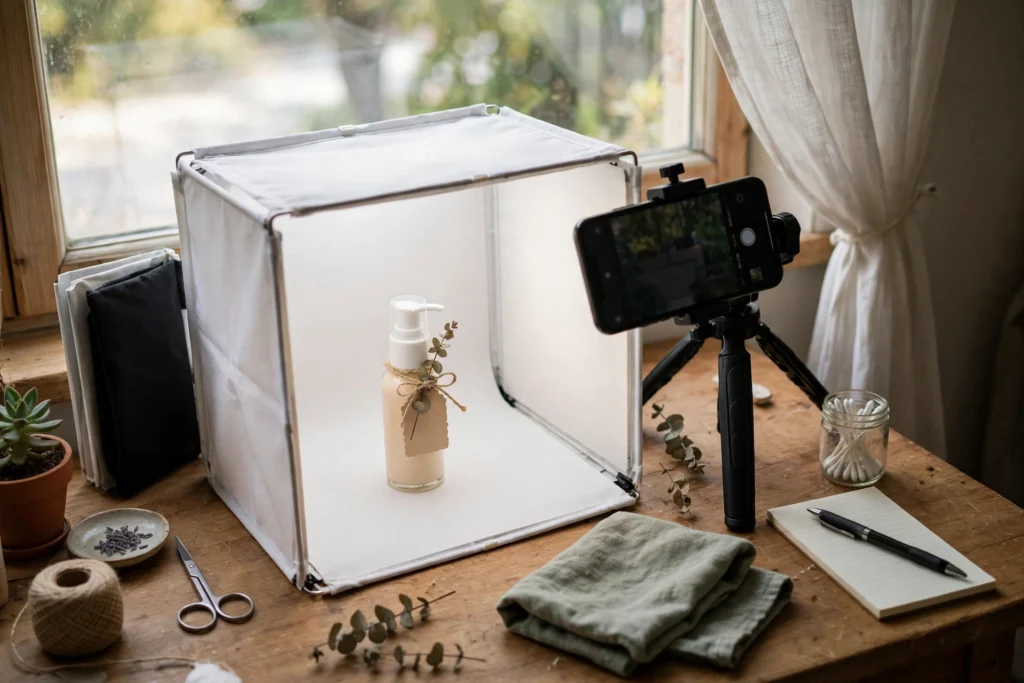
AI tools cannot rescue a bad photo; they amplify whatever you give them. A blurry, dark or color-shifted photo produces a polished-looking ad of the wrong product. Follow five rules when shooting source photos:
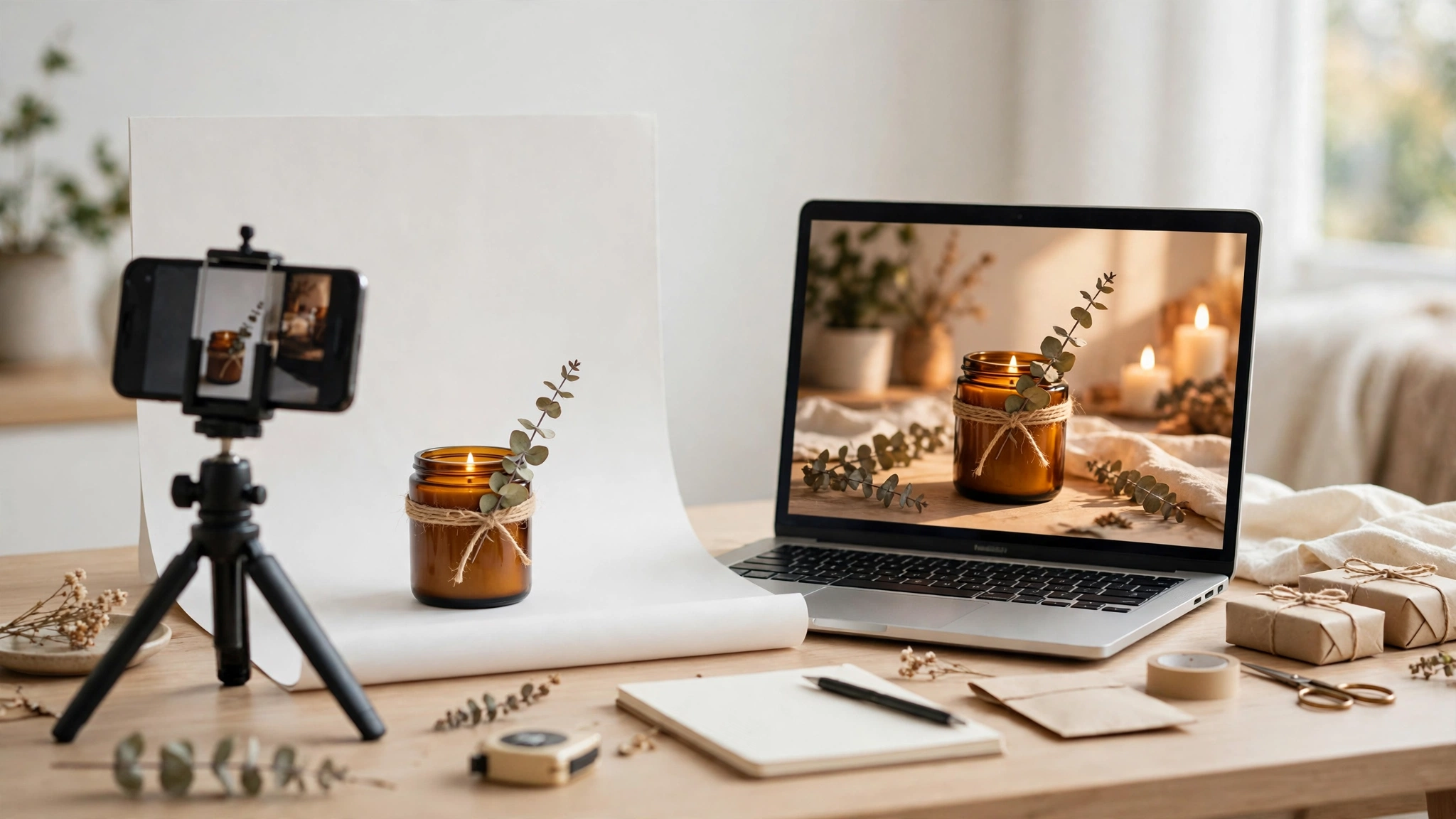
- Shoot in daylight near a window, or use a cheap foldable lightbox. Even, soft light keeps colors true and shadows gentle, which helps the AI separate the product from the background.
- Fill the frame with the product and keep the label facing the camera, since label text is the detail AI most often garbles.
- Shoot straight on and at a slight angle: two angles give you two sets of creatives.
- Use a plain, uncluttered background and remove distractions from the frame.
- Wipe the product, check for fingerprints and dust, and shoot at your phone’s highest resolution.
One more habit pays off: photograph the product exactly as the customer receives it. Ads that show a tidier version than reality create disappointment and returns.
What Is a Simple Weekly Workflow for a Solopreneur?
Here is a weekly routine that fits a one-person business:
- Monday: pick one product and one message, a single benefit in one sentence.
- Tuesday: generate 6 to 10 variations from your best source photo: two lifestyle scenes, two studio versions, two seasonal versions, and two with different copy angles.
- Wednesday: run the fidelity check, discard anything with a distorted label or wrong color, and keep 3 to 5 winners.
- Thursday: resize the winners for each placement you use and schedule them.
- Friday: check the early numbers and note which creative earned the cheapest clicks.
This routine takes about 30 to 60 minutes of active work once you know the tool. The discipline is in the discarding: most generated images should not run. Keeping only the strongest 3 to 5 protects your brand and your budget. If you are still learning how these systems work, our guide on how to use AI covers the basics in plain language.
What Are the Limits and Risks of AI-Generated Ads?
First, product fidelity is not guaranteed. Text on labels, logos and fine patterns can warp, especially on small or curved surfaces. Check every output at full size, not just as a thumbnail, and zoom in on the label before approving.
Second, AI scenes can invent details that mislead customers. A cream photographed beside fresh ingredients can imply ingredients it does not contain. Keep every claim in your ad copy factual and provable, and do not let a generated scene imply something your product page does not say.
Third, platform rules are tightening. Meta and TikTok label some AI-generated content, and both penalize misleading ads. Never present an AI-generated creator as a real customer, and use the platform’s AI label where offered.
Fourth, AI ads can look generic. If every seller in your niche uses the same tool and the same popular styles, feeds fill with similar images. Your defense is a distinctive source photo and a specific benefit.
Fifth, some products should not rely on AI ads at all. Regulated products, medical devices, financial promises and anything where exact appearance matters, such as artwork or custom jewelry, need real photography and careful claims.
How Do You Test AI Ads on a Small Budget?
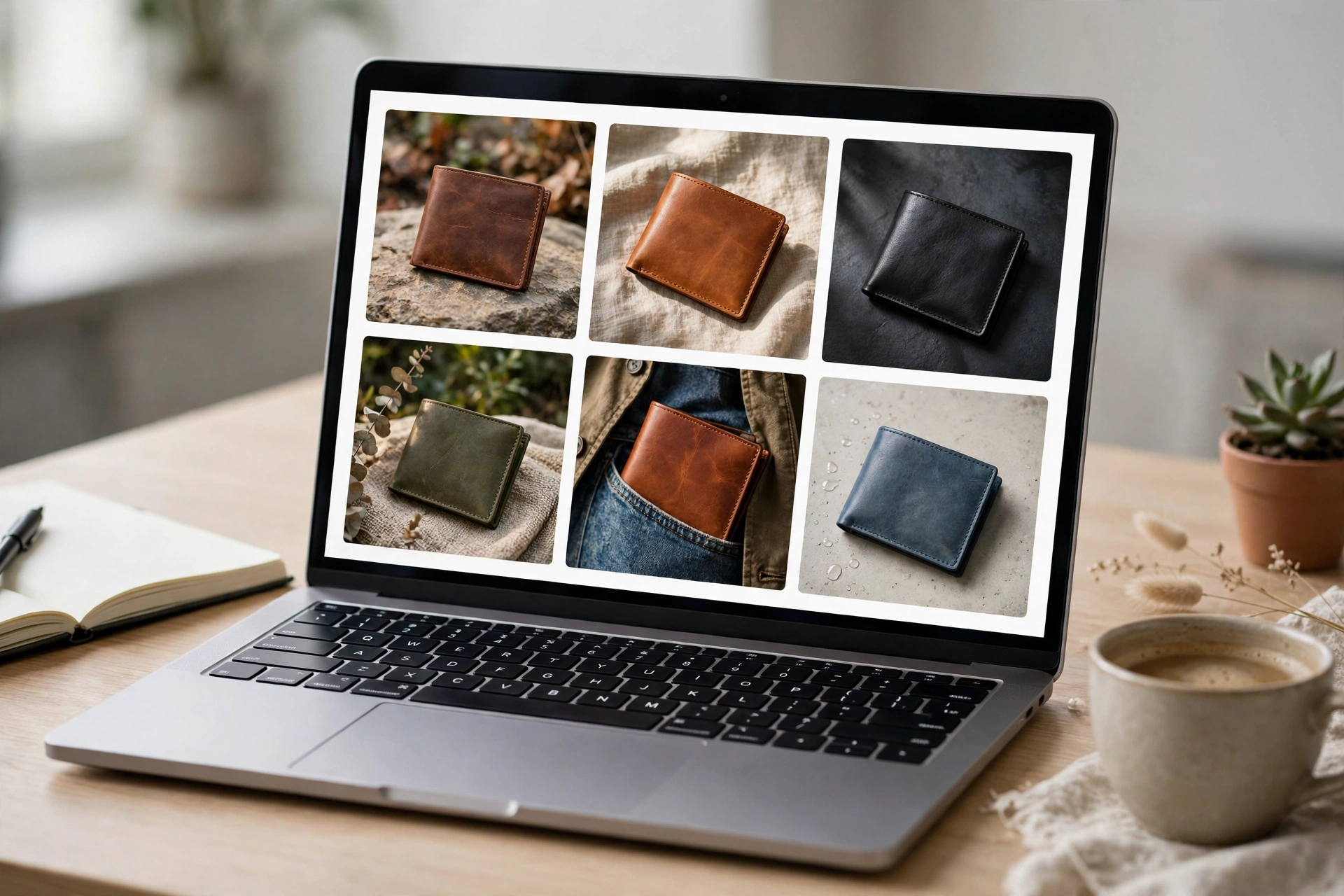
Testing is where solopreneurs beat bigger competitors, because small budgets force clear decisions. Take your 3 to 5 surviving creatives and run them in one campaign with equal budgets, the same audience and the same landing page. Let them run for at least 3 days or until each has roughly 1,000 impressions. Then compare cost per click and, more importantly, cost per meaningful action, such as an add to cart or a purchase.
Keep the winner running and pause the losers. Then test one change at a time against the winner: a new headline, a new scene or a new audience. Changing everything at once teaches you nothing. Write down each test and its result.
A useful rule of thumb: if a creative cannot beat your current best after a fair test, retire it, no matter how good it looked. Taste is not the metric. Cost per result is.
When Should You Hire a Designer Instead?
AI tools cover most day-to-day creative needs, but four situations still justify a designer. First, a brand launch or rebrand, where a consistent visual identity matters more than one ad. Second, hero images for your homepage or packaging. Third, products with complex claims or regulated language. Fourth, campaigns with real budget behind them: if you plan to spend hundreds of dollars promoting one creative, professional design is cheap insurance.
A practical hybrid works for many solopreneurs: use AI tools for weekly testing and variation, and hire a designer twice a year for the brand assets everything else builds on.
Frequently Asked Questions
What is a product photo to ad generator?
A product photo to ad generator is an AI tool that turns a photo of your product into advertising creative. You upload one image, pick a style or write a short prompt, and the tool rebuilds the background, lighting and layout around your product while keeping the product itself unchanged.
Can a solopreneur really make professional ads without design skills?
Yes, for most everyday ads. Modern tools handle background removal, lighting and layout automatically, so a solo seller can produce clean, professional-looking creatives from phone photos. The skills that still matter are choosing a good source photo, writing a clear benefit message, and checking the output for label accuracy before spending money on it.
How much does a product photo to ad generator cost?
Costs range from free tiers with a few generations to about $12 to $39 per month for paid plans, depending on whether the tool produces static images or video. Judge tools by cost per usable ad, not cost per generation, and test free tiers on your hardest product before paying.
Will AI change how my product looks in the ad?
It should not, but it sometimes does. Some tools redraw label text, shift colors or alter shapes, especially on small or curved products. Inspect the output at full size and zoom in on the label, logo and color. If any detail is wrong, regenerate or discard the image rather than running an ad that misrepresents your product.
What is the best way to test AI ads on a small budget?
Run 3 to 5 creatives with equal budgets, the same audience and the same landing page for at least 3 days or about 1,000 impressions each. Compare cost per click and cost per purchase, keep the winner, pause the rest, and then test one change at a time. Record every test so you build a record of what works.
Conclusion
A product photo to ad generator gives a solopreneur something that used to require a studio: fast, affordable, professional-looking ad creative from a single phone photo. The tool itself is the easy part. The work that matters is choosing a strong source photo, checking that the product survived generation intact, writing one clear benefit, and testing a small batch of creatives on a real budget. Start this week with one product, one message and three variations. For more beginner-friendly guides on using AI in a small business, explore the rest of CPN Tech, where practical AI topics are explained simply.