Remote Code Execution: What It Is and How to Stop It
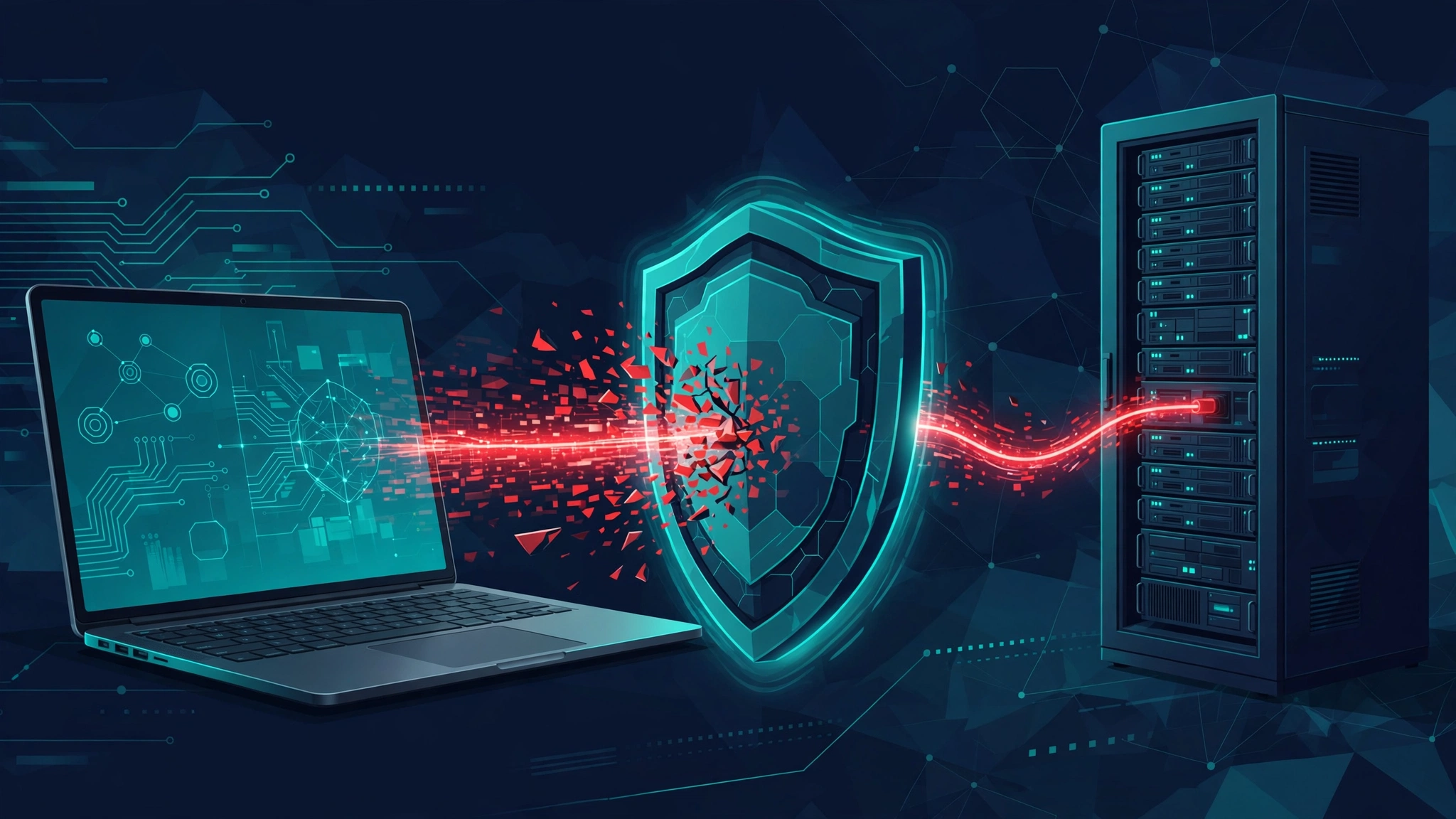
Remote code execution is a security flaw that lets an attacker run their own code on a computer, server, or device over a network, without sitting at that machine and often without logging in. Once that code runs, the attacker can steal data, install malware, or take control of the system, which is why security teams treat remote code execution flaws as emergencies.
This guide explains remote code execution in plain language: what it means, how attacks work step by step, the main vulnerability types behind it, famous real world examples, and the practical steps developers, home users, and small businesses can take to prevent it. You do not need a security background to follow it, and every technical term is explained as it appears.
Key Takeaways
- Remote code execution, usually shortened to RCE, means an attacker runs code of their choosing on a target system from somewhere else on a network.
- Many RCE flaws need no password and no click from a victim, which is why they are often rated Critical, with the highest scores on the Common Vulnerability Scoring System scale.
- The usual causes are injection flaws, insecure deserialization, memory errors such as buffer overflows, and unsafe file uploads.
- Log4Shell, disclosed in December 2021, showed how a flaw in one widely used library can put thousands of different products at risk at once.
- Prevention is mostly unglamorous work: patch promptly, validate every input, keep an inventory of your software components, and run services with the lowest privileges they need.
Table of Contents
- What Is Remote Code Execution?
- How Does Remote Code Execution Work?
- What Are the Main Types of RCE Vulnerabilities?
- How Is RCE Different From ACE and Command Injection?
- What Are Real Examples of Remote Code Execution Attacks?
- What Can an Attacker Do After Gaining Remote Code Execution?
- How Can You Detect a Remote Code Execution Attack?
- How Can Developers Prevent Remote Code Execution?
- How Can Home Users and Small Businesses Protect Themselves?
- What Should You Do If You Suspect an RCE Attack?
- FAQs
- Conclusion
What Is Remote Code Execution?
Remote code execution is a class of vulnerability in which an attacker causes a target system to run code that the attacker supplies, delivered over a network. The word remote is the key part. The attacker does not need to touch the machine, insert a USB drive, or already have an account on it. A network connection to a vulnerable service is enough, and in the worst cases the attack works against a public website, a cloud server, a home router, or a smart device that is reachable from the internet.
Think of a normal program as a chef who follows only the recipes in a trusted cookbook. Remote code execution happens when a stranger can slip a new page into that cookbook and the chef follows it without checking who wrote it. The program still believes it is doing its normal job, such as logging a message, processing an uploaded file, or looking up a name in a directory. In reality it is now running the attacker’s instructions, with the same permissions as the program itself.
That permission detail matters a lot. If the vulnerable program runs as an ordinary user, the attacker starts with ordinary user powers. If it runs as an administrator, as a system service, or inside a container with broad access, the attacker starts with those powers. This is one reason the same type of flaw can be a minor problem in one setup and a full system takeover in another. Good system design limits what any single program can do, so that even a successful attack starts in a small, contained space.
Security teams rate most remote code execution flaws at the top of the severity scale. The Common Vulnerability Scoring System, known as CVSS, scores vulnerabilities from 0 to 10. Many famous RCE flaws score 9.0 or higher, and Log4Shell scored the maximum, 10.0. A high score does not mean every system is easy to attack. It means that when the flaw is exploitable, the impact is severe and the attack is often simple to repeat, so patching cannot wait for a convenient maintenance window.
How Does Remote Code Execution Work?
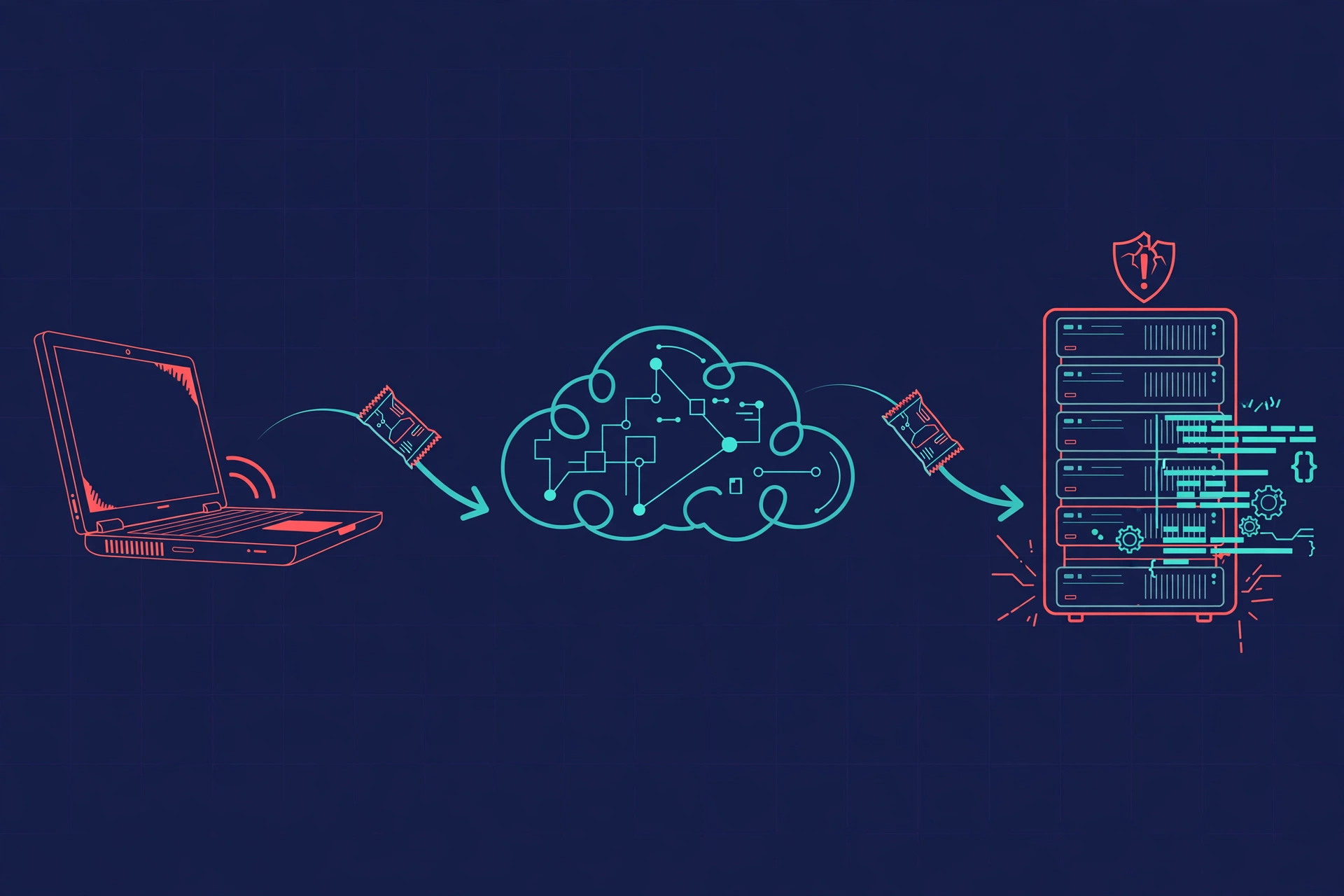
Remote code execution works when a program treats untrusted input as instructions instead of treating it as plain data. Almost every program takes input from the outside world: search terms, usernames, file uploads, web addresses, headers sent by a browser, or messages between services. A secure program checks that input, limits its size and format, and never lets it change what the program itself does. A vulnerable program skips one of those checks, and an attacker finds the gap.
A typical attack follows five stages. First, the attacker finds a target, often by scanning the internet for a known vulnerable version of a product or by probing a website for odd responses to unusual input. Second, the attacker sends a crafted input, a string, file, or request that is specially shaped to trigger the flaw. Third, the vulnerable program misinterprets that input and runs the attacker’s code or hands control to it. Fourth, the attacker opens a channel back to their own machine, often called a reverse shell, so they can send further commands interactively. Fifth, the attacker uses that foothold to explore, steal, install, or spread further, as described later in this guide.
Not every RCE attack needs a reverse shell. Some attacks run a single command, such as downloading and installing malware, and then stop. Others inject a small program that stays hidden and waits for instructions. The common thread is that the attacker no longer needs to guess passwords or trick a person. The vulnerable software itself does the work of letting them in, which makes automated scanning so dangerous. A bot can test thousands of servers in an hour, and it only needs one unpatched system to succeed.
It helps to separate two ideas that beginners often mix up. A vulnerability is the flaw itself, a bug in code that makes the attack possible. An exploit is the specific crafted input or program that uses the flaw. When news reports say a vulnerability is being exploited in the wild, they mean attackers have a working exploit and are already using it against real systems, not just discussing it in theory. That phrase is a signal to patch immediately, because the window between disclosure and mass exploitation is often measured in hours, not weeks.
What Are the Main Types of RCE Vulnerabilities?
Remote code execution is not one single bug. It is an outcome that several different kinds of mistakes can produce. Understanding the main types helps you see why the fixes differ, and why a checklist that only mentions patching is incomplete.
Injection flaws, including command injection
Injection happens when user input is inserted directly into a command, query, or script that the program then runs. In command injection, for example, a web application might take a hostname from a user and pass it to an operating system command without cleaning it. An attacker adds extra characters that end the intended command and start a new one, and the operating system runs both. SQL injection works on a similar principle against databases, and while not every SQL injection leads to code execution, some do, especially when database functions can run operating system commands or write files.
Insecure deserialization
Serialization is the process of turning an object, such as a user session or a message, into a stream of bytes so it can be stored or sent over a network. Deserialization reverses that process. If a program accepts serialized data from an untrusted source and rebuilds objects from it without strict checks, an attacker can craft data that creates dangerous objects or triggers code during the rebuilding step. Java, Python, PHP, and .NET applications have all had famous deserialization flaws, and they are hard to spot because the vulnerable code looks like ordinary data handling.
Memory errors, including buffer overflows
A buffer is a fixed size area of memory set aside to hold data. A buffer overflow happens when a program writes more data into a buffer than it can hold, spilling over into neighbouring memory. If that neighbouring memory holds control information, such as the address of the next instruction to run, an attacker who controls the overflowing data can redirect the program to run their own code. Memory safe languages such as Python, Java, Go, and Rust prevent this class of bug by checking memory boundaries automatically, which is one reason modern guidance recommends them for new network facing code. Older C and C++ code needs careful bounds checking, testing, and compiler protections to achieve the same safety.
Unsafe file uploads and template flaws
Many applications let users upload files, such as profile pictures, documents, or plugins. If the application stores an uploaded file in a web reachable folder, keeps its original name, and does not check its real type, an attacker can upload a script file instead of an image and then visit its address to run it. A related problem is server side template injection, in which user input is inserted into a template that the server renders as code. Both flaws share the same root cause: the application trusts something the user supplied and then executes it.
Flaws in libraries, protocols, and network services
Not all RCE flaws live in code a team wrote themselves. A flaw in a logging library, a protocol handler, a file parser, or a network service can expose every application that uses it. This is the supply chain angle, and it is the hardest for beginners to grasp, because the vulnerable code may be several layers below the visible website. A team can write perfect application code and still be at risk if a dependency it relies on has an RCE flaw. Keeping an inventory of dependencies, known as a software bill of materials, and monitoring it for new disclosures is therefore part of prevention, not an optional extra.
How Is RCE Different From ACE and Command Injection?
Security writing uses three terms that overlap, and mixing them up makes vulnerability reports harder to read. The table below separates them in plain language.
| Term | What it means | Needs network access? | Example |
|---|---|---|---|
| Arbitrary code execution (ACE) | An attacker runs code of their choosing on a system, by any route | Not necessarily | Opening a malicious document that runs code on your own computer |
| Remote code execution (RCE) | Arbitrary code execution triggered over a network, without physical access | Yes | Sending a crafted request to a vulnerable web server |
| Command injection | Attacker input is inserted into an operating system command that the application runs | Often, through a web application | Adding extra commands to a hostname field in a network tool |
In short, all remote code execution is arbitrary code execution, but not all arbitrary code execution is remote. A flaw that only works when you open a booby trapped file on your own machine is ACE but not RCE, because the attacker needed your action and local access. Command injection is one route to RCE, not a synonym for it. An attacker can reach RCE through deserialization, a buffer overflow, or a library flaw without ever injecting a shell command in the classic sense.
This distinction also explains why phishing and RCE are different problems, even though both can end in malware on a machine. Phishing tricks a person into running something or giving away credentials, and our guide on what phishing is explains that human angle. Remote code execution needs no trick at all when the flaw is unauthenticated. That is why the two defences differ: phishing defence trains people and filters messages, while RCE defence patches software and validates input before a human is ever involved. For the warning signs of phishing messages themselves, see our guide on how to spot phishing attacks.
What Are Real Examples of Remote Code Execution Attacks?
< p>Real examples make the abstract idea concrete, and they also show how varied RCE attacks can be. The cases below are well documented by the Apache Software Foundation, the United States Cybersecurity and Infrastructure Security Agency, and the National Vulnerability Database, and they are chosen because each one teaches a different lesson.
Log4Shell, CVE-2021-44228, December 2021
Log4Shell is the most famous RCE flaw of recent years, and the clearest example of a supply chain problem. Apache Log4j is a Java logging library, a small piece of code that records events such as logins and errors. It is used, directly or indirectly, by a huge number of enterprise products, cloud services, and games. Versions from 2.0-beta9 through 2.14.1 had a feature called message lookups, which could expand special strings inside log messages. One supported lookup type used the Java Naming and Directory Interface, known as JNDI, to fetch a remote object.
An attacker only had to get a string such as a username, a chat message, or a browser header containing a crafted lookup into something the target logged. Log4j would then contact the attacker’s server, fetch code, and run it, with no login required. The fix was to upgrade to Log4j 2.15.0 or later, where lookups were disabled by default, and to block outbound connections from application servers to untrusted hosts as a temporary mitigation. The lasting lesson was inventory: many organisations did not know where Log4j was hiding inside their own products, because it arrived as a dependency of a dependency. After Log4Shell, keeping a software bill of materials stopped being a paperwork exercise and became a security necessity.
EternalBlue and WannaCry, 2017
EternalBlue was a flaw in Microsoft Windows Server Message Block, the protocol Windows uses for file and printer sharing. It allowed remote code execution on unpatched Windows systems that exposed the protocol, and it needed no user interaction. In May 2017 the WannaCry ransomware used EternalBlue to spread from machine to machine across networks, encrypting files and demanding payment. The attack hit hospitals, factories, and public services in many countries, and it spread so fast precisely because it did not wait for anyone to click anything. The fix, a Microsoft security update released before the outbreak, had simply not been applied everywhere. WannaCry remains the classic argument for patching even when a system seems to be working fine.
Spring4Shell and Text4Shell, 2022
Two 2022 flaws showed that the Log4Shell pattern was not a one off. Spring4Shell, CVE-2022-22965, affected the widely used Spring Framework for Java applications when certain data binding conditions were met, allowing an attacker to set internal properties and reach code execution. Text4Shell, CVE-2022-42889, affected Apache Commons Text, another small utility library, because its string interpolation feature could evaluate attacker supplied expressions, including script commands. It scored 9.8 on the CVSS scale. Neither flaw was as universally exploitable as Log4Shell, because each needed specific configurations, but both reinforced the same point: small, trusted libraries deserve the same patching attention as the main application.
What these examples have in common
First, the attacker did not need to be clever about passwords. Second, the vulnerable component was often not the product the victim thought they were running. Third, the damage came from what happened after code execution, not from the initial flaw alone. Ransomware, data theft, and cryptomining were all payloads, not causes. When you read about a new RCE flaw, the right question is therefore not only how it works, but how quickly you can find every place the affected component runs in your own environment.
What Can an Attacker Do After Gaining Remote Code Execution?
Initial code execution is rarely the attacker’s goal. It is the doorway. What happens next decides how bad the incident becomes, and it usually follows a predictable pattern that defenders plan against.
- Privilege escalation. The attacker tries to move from the permissions of the compromised program to higher permissions, such as administrator or root, using a second flaw, a misconfiguration, or stolen credentials found on the machine.
- Persistence. The attacker installs a backdoor, a scheduled task, or a new account so they can return even if the original flaw is patched or the machine reboots. Finding and removing persistence is often harder than closing the original hole.
- Credential theft and lateral movement. The attacker harvests passwords, tokens, and session data, then uses them to move to other machines on the same network. A single vulnerable web server can therefore become a route into databases, internal tools, and employee workstations.
- Data theft and extortion. The attacker copies sensitive files, customer records, or source code, and may threaten to publish them unless paid. Data theft can happen quietly over weeks, which is why detection matters as much as prevention.
- Ransomware and destruction. The attacker encrypts files or wipes systems, sometimes after stealing data first. This double extortion pattern, steal then encrypt, is now common in ransomware incidents that start with an RCE flaw.
- Use as infrastructure. The attacker may simply use the compromised machine to send spam, mine cryptocurrency, host phishing pages, or attack other targets. The owner may notice only slower performance or a higher cloud bill, which is why unexplained resource use deserves investigation.
Malware delivered after RCE often arrives as a familiar family, such as a trojan that pretends to be useful software while opening a hidden channel. Our guide on what trojans are explains how that disguise works. The difference here is delivery: with RCE, no one had to be fooled into installing the trojan, because the vulnerable software installed the attacker’s code by itself.
How Can You Detect a Remote Code Execution Attack?
Detection is harder than prevention, because a successful RCE attack often leaves only subtle traces. No single tool catches everything, so defenders layer several signals and watch for combinations rather than one alarm.
Start with logs. Web server, application, and system logs record incoming requests, and RCE attempts often contain unusual strings, unexpected outbound connections, or requests to odd addresses shortly after a normal request. A server that suddenly contacts an unknown external host, especially over protocols such as LDAP or RMI, deserves immediate attention, because legitimate application servers rarely need to do that. Log monitoring tools and security information systems can flag these patterns, but they only help if logs are actually collected, retained, and reviewed.
Endpoint detection tools watch for suspicious behaviour on the machine itself: a web server process spawning a shell, a new scheduled task appearing, an unfamiliar binary running from a temporary folder, or a process accessing credential stores. Network monitoring adds another view, flagging large outbound transfers, connections to known malicious addresses, or traffic on unusual ports. Vulnerability scanners help before an attack, by finding unpatched components, and forensic tools help after one, by reconstructing what ran and when.
For home users and small businesses without a security team, the practical signals are simpler: a website or device behaving strangely, new accounts or files you did not create, antivirus alerts about a server process, a sudden spike in outbound traffic on your router, or a cloud bill that jumps without explanation. Any one of these can have an innocent cause, but two or more together, especially after a public RCE disclosure affecting something you run, should be treated as a possible incident, not a glitch.
How Can Developers Prevent Remote Code Execution?
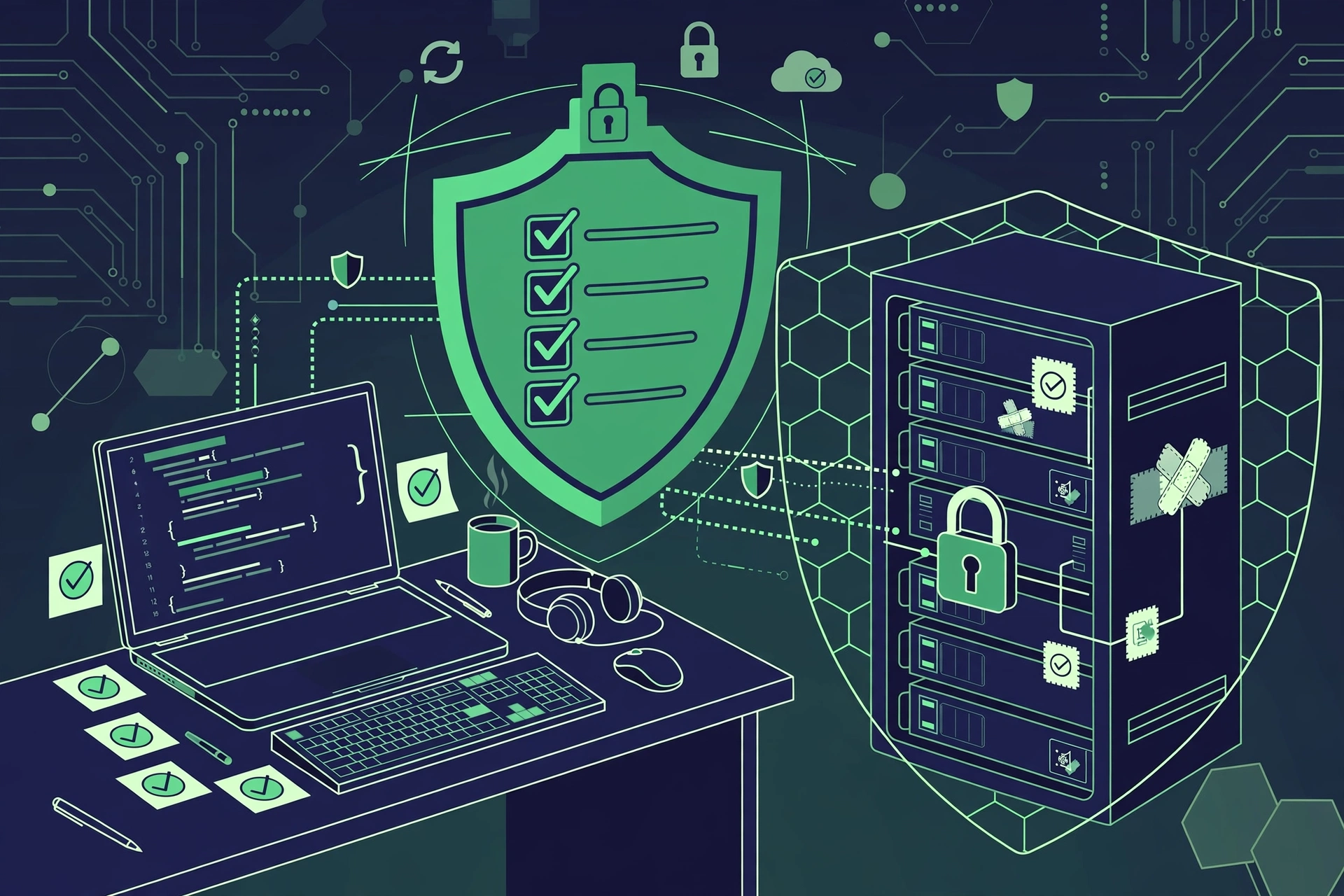
Preventing remote code execution is a set of habits across the whole development lifecycle, not a single product you can buy. The Open Web Application Security Project, known as OWASP, and vendor security guides agree on the same core practices, and they apply whether you build a small website or a large platform.
Validate and encode every input
Treat all input as untrusted until proven otherwise, including data from forms, headers, files, APIs, and other services. Use allow lists, which accept only known good formats, rather than block lists that try to forbid known bad strings, because attackers constantly find new spellings that bypass block lists. Never build operating system commands, database queries, or templates by inserting raw user input. Use parameterised queries, safe APIs, and templating engines that encode output by default.
Patch dependencies and keep an inventory
Maintain a complete list of libraries, frameworks, and components, including transitive dependencies you did not choose directly. Monitor that list against vulnerability databases such as the National Vulnerability Database, and automate alerts so a new disclosure reaches you the same day. When a Critical RCE patch appears, treat it as an emergency deployment, not a routine update, and test it in staging quickly rather than waiting for the next release cycle.
Run with least privilege and strong isolation
Every service should run with only the permissions it needs to do its job, and nothing more. A web application does not need to run as root, read unrelated files, or open outbound connections to arbitrary hosts. Network segmentation, egress filtering, and container or sandbox isolation all limit what an attacker can reach even if code execution succeeds. The goal is to turn a full takeover into a contained incident in a small, low value space.
Use memory safe tools and secure defaults
For new network facing code, prefer memory safe languages where practical, enable compiler and runtime protections for older languages, and disable dangerous features by default. That includes disabling remote code loading, dynamic evaluation of untrusted strings, and deserialization of untrusted data. Static and dynamic code analysis, fuzz testing with random inputs, and regular penetration testing catch flaws that code review alone misses, especially in parsers and protocol handlers.
Protect the build and deployment pipeline
A compromised build pipeline can introduce RCE flaws into otherwise clean code, so protect it like production. Pin dependency versions, verify package signatures where available, restrict who can publish releases, and review changes to build scripts with the same care as application code. A software bill of materials generated at build time gives incident responders a reliable inventory when the next Log4Shell style disclosure arrives.
How Can Home Users and Small Businesses Protect Themselves?
Most competitor guides on remote code execution speak only to enterprise security teams, which leaves the people who run a small shop website, a home server, or a handful of smart devices without a plan. The principles are the same, but the checklist is shorter and more practical.
- Update everything, including the boring things. Update your router firmware, your website platform and plugins, your NAS device, your cameras, and your smart home hubs, not just your laptop and phone. Many RCE flaws target exactly the devices people forget.
- Do not expose services to the internet unless you must. If you run a home server, a camera, or a file share, ask whether it really needs to be reachable from anywhere. If it does, put it behind a VPN or a reverse proxy with authentication, and close ports you are not using.
- Use strong, unique passwords and two factor authentication. These do not fix an RCE flaw, but they slow privilege escalation and lateral movement, and they stop an attacker reusing a password found on one machine to enter another.
- Back up data you cannot afford to lose, and test restoring it. A backup that has never been restored is a hope, not a plan. Keep at least one backup offline or in a separate account, so ransomware cannot encrypt the backup along with the original.
- Watch for vendor security notices. Subscribe to update notices for the products you actually run, whether that is WordPress, a router brand, or a camera maker. When a Critical RCE notice arrives, update that day, even if the device seems fine.
- Separate networks where you can. Many modern routers offer a guest network. Put smart devices and guests on it, and keep work computers and file storage on the main network, so a compromised camera cannot easily reach your documents.
Small businesses should add one more habit: a simple asset list. A spreadsheet of every website, plugin, device, and cloud service you run, with its version and update date, is enough. When a new RCE disclosure hits the news, you can check that list in minutes instead of guessing whether you are affected.
What Should You Do If You Suspect an RCE Attack?
Speed matters, but panic causes mistakes, such as deleting logs that investigators need. If you suspect remote code execution on a system you control, work through these steps in order, and get professional help early if customer data may be involved.
- Contain first. Disconnect the affected system from the network, or block its outbound traffic at the firewall, so the attacker cannot steal more data or spread further. Do not simply reboot and hope, because persistence mechanisms survive reboots.
- Preserve evidence. Save logs, note the time you noticed the problem, and avoid deleting files or reinstalling before someone has had a chance to examine what happened. Screenshots of alerts and unusual processes help an investigator.
- Patch the flaw, then hunt for persistence. Update or replace the vulnerable component, then check for new accounts, scheduled tasks, unfamiliar services, and changed files. Patching alone leaves a backdoor in place if the attacker already installed one.
- Reset credentials that may be exposed. Change passwords and revoke tokens for accounts that ran on or connected to the affected system, starting with administrator accounts and cloud credentials.
- Restore from a clean backup if needed. If you cannot be sure the system is clean, rebuild it from known good media and restore data from a backup made before the compromise. This is slower than patching in place, but it is the only reliable way to remove hidden persistence.
- Notify affected people where required. If customer or employee data may have been accessed, check your legal obligations and notify affected people promptly. Hiding a breach usually makes the legal and reputational damage worse.
After the incident, hold a short review, even if you are a team of one. Write down what the flaw was, how long it was exposed, what detected it, and what you will change so the same class of flaw is caught sooner next time. That review is what turns one incident into lasting improvement.
FAQs
What is remote code execution in simple terms?
It is a flaw that lets someone run their own code on your computer or server over the internet, without needing your password or permission. Think of it as a locked door that can be opened by sending a specially crafted message, rather than by stealing a key.
Is remote code execution the same as hacking a password?
No. Password hacking exploits weak or stolen credentials. RCE exploits a flaw in software itself, so it can work even when passwords are strong, which is why patching matters as much as good passwords.
Can remote code execution affect home users, or only big companies?
It can affect anyone who runs vulnerable software, including home routers, cameras, and small websites. Attackers scan the whole internet automatically, so small targets are found just as easily as large ones, even if they are less valuable individually.
What is the most famous remote code execution vulnerability?
Log4Shell, tracked as CVE-2021-44228 and rated CVSS 10.0, disclosed in December 2021. A flaw in the widely used Apache Log4j logging library let attackers run code by sending a crafted log message, and it affected services and devices across the world.
How do I know if my system has an RCE vulnerability?
Check your software and library versions against vulnerability databases such as the National Vulnerability Database, use a vulnerability scanner for servers and websites, and watch for vendor security notices. If a Critical RCE is announced for something you run, assume you are affected until you confirm you are patched.
Does antivirus software stop remote code execution?
Not reliably on its own. Antivirus and endpoint tools can catch some malicious code after it runs, but they do not fix the underlying flaw. Patching, input validation, and least privilege stop the attack before malicious code can run, which is why they come first.
Conclusion
Remote code execution is one of the most serious software flaws because it turns a single weakness into full control. The causes repeat across decades and technologies: untrusted input built into commands or queries, unsafe deserialization, memory errors, unsafe file uploads, and vulnerable libraries that no one remembered to update. The lesson from Log4Shell to WannaCry is the same: the flaw matters less than how quickly you find it, patch it, and limit what it can reach.
Developers can prevent most RCE flaws by validating input, patching dependencies, running with least privilege, and testing parsers and handlers hard. Home users and small businesses can protect themselves with a shorter version of the same plan: update everything, avoid exposing services, use strong unique passwords, keep tested backups, and watch vendor notices. Start today by checking one thing, the update status of your website platform, your router, or your most important server, and fixing it if it is behind. For more beginner-friendly tech explainers, visit CPN Tech.