

What Is Web Hosting? A Simple Beginner Guide
Web hosting sounds technical, but the idea behind it is simple. Every website is a collection of files, and those files need a safe, always-on home on the internet. That home is what a web host provides. Without it, your pages, photos, and code would sit on your own computer, invisible to everyone else.
Web hosting is a service that stores your website files on a server, a powerful computer that stays connected to the internet around the clock, and delivers those files to any visitor who types in your address. A good host also keeps that server secure, backed up, and fast, so you can focus on your content. This guide explains what is web hosting in plain terms, how it works, the types available, what they cost, and how to choose the right plan.
Key Takeaways
- Web hosting is rented space and computing power on a server that keeps your site online and delivers it to visitors.
- A domain name is your address; hosting is the property that address points to. You need both, but they are separate purchases.
- Shared hosting suits most beginners, VPS suits growing sites, and dedicated hosting suits high traffic sites with a real budget.
- Compare renewal price, not just the first year price, and check storage type, backups, SSL, support, and uptime guarantees.
- You can switch hosts later, so choose the plan that fits today and leave room to grow.
Table of Contents
- What Is Web Hosting in Simple Terms?
- How Does Web Hosting Work Step by Step?
- What Are the Main Types of Web Hosting?
- What Is the Difference Between Web Hosting and a Domain Name?
- How Much Does Web Hosting Cost?
- What Features Should You Compare Before You Buy?
- How Do You Choose the Right Web Hosting Provider?
- What Signs Mean It Is Time to Upgrade Your Hosting?
- What Mistakes Do Beginners Make With Web Hosting?
- How Do You Put a Website Online With Web Hosting?
- Frequently Asked Questions
- Conclusion
What Is Web Hosting in Simple Terms?
Think of a website as a house and web hosting as the land it stands on, plus the utilities that keep it running. Your domain name is the street address people use to find the house. Your hosting plan provides the plot, the power, the security, and the road that connects visitors to your front door. Without hosting, there is nowhere for visitors to go, even if you own a perfect domain name.
A server is a specialised computer built to stay online all day, every day. It stores your files and databases, and runs web server software, such as Apache, Nginx, or LiteSpeed, that answers browser requests. Your provider keeps these servers in data centres with cooling, power backup, and fast connections, and gives you an account with your share of the resources.
How Does Web Hosting Work Step by Step?
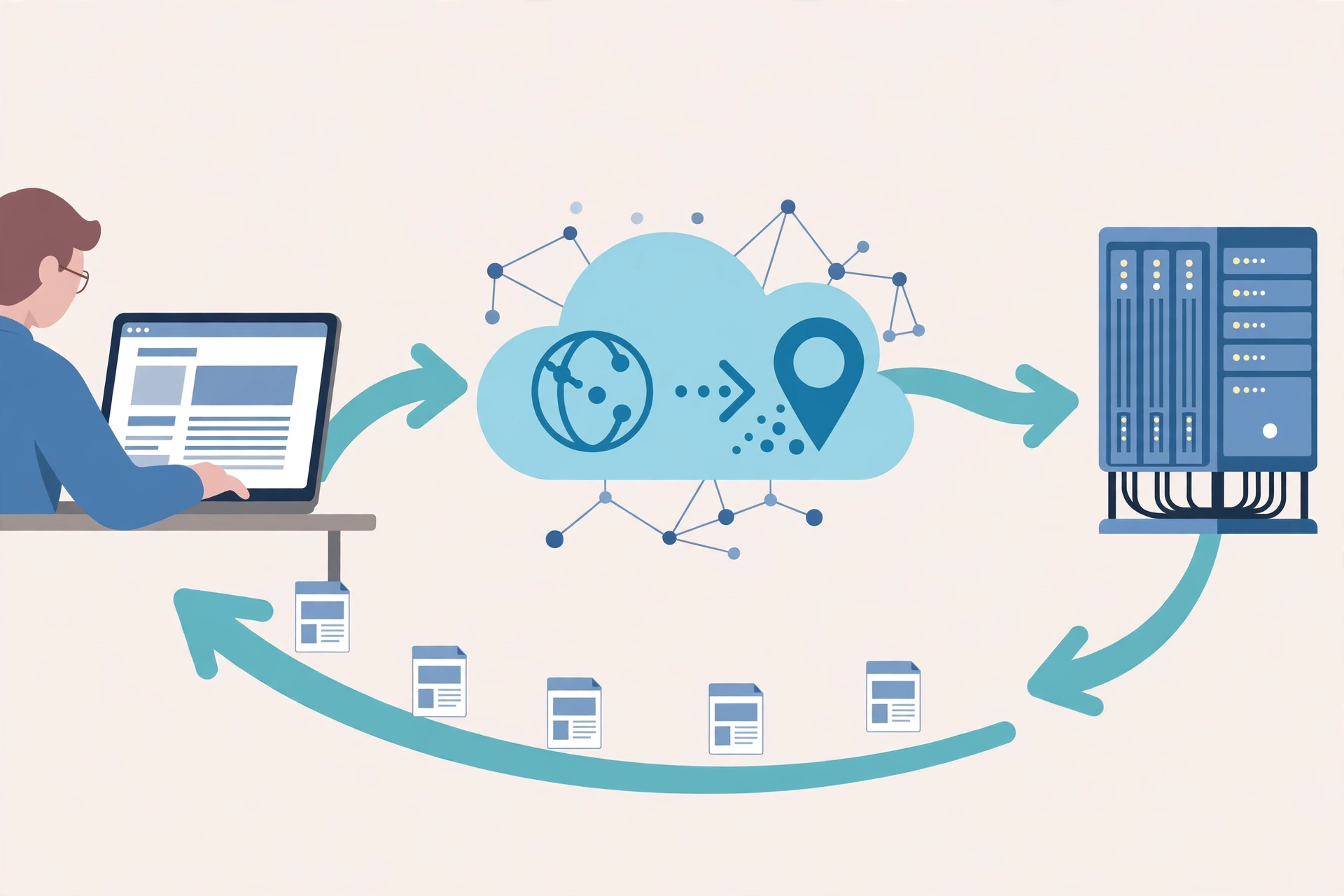
Web hosting works through a short chain of requests that happens every time someone visits your site. First, a visitor types your domain name into a browser. The browser asks the Domain Name System, often called DNS, to translate that name into an IP address, which is the numeric address of the server that holds your site.
Second, the browser connects to that server and requests the page. The web server software finds the right files, runs any needed code, pulls content from the database if your site is dynamic, and sends the finished page back. For a WordPress site, the server combines your theme, database content, and images into the page the visitor sees.
Third, the browser renders the page. It downloads images, style sheets, and scripts, and displays the result. If the server is slow to respond, every step after it waits too. That first delay is called Time to First Byte, and a rising Time to First Byte often signals an overloaded server rather than a problem with your content. A host also manages DNS records, email, SSL certificates, firewalls, and backups. If you are still deciding what kind of site to build, our guide to web development explains the building blocks before you choose where to host them.
What Are the Main Types of Web Hosting?
Hosting plans differ mainly in how resources are divided, how much control you get, and how much traffic they support.
Shared Hosting
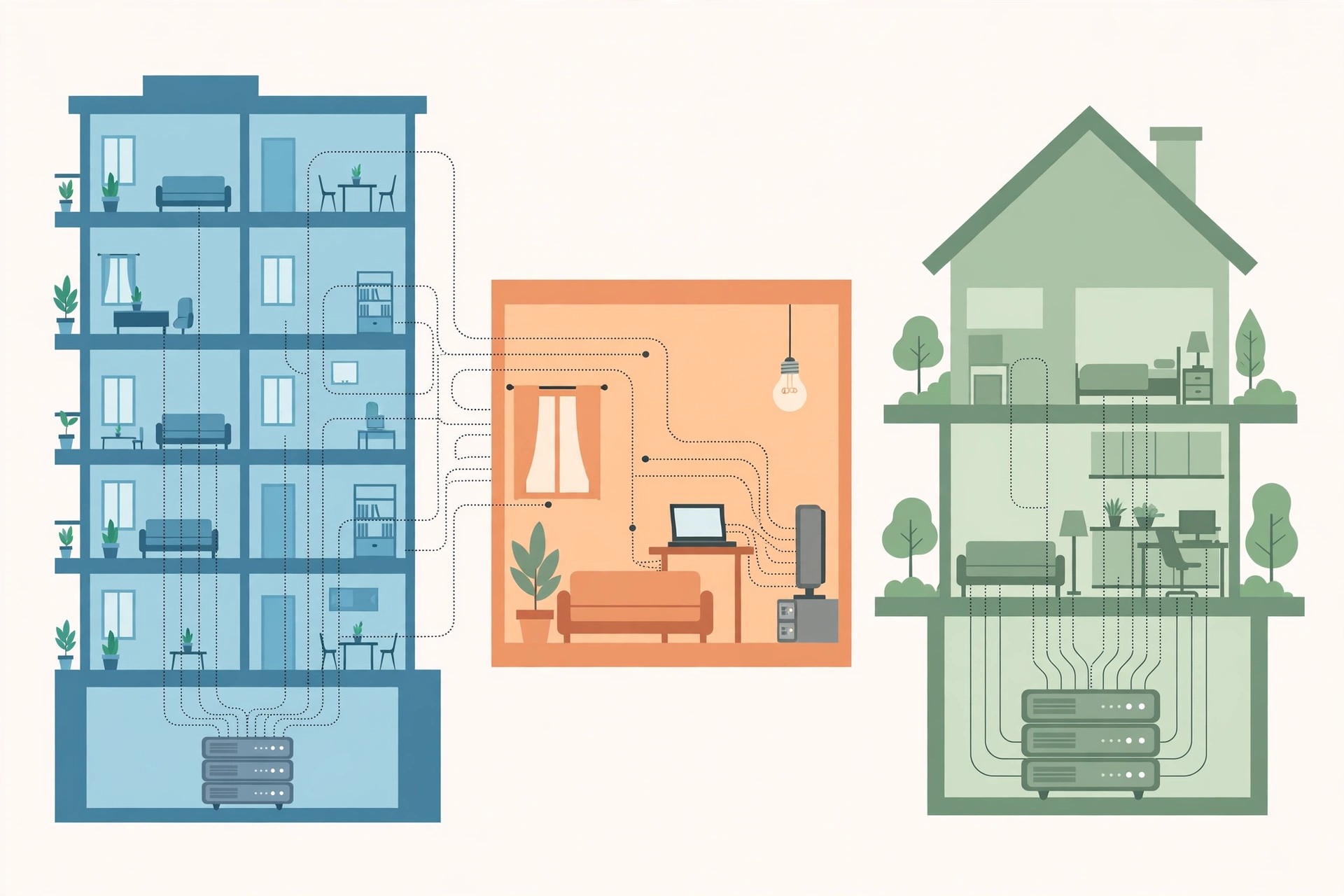
Shared hosting places many websites on one server, sharing CPU, RAM, and storage. It is the most affordable starting point for new sites, brochure sites, and small blogs. Neighbours cannot see your files, but a traffic spike on another site can slow yours down. The provider handles server setup, and you manage your site through a control panel, often cPanel.
VPS Hosting
A Virtual Private Server, or VPS, splits a physical server into isolated virtual machines, each with guaranteed CPU, RAM, and storage. You usually get root access to install custom software. Unmanaged VPS hosting gives you full control and full responsibility for updates and security, while managed VPS hosting costs more but includes that maintenance. Beginners who need VPS power should choose managed.
Dedicated Hosting
Dedicated hosting gives you an entire physical server with no other tenants. It suits high traffic stores, large databases, and applications that need consistent performance. It is the most expensive mainstream option, and it usually expects real technical skill unless you buy a managed plan.
Cloud Hosting
Cloud hosting spreads your site across a network of connected servers instead of one machine. If one server fails, another can pick up the load, which makes cloud hosting strong on uptime and scaling. The tradeoff is billing: you may pay for the resources you actually use rather than a flat monthly fee, which can surprise beginners after a traffic spike.
Managed WordPress Hosting
Managed WordPress hosting is a service layered on top of shared, VPS, or dedicated hosting. The provider tunes the server for WordPress, handles updates, backups, security, and caching, and often adds staging sites. You pay a little extra so you do not have to worry about the nuts and bolts.
Reseller Hosting
Reseller hosting lets you sell hosting to your own clients under your brand, with tools to manage many accounts from one dashboard. It suits freelancers and agencies; for one site of your own, a normal plan is simpler.
| Hosting type | Best for | Control | Relative cost |
|---|---|---|---|
| Shared | New sites, blogs, small business sites | Low | Lowest |
| VPS | Growing sites, developers, agencies | High | Mid range |
| Dedicated | High traffic stores, large databases | Highest | High |
| Cloud | Variable traffic, scaling needs | High | Variable |
| Managed WordPress | WordPress sites where time matters | Low to medium | Low to mid range |
| Reseller | Freelancers and agencies selling hosting | Medium | Mid range |
What Is the Difference Between Web Hosting and a Domain Name?
A domain name is your address, like yoursite.com, and web hosting is the property that address points to. They are two separate purchases that work together. You can own a domain without hosting, and you can host a site without a custom domain, though visitors would then reach you through a temporary link or an IP address, which looks far less professional.
Most people register both around the same time, and many hosting plans include a free domain for the first year, with the normal price from year two. Your domain and hosting can live with different companies, as long as you know where each is managed and keep the logins safe.
How Much Does Web Hosting Cost?
Pricing tracks the resources you reserve. Shared plans start at a few dollars a month on an introductory rate, VPS plans land in the mid range, and dedicated servers start much higher. Cloud billing varies with use.
Three pricing traps catch beginners. First, introductory pricing: a low rate for the first term, often one to three years, usually renews much higher, so check the renewal price before you commit. Second, unlimited plans: the real limits are CPU, memory, and database size, which a site can hit long before any storage cap. Third, paid extras: SSL, backups, and support are sometimes free and sometimes add-ons, so compare the total cost.
What Features Should You Compare Before You Buy?
Two plans at the same price can deliver wildly different results. NVMe storage reads and writes far faster than older SATA SSDs, which speeds up database queries and page loads. For most small sites, speed matters more than a huge storage quota.
RAM and CPU determine how many visitors your site serves at once before it slows down. Bandwidth governs how much data moves between your site and visitors, so watch for low caps that throttle you during traffic spikes. Caching tools such as Redis cut load times, and a content delivery network serves files from locations near each visitor.
Backups and security should be standard: automatic daily backups, free SSL, malware scanning, and a real firewall. Also check the control panel and support hours.
How Do You Choose the Right Web Hosting Provider?
Once you know your hosting type, judge providers on daily impact, not just headline price. What does your site do today, and what will it do in a year? A brochure site, a blog, a store, and a web application have very different needs, and our guide to web application development can help you size hosting for an app. How much traffic do you expect, and how much income depends on uptime? How comfortable are you with technical tasks?
Then compare providers on performance, support, scalability, and trust: NVMe storage and caching, fast help at the hours you work, easy upgrades without rebuilding, and transparent pricing including renewal rates.
What Signs Mean It Is Time to Upgrade Your Hosting?
Watch for measurable warning signs that you have outgrown your tier. Frequent CPU or memory limit notices mean your site is hitting a ceiling. A rising Time to First Byte across every page often points to an overloaded shared server rather than your code.
Slowdowns during traffic spikes are a classic trigger: if your site crawls exactly when a campaign succeeds, you need guaranteed resources. New requirements, such as custom software or staging, usually call for a VPS or higher. Before you upgrade, fix obvious problems such as heavy images or missing caching, then measure again.
What Mistakes Do Beginners Make With Web Hosting?
Most hosting problems come from small decisions at signup. The first mistake is buying on price alone and ignoring the renewal rate. The second is choosing a plan that cannot grow, which you pay for later in downtime or migration fees.
The third mistake is skipping backups because the host promises them. Confirm how restores work, what they cost, and how far back they go. The fourth mistake is letting someone else hold your only domain login. Keep your own access, with two factor authentication where available. The fifth mistake is ignoring email during a move. The sixth is treating security as the host’s job alone: weak passwords and outdated plugins remain your responsibility.
How Do You Put a Website Online With Web Hosting?
Here is the launch checklist most beginner guides skip.
- Choose your hosting type and provider using the questions above, and buy a plan that fits today with room to grow.
- Register your domain, or connect a domain you already own, and point its DNS records to your host’s nameservers. DNS changes can take minutes or hours to spread, so do this early.
- Install your platform, usually WordPress, through the control panel’s one-click installer, and set up an SSL certificate so your site loads over HTTPS.
- Build your core pages, set your site title and tagline, and add your first content. If you are building the site yourself, our guide on how to build websites walks through the build step by step.
- Set up professional email on your domain, connect a backup schedule, and test a restore if your host allows it.
- Test the site on mobile and desktop, check page speed, and fix the biggest issues before you announce anything.
- Launch, then watch uptime, speed, and resource use for the first two weeks.
If you later switch hosts, copy your files and database to the new host, test the site, update DNS, and keep the old host active for a few days until DNS has fully spread. Never cancel the old plan on the same day you change DNS.

Frequently Asked Questions
What is web hosting in simple words?
Web hosting is a service that stores your website on a server and makes it available on the internet. You rent space and computing power, and the provider keeps the server online and secure.
Do I need web hosting if I already have a domain name?
Yes, in most cases. A domain name is only an address. Without hosting, no server holds your files, so visitors would reach nothing. You need both.
What is the difference between shared hosting and VPS hosting?
Shared hosting places many sites on one server with shared resources, which keeps costs low but limits performance. VPS hosting gives isolated, guaranteed resources, which improves speed and control at a higher price.
How much should a beginner pay for web hosting?
Most beginners do well on a shared plan, but budget for the renewal rate from year two onward. Compare what is included, such as SSL, backups, and support, before judging by price alone.
Can I change my web hosting provider later?
Yes. Move your files and database to the new host, test the site, then update DNS. Many providers offer free migration help, and keeping the old plan active for a few days avoids downtime.
Is web hosting the same as building a website?
No. Hosting stores and serves your site, while building it is a separate step that happens on top of your hosting. You need both, but they are different jobs.
What is the best type of web hosting for a small business?
Shared hosting suits a small brochure site, while managed WordPress hosting suits a business site where time matters. A growing store often fits a VPS better, because guaranteed resources protect sales.
Conclusion
Web hosting is the quiet foundation under every website you visit. You do not need to understand servers in depth to choose well: know what your site does, how much traffic it gets, how much control you want, and what the plan costs after year one.
Start with the plan that fits today, check the renewal price, confirm backups and support, and leave a clear path to upgrade. For more beginner friendly tech explainers, visit CPN Tech and explore the guides in the Web Dev section.