Wi-Fi 7 vs Wi-Fi 6: Key Differences Explained Simply
Wi-Fi 7 is faster, more efficient, and more reliable than Wi-Fi 6 thanks to 320 MHz channels, Multi-Link Operation, and 4K QAM, raising the theoretical ceiling from 9.6 Gbps to 46 Gbps. In everyday use the difference is smaller: most homes will notice consistency under load more than raw speed, and you need Wi-Fi 7 devices to benefit.
Router boxes shout about 46 Gbps, but your experience depends on your internet plan, your devices, and how many are online at once. With Wi-Fi CERTIFIED 7 launched in 2024 and the IEEE’s 802.11be specification finalized in 2025, Wi-Fi 7 routers are now mainstream with falling prices. So what is the real difference between Wi-Fi 6 and 7, and is upgrading worth it? This guide answers both, explained simply, the way we cover every standard here at CPN Tech.
Key Takeaways
- Wi-Fi 7 (802.11be) succeeds Wi-Fi 6 (802.11ax): 320 MHz channels, Multi-Link Operation, and 4096-QAM raise the theoretical maximum from 9.6 to about 46 Gbps.
- Real-world gains are about consistency: the biggest everyday win is a network that stays fast when many devices are online.
- Two things must be true to benefit: you need Wi-Fi 7 devices (phone, laptop) and a fast internet plan. A Wi-Fi 7 router alone changes nothing.
- Range and wall penetration do not improve: those depend on the frequency band, which has not changed.
- Beware budget “Wi-Fi 7” routers: some cheap models skip the 6 GHz band and 320 MHz channels, the two features that define the upgrade.
Table of Contents
- What exactly are Wi-Fi 7 and Wi-Fi 6?
- Wi-Fi 7 vs Wi-Fi 6: what is the actual difference?
- How much faster is Wi-Fi 7 than Wi-Fi 6 in real life?
- What is Multi-Link Operation and why is it the biggest deal?
- Does Wi-Fi 7 have better range or go through walls better?
- Is Wi-Fi 7 worth it? Should I upgrade to Wi-Fi 7?
- Wi-Fi 6 vs Wi-Fi 6E vs Wi-Fi 7: which should you actually buy?
- Frequently asked questions
- Conclusion
What exactly are Wi-Fi 7 and Wi-Fi 6?
Wi-Fi 6 and Wi-Fi 7 are generations of the same wireless standard: the shared set of rules that lets your phone, laptop, and router talk to each other. Wi-Fi 6 is the marketing name for IEEE 802.11ax, released in 2019. Wi-Fi 7 is the marketing name for IEEE 802.11be, the next generation, certified from early 2024.
Wi-Fi 6 was built for crowded networks: OFDMA lets many devices share one channel, MU-MIMO lets the router serve several at once, and Target Wake Time lets gadgets sleep longer to save battery. It made Wi-Fi handle dozens of devices better, not just faster for one.
Wi-Fi 6E (2021) extended Wi-Fi 6 into a new 6 GHz band of fresh, uncongested airspace. Wi-Fi 7 builds on that with three headline upgrades: 320 MHz channels, Multi-Link Operation across several bands at once, and 4096-QAM modulation packing more data into every signal.
802.11be vs 802.11ax: what the names mean
The IEEE writes the technical specification; the Wi-Fi Alliance runs certification and the friendly generation names. 802.11ax became Wi-Fi 6, and 802.11be became Wi-Fi 7. A router model with “BE” in its name (for example, BE3600) means 802.11be, just as “AX” meant Wi-Fi 6. Both generations use WPA3 security and are fully backward compatible.
Wi-Fi 7 vs Wi-Fi 6: what is the actual difference?
The difference between Wi-Fi 6 and 7 comes down to four practical changes: channels twice as wide (320 MHz versus 160 MHz), Multi-Link Operation where Wi-Fi 6 had nothing comparable, 4K QAM squeezing about 20 percent more throughput from the same signal, and a theoretical peak of around 46 Gbps versus 9.6 Gbps. Here is the full side-by-side:
| Feature | Wi-Fi 6 (802.11ax) | Wi-Fi 7 (802.11be) |
|---|---|---|
| IEEE standard | 802.11ax | 802.11be |
| Launched | 2019 (6E added 2021) | Certified from January 2024 |
| Max theoretical speed | 9.6 Gbps | About 46 Gbps |
| Frequency bands | 2.4 GHz, 5 GHz (6 GHz on Wi-Fi 6E) | 2.4 GHz, 5 GHz, 6 GHz |
| Widest channel | 160 MHz | 320 MHz (where 6 GHz rules allow) |
| Modulation | 1024-QAM | 4096-QAM (4K QAM) |
| Spatial streams | Up to 8 | Up to 16 |
| Multi-Link Operation | No | Yes (required for certification) |
| Preamble puncturing | No | Yes |
| Security | WPA3 | WPA3 |
| Backward compatibility | Works with older devices | Works with older devices |
320 MHz channels: a highway twice as wide
Think of a Wi-Fi channel as a highway lane for data. Wi-Fi 6 topped out at 160 MHz lanes; Wi-Fi 7 doubles that to 320 MHz in the 6 GHz band, the single biggest contributor to its higher speeds. One catch: 320 MHz needs regulators to have opened enough 6 GHz room, so availability depends on your country and router.
4K QAM: more data in every signal
QAM is how densely data is packed into a radio signal. Wi-Fi 6 used 1024-QAM; Wi-Fi 7 steps up to 4096-QAM (4K QAM), carrying roughly 20 percent more data per transmission. It works best at close range with a clean signal, so it helps most near the router.
16 spatial streams and preamble puncturing
Wi-Fi 7 doubles maximum spatial streams from 8 to 16, letting high-end routers serve more devices truly simultaneously. It also introduces preamble puncturing: if part of a wide channel is blocked by interference, Wi-Fi 7 uses the clean parts instead of dropping the whole channel narrower. Wi-Fi 6 had to abandon the entire channel, a genuine real-world reliability win.
That capacity matters because modern homes push more data upstream than ever: video calls, gaming, and constant backups to cloud-based storage all compete for the same airtime.
How much faster is Wi-Fi 7 than Wi-Fi 6 in real life?

In real homes, Wi-Fi 7 beats Wi-Fi 6 for local transfers and on multi-gigabit plans, but rarely nears the 46 Gbps headline: expect roughly 1.5 to 3 Gbps next to the router with a Wi-Fi 7 laptop, versus 600 Mbps to 1.2 Gbps on Wi-Fi 6 in the same spot.
Three things cap what you will see. First, your internet plan: on a 500 Mbps plan no router delivers more, and Wi-Fi 7 only shows its advantage on gigabit-plus plans. Second, your devices: a phone or laptop needs a Wi-Fi 7 radio for 320 MHz channels and MLO, and most clients use two spatial streams, not sixteen. Third, distance and walls: speed drops with every wall and meter, on any standard.
Wi-Fi 7 shines in device-to-device traffic inside your home, like copying a 50 GB video project to a home server. Those transfers never touch your internet plan, so the wider channels show their full effect. The computer must keep up too: local speed also depends on storage and memory, which is why it helps to know what RAM does before blaming the network.
What is Multi-Link Operation and why is it the biggest deal?
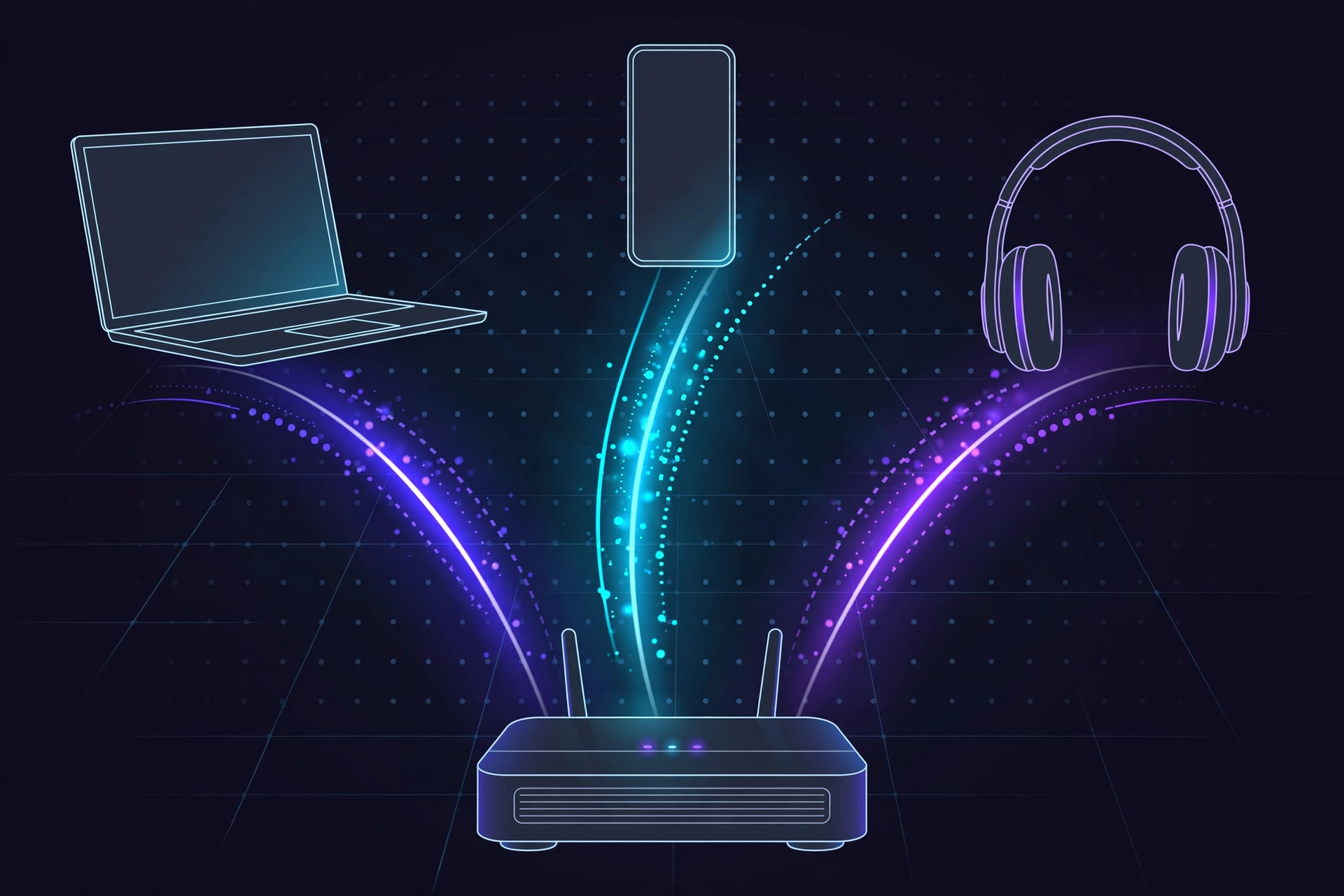
Multi-Link Operation (MLO) lets a Wi-Fi 7 device connect to the 2.4 GHz, 5 GHz, and 6 GHz bands simultaneously and use them as one combined, smarter connection. It is the biggest architectural change in Wi-Fi 7, and it is mandatory for Wi-Fi CERTIFIED 7 products.
Before MLO, every device picked one band and stuck with it: if 5 GHz congested during a big download, your video call stuttered. With MLO, the device uses bands simultaneously, sending data on 5 GHz and 6 GHz together, or instantly shifting latency-sensitive traffic (your call, your game) to the clearest band.
The payoff is lower latency and fewer dropouts. Industry testing describes Wi-Fi 7 cutting wireless latency substantially versus Wi-Fi 6, which matters most for competitive gaming, video calls, and AR or VR headsets. MLO also improves reliability: if interference knocks out one band, the connection rides on the others. For busy households, this always-use-the-best-path behavior is the upgrade you will feel daily.
Does Wi-Fi 7 have better range or go through walls better?

No, not in any meaningful way. Range and wall penetration depend on the frequency band, not the Wi-Fi generation, and Wi-Fi 7 uses the same 2.4 GHz, 5 GHz, and 6 GHz bands as Wi-Fi 6E. The physics has not changed: 2.4 GHz travels farthest and through walls best, 5 GHz is a middle ground, and 6 GHz is the fastest but weakest at distance.
Because Wi-Fi 7 leans on the 6 GHz band for its headline speeds, its fastest mode can feel shorter-range than a good 5 GHz Wi-Fi 6 signal. If dead zones are your problem, a new standard will not fix them: try central, elevated router placement away from thick walls and metal, or a mesh system with multiple nodes. For coverage, mesh matters more than the generation number on the box.
Is Wi-Fi 7 worth it? Should I upgrade to Wi-Fi 7?
Wi-Fi 7 is worth it with a gigabit or multi-gigabit internet plan, Wi-Fi 7 phones or laptops (now or soon), or a device-heavy household where congestion is already a problem. If your plan is under 500 Mbps, your router works well, and most devices are over two years old, upgrading now buys you almost nothing noticeable.
The two hidden requirements
This is the part router marketing skips. First, your devices must support Wi-Fi 7. A Wi-Fi 7 router talking to a Wi-Fi 6 phone gives you Wi-Fi 6 performance: older devices connect fine but cannot use 320 MHz channels, MLO, or 4K QAM. Look for Wi-Fi 7 radios in flagship phones from 2024 onward and recent laptops with Intel BE200-class adapters. Second, your broadband must be fast enough. On a 200 Mbps plan, Wi-Fi 6 already delivers every megabit you pay for.
Upgrade now, wait, or pick Wi-Fi 6E?
| Your situation | Verdict |
|---|---|
| Multi-gigabit internet (1 Gbps or more) and Wi-Fi 7 devices | Upgrade now: you will actually use the speed |
| 20 or more connected devices, congestion, buffering, smart home full of gadgets | Upgrade now: MLO and capacity are built for this |
| Competitive gamer or creator moving huge files daily | Upgrade now: latency and local transfer speed pay off |
| Internet plan under 500 Mbps, current router works fine | Wait: keep Wi-Fi 6, you will not see a difference |
| Most devices older than two years | Wait: upgrade your devices first, the router second |
| Gigabit internet, congested apartment, tight budget | Consider Wi-Fi 6E: the 6 GHz band at a lower price |
Beware the budget Wi-Fi 7 trap
Not every router with “Wi-Fi 7” on the box delivers the headline features. Some budget models (often the dual-band BE3600 class) skip the 6 GHz band and top out below 320 MHz channels, removing the two biggest upgrades. Before buying, check the spec sheet for tri-band with 6 GHz, 320 MHz support, and full MLO. Our Wi-Fi 7 router buying guide lists which specifications to verify before you spend.
Wi-Fi 6 vs Wi-Fi 6E vs Wi-Fi 7: which should you actually buy?
Wi-Fi 6E is the forgotten middle child, but it matters here. It is Wi-Fi 6 plus the 6 GHz band: same 9.6 Gbps ceiling and 160 MHz channels, but with fresh uncongested airspace. Buy Wi-Fi 6 if your internet is modest and your budget is tight. Buy Wi-Fi 6E for gigabit internet or a congested apartment, to get the 6 GHz band without the Wi-Fi 7 premium. Buy Wi-Fi 7 if you are a power user, gamer, or creator, or want a network that lasts five years. Device support is already here, and ABI Research data shows Wi-Fi 7 access point shipments growing from 26.3 million units in 2024 toward a projected 117.9 million by the end of 2026.
Frequently asked questions
What is the difference between Wi-Fi 6 and Wi-Fi 7 in simple terms?
Wi-Fi 6 made one band serve many devices efficiently. Wi-Fi 7 lets a device use several bands at once (Multi-Link Operation), doubles channel width to 320 MHz, and packs data more densely with 4K QAM: higher peak speed, lower latency, and a network that stays fast with the whole household online.
Can my old devices connect to a Wi-Fi 7 router?
Yes, Wi-Fi 7 is fully backward compatible: older devices connect and work normally. They just cannot use Wi-Fi 7-only features like MLO or 320 MHz channels, so each performs at its own standard’s level. Upgrading the router first and devices over time is a valid strategy.
Do I need a new phone or laptop to benefit from Wi-Fi 7?
Yes, for the headline benefits. Only Wi-Fi 7 radios can use 320 MHz channels, Multi-Link Operation, and 4K QAM. Look for Wi-Fi 7 in flagship phones from 2024 onward and recent laptops, or add it to an older machine with an Intel BE200-class adapter card.
Is Wi-Fi 7 faster than a wired Ethernet connection?
On paper, sometimes; in practice, rarely. Wi-Fi 7’s theoretical 46 Gbps beats standard 1 Gbps wired, but real-world wireless is far lower and varies with distance and interference. Wired Ethernet, especially 2.5 or 10 Gbps, stays more consistent with lower latency.
Does Wi-Fi 7 drain phone batteries faster or use more power?
Not meaningfully. Wi-Fi 7 keeps Wi-Fi 6’s power-saving features like Target Wake Time, which lets devices sleep between transmissions. Because MLO and wider channels can finish transfers faster, the radio can actually return to idle sooner. Battery impact is negligible compared with screen brightness and apps.
Will Wi-Fi 7 make my Wi-Fi 6E router obsolete?
No. Wi-Fi 6E remains excellent: it has the 6 GHz band, handles gigabit internet comfortably, and will be supported for years. Wi-Fi 7 is better on paper and in congested homes, but a working Wi-Fi 6E setup has no urgency to upgrade.
Conclusion
Wi-Fi 7 vs Wi-Fi 6 is a genuine generational step, not a marketing relabel: 320 MHz channels, Multi-Link Operation, 4K QAM, and 16 spatial streams deliver higher peaks, lower latency, and far better behavior when dozens of devices compete. But the honest summary is narrower than the hype. Most homes will feel it as consistency under load, not a dramatic speed jump, and only with Wi-Fi 7 devices and a fast enough internet plan.
If that describes you, buy with confidence, after checking the spec sheet for real 6 GHz, 320 MHz, and MLO support. If your Wi-Fi 6 or 6E setup still serves you well, waiting costs nothing: prices keep falling and device support keeps growing.