Cloud Computing Technologies: A Simple Guide
Cloud computing technologies are the building blocks that let you use software, storage, and processing power over the internet instead of buying and running every server yourself. When you stream a video, save a photo online, or open a shared document, these technologies work in the background: virtual machines share physical servers, containers package apps so they run anywhere, and storage systems keep copies safe.
Cloud computing technologies are the combined hardware, software, and services that deliver computing on demand over a network. They include virtualization, containers, serverless platforms, storage systems, databases, networking, and security controls, all managed by a provider and billed mainly by use. In short, the cloud turns computing into a service you can start, scale, and stop as your needs change.
Key Takeaways
- Cloud computing technologies deliver compute, storage, networking, and software on demand over the internet.
- Virtualization, containers, and serverless are three different ways to run workloads, not three names for the same thing.
- Service models (IaaS, PaaS, SaaS) describe what you receive; deployment models describe who it serves and how it connects.
- Storage, database, and networking choices shape cost, speed, and reliability as much as compute does.
- Security is shared: the provider secures the infrastructure, and you secure your data, identities, and settings.
Table of Contents
- What Are Cloud Computing Technologies?
- How Does Cloud Computing Work Behind the Scenes?
- What Is Virtualization in Cloud Computing?
- How Do Containers Differ From Virtual Machines?
- What Is Serverless Computing?
- What Are the Main Cloud Service and Deployment Models?
- Which Cloud Storage and Database Technologies Matter Most?
- How Do Cloud Networking and Security Technologies Work?
- What Are the Benefits, Challenges, and Limits?
- How Do You Choose the Right Cloud Technologies?
- Real World Examples
- Frequently Asked Questions
- Conclusion
What Are Cloud Computing Technologies?
What are cloud computing technologies? They are the systems that make on demand computing possible. The National Institute of Standards and Technology (NIST) defines cloud computing as a model for enabling convenient, on demand network access to a shared pool of configurable computing resources, such as networks, servers, storage, applications, and services, that can be rapidly provisioned and released with minimal management effort.
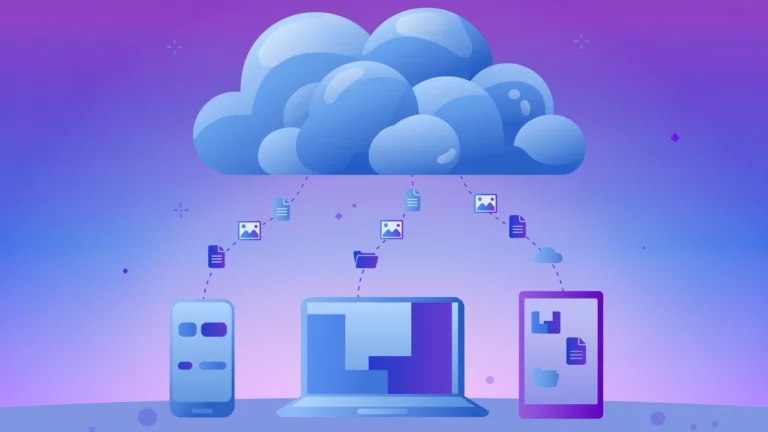
Five characteristics separate a true cloud service from an ordinary remote server. On demand self service lets you provision resources yourself without waiting for someone to set them up. Broad network access means you can reach the service from a laptop, phone, or tablet. Resource pooling means many customers share the same physical infrastructure, with resources assigned as demand changes. Rapid elasticity means capacity can grow or shrink quickly, sometimes automatically. Measured service means usage is metered, so billing follows what you actually consume.
How Does Cloud Computing Work Behind the Scenes?
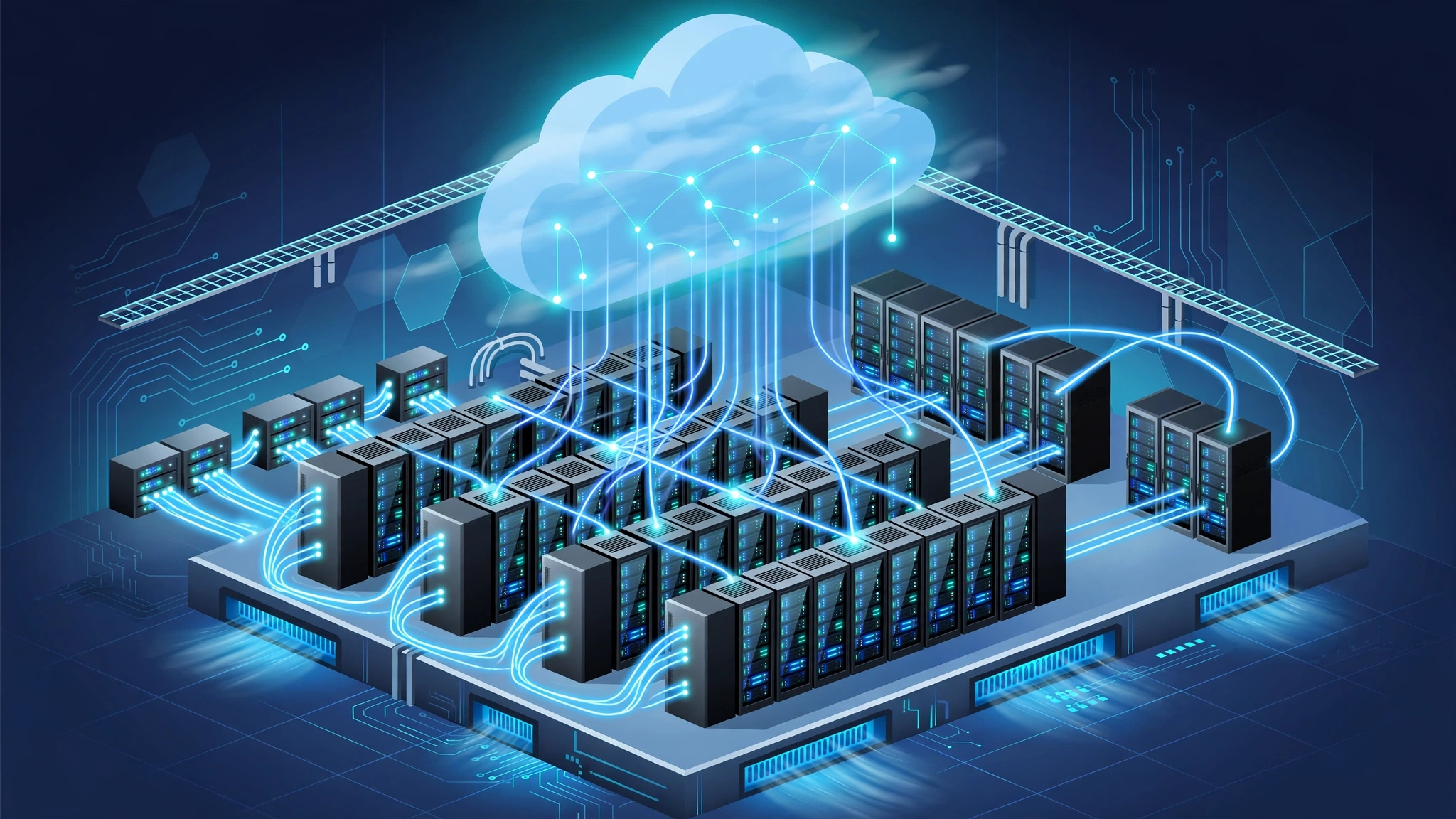
How does cloud computing work behind the scenes? A provider runs large data centers filled with servers, storage arrays, and network switches. A control plane lets customers request resources through a dashboard or an application programming interface (API), and automation provisions those resources in minutes.
Three layers do most of the work. The physical layer is the data center: power, cooling, racks, servers, disks, and cables. The virtualization and orchestration layer divides physical resources into isolated pieces and places workloads where capacity is available. The service layer presents those pieces as products: a virtual machine, a managed database, a storage bucket, or a ready to use application.
Content delivery networks (CDNs) cache popular content near users, so a video or web page loads from a nearby edge location. Reliability comes from redundancy across disks, servers, and regions.
What Is Virtualization in Cloud Computing?
What is virtualization in cloud computing? Virtualization creates virtual versions of physical hardware, so one physical server can safely run several isolated workloads at once. A hypervisor is the software that makes this possible: it sits between the hardware and the virtual machines, and it hands each virtual machine (VM) its own virtual processor, memory, storage, and network.
A Type 1 hypervisor, also called a bare metal hypervisor, runs directly on hardware and is the usual data center choice. In both cases, each VM runs its own guest operating system, so Linux and Windows workloads can run side by side on the same host.
Virtualization improves utilization and isolation: idle capacity can serve another workload, and a crash in one VM does not automatically affect its neighbors. A VM can also be copied, moved, or restored from a snapshot. The cost is overhead, since each VM carries a full operating system. Virtualization is therefore best when you need strong isolation, a specific operating system, or full control.
How Do Containers Differ From Virtual Machines?
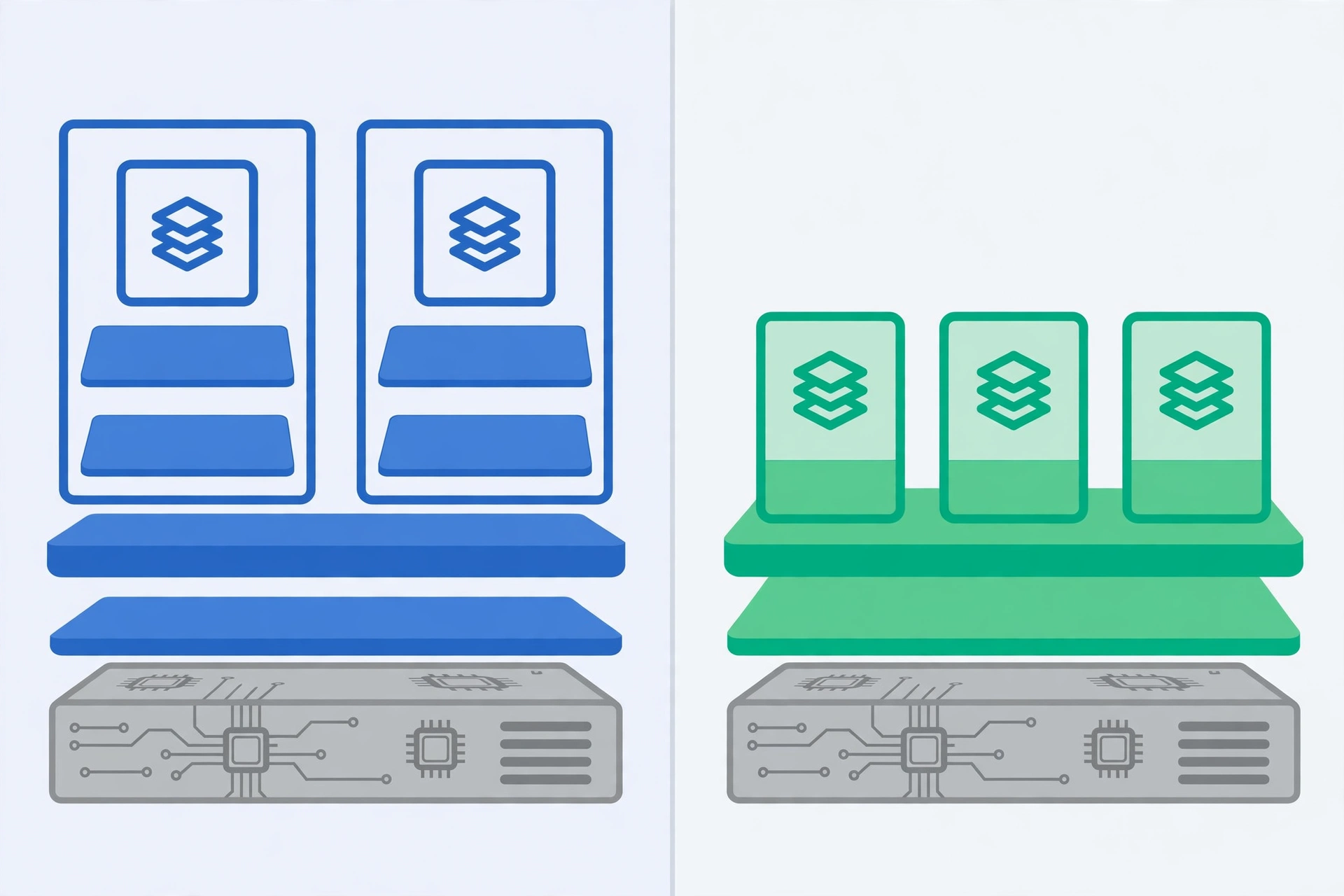
How do containers differ from virtual machines? Containers package an application with its libraries and settings, but they share the host operating system kernel instead of running a separate guest operating system for each app. That sharing makes containers much lighter and faster to start, often in seconds rather than minutes.
Docker is the best known container tool: it builds portable container images from a simple definition file, so the same image can run on a laptop, a test server, or a cloud cluster. Kubernetes is the leading orchestration platform: it schedules containers across many machines, restarts failed ones, scales them when traffic grows, and rolls out updates gradually.
| Feature | Virtual machine | Container |
|---|---|---|
| Operating system | Full guest OS per VM | Shares the host OS kernel |
| Startup time | Minutes in many cases | Seconds in many cases |
| Isolation | Strong, hardware level separation | Good, but weaker than a VM by design |
| Best for | Legacy apps, strict isolation, mixed operating systems | Microservices, fast scaling, consistent deployments |
Most real systems mix the two: containers often run on virtual machines, so a team gets VM level isolation plus container level speed and portability.
What Is Serverless Computing?
What is serverless computing? Serverless computing is a model in which the provider manages servers, scaling, and availability, and you deploy code that runs in response to events. Despite the name, servers still exist: you simply do not manage them.
The most common form is Function as a Service (FaaS). With AWS Lambda, Google Cloud Functions, or Azure Functions, you write a small function, for example resize an uploaded image, and the provider runs it when an event happens. You pay mainly for the time your code actually runs, not for idle servers waiting for traffic.
Serverless fits event driven, spiky, or occasional workloads well: image processing, file conversion, scheduled cleanups, and API backends with uneven traffic. It fits less well for long running processes, very large memory needs, or workloads where every call needs extremely low latency, because a function that has not run recently can suffer a cold start delay.
What Are the Main Cloud Service and Deployment Models?
What are the main cloud service models? Providers describe offers in three classic layers. Infrastructure as a Service (IaaS) gives raw building blocks: virtual machines, storage, and networking. You choose the operating system and manage patches and scaling. Amazon EC2, Azure Virtual Machines, and Google Compute Engine are IaaS examples. Platform as a Service (PaaS) gives a managed platform for building apps: the provider manages the operating system and much of the scaling, while you focus on code and data. Software as a Service (SaaS) gives a finished application through a browser or app, such as email or video calls. You manage users and data; the provider manages nearly everything else.
Deployment models describe who the cloud serves, a different question from what you receive. A public cloud serves many customers over shared provider infrastructure, with the lowest entry cost and fastest scaling. A private cloud serves a single organization, with more control and less elastic scaling. A hybrid cloud connects a private environment with a public cloud, so workloads can move or burst between them. Multi-cloud means using two or more public providers at once, to avoid dependence on one vendor, at the cost of added complexity.
Which Cloud Storage and Database Technologies Matter Most?
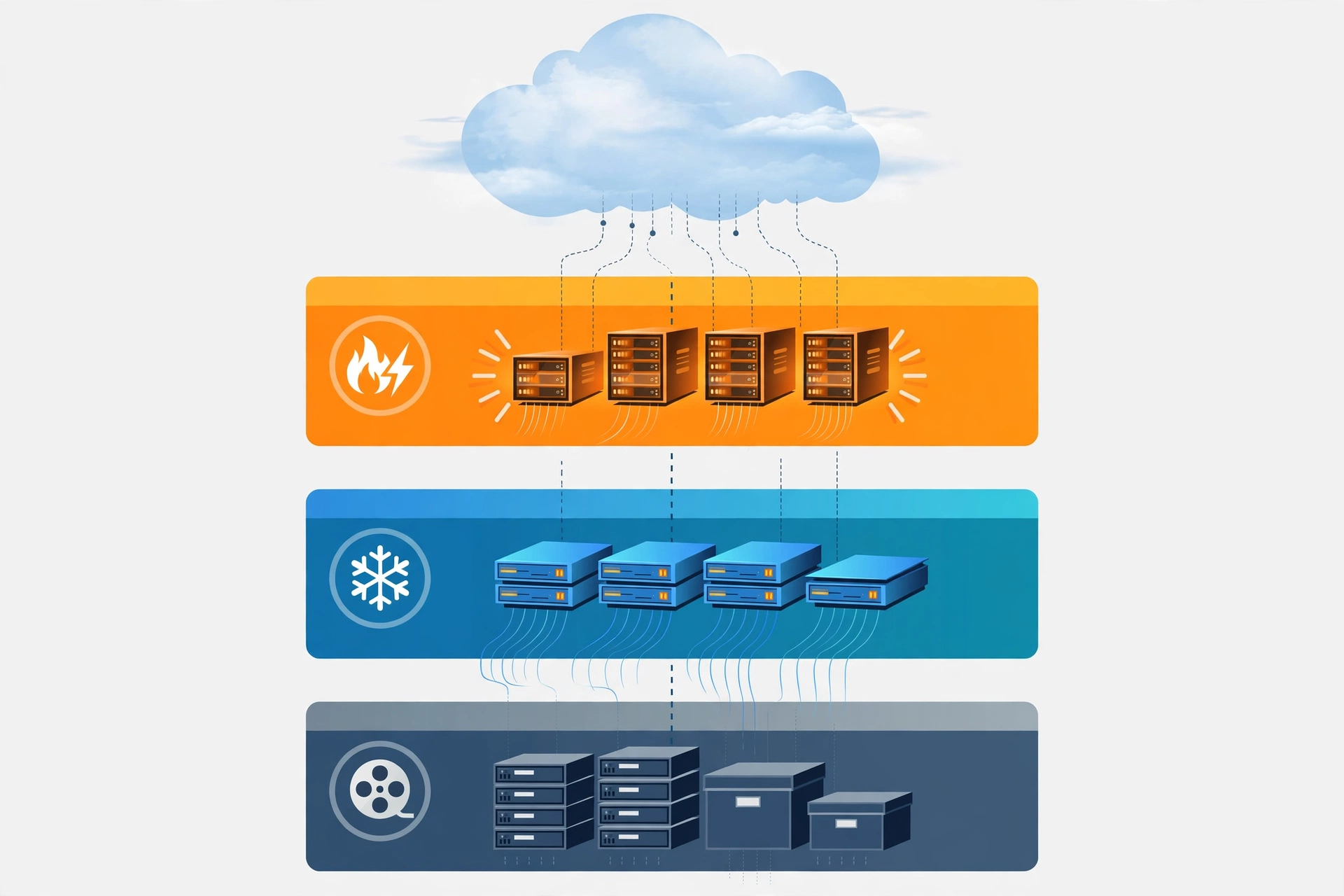
Which cloud storage and database technologies matter most? Object storage stores files as objects in buckets, each with metadata and a unique key. It scales almost without limit and suits backups, media, and archives. Amazon S3, Google Cloud Storage, and Azure Blob Storage are leading examples. Block storage behaves like a hard drive attached to a virtual machine, and it suits databases needing fast, consistent disk access.
Storage tiers control cost. Hot tiers serve data accessed often and cost more per month; cool and archive tiers cost less per month but charge more or take longer for retrieval. A sensible policy moves old backups and logs to cheaper tiers automatically. For everyday storage choices, see the CPN Tech guide to cloud based storage.
Databases split into two families. Relational databases, such as PostgreSQL and MySQL, store structured data in tables and enforce consistency, which suits orders and accounts. NoSQL databases, such as document and key value stores, trade some consistency for flexible schemas and massive scale. Managed database services handle backups and patching. Test restores regularly and keep at least one backup copy separate from the main account or region, as explained in the CPN Tech guide to cloud to cloud backup.
How Do Cloud Networking and Security Technologies Work?
How do cloud networking and security technologies work? A virtual private cloud (VPC) is a logically isolated network inside a provider, where you define address ranges, subnets, and routing rules. Load balancers spread incoming traffic across healthy servers, so no single server becomes a bottleneck. A CDN, as noted earlier, caches content near users to cut latency.
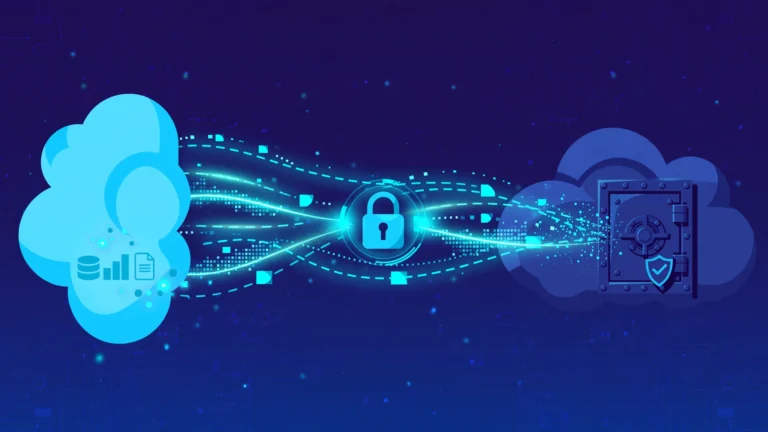
Security follows a shared responsibility model. The provider secures physical data centers and host hardware. You secure your data, identities, application code, and configuration choices. Most cloud incidents come from the customer side of that line: an open storage bucket, a leaked credential, or an over permissive access rule.
Identity and access management (IAM) controls who can do what, and it works best with least privilege access and multi factor authentication. Encryption protects data in transit and at rest. Network controls, including security groups and firewalls, limit which traffic can reach which resource. Logging and monitoring record who did what, so suspicious activity can be detected. Encryption deserves special care, as explained in the CPN Tech guide to encrypted cloud backup.
What Are the Benefits, Challenges, and Limits?
What are the benefits of cloud computing technologies? Elasticity comes first: you can scale from ten users to ten thousand without buying servers in advance. Speed comes second: a developer can provision a database or test environment in minutes. Cost structure comes third: capital spending becomes metered operating spending, which helps small teams start cheaply. Global reach comes fourth: providers operate regions worldwide, so an app can serve users near their location.
Cost is also the most common surprise. Idle virtual machines, uncompressed logs, and data transfer out of a provider can quietly inflate a bill. Latency is a real limit too: an app needing responses in a few milliseconds may need edge computing or local processing. Vendor lock in is another tradeoff, since deep use of provider specific features makes migration harder, while containers and portable data formats reduce that risk. Check compliance requirements for health, financial, and government workloads before launch, not after.
How Do You Choose the Right Cloud Technologies?
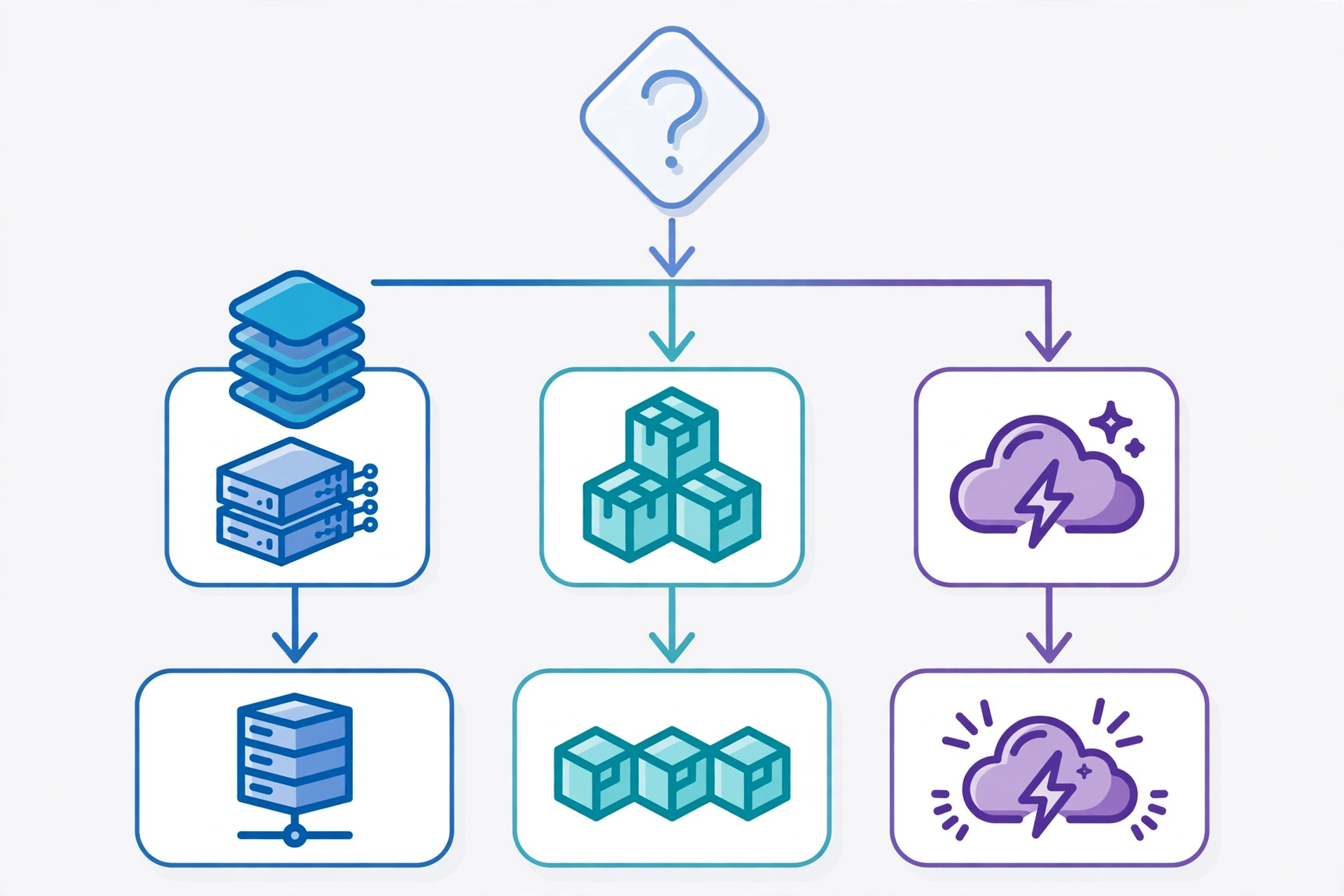
How do you choose the right cloud technologies? Start with the workload, not with the product. How steady or spiky is traffic? Steady workloads suit reserved virtual machines or containers; spiky workloads suit autoscaling containers or serverless. How strong must isolation be? Strict compliance points toward virtual machines. How much control do you need? Full operating system control points to IaaS; faster shipping points to PaaS or SaaS. What does the data look like? Structured transactions suit relational databases; flexible, high volume records suit NoSQL; large files suit object storage with tiering.
Then prototype with the simplest option that meets the requirements, measure real cost and latency, and only add complexity when a measurement justifies it. For a starting point across related basics, see the overview at CPN Tech.
Real World Examples
A video streaming service uses object storage for its catalog, a CDN to serve viewers near their location, containers orchestrated by Kubernetes to scale playback, and managed databases to track viewing history.
A small online store shows the simpler end of the same stack: a SaaS storefront, a managed database for orders, object storage for product images, and a serverless function to send order confirmations. In health care, a clinic system might run patient records in a private or hybrid cloud with encrypted backups and strict IAM. AI workloads show the newest layer: a team rents GPU hardware for training, then serves the finished model from containers or serverless endpoints.
Frequently Asked Questions
What is the difference between cloud computing and cloud computing technologies?
Cloud computing is the delivery model: on demand computing over a network. Cloud computing technologies are the building blocks that deliver it, including virtualization, containers, serverless platforms, storage, databases, networking, and security controls.
Is serverless really without servers?
No. Serverless means you do not manage servers, not that servers disappear. The provider runs the servers, scales them, and bills you mainly for the time your code runs.
Are containers safer than virtual machines?
Virtual machines generally offer stronger isolation, because each VM runs its own operating system kernel. Many teams run containers on virtual machines to combine both strengths, especially for untrusted workloads.
Which cloud service model should a beginner choose?
Beginners should usually start with SaaS for ready made tools and PaaS for building apps, because both remove infrastructure management. Move to IaaS only when you need operating system level control.
How much does cloud computing cost for a small project?
Costs vary by provider, region, and usage, but a small project can often start for a few dollars a month using serverless, managed databases, and object storage. Set billing alerts and delete idle resources.
Can I move from one cloud provider to another later?
Yes, but migration takes planning. Containers, open formats, and infrastructure as code make moves easier, while deep use of provider specific services makes moves harder. Keep critical data in portable formats.
Conclusion
Cloud computing technologies work best when you see them as a toolkit, not as a single product. Virtualization gives strong isolation, containers give speed and portability, serverless removes infrastructure work for event driven tasks, and storage, database, networking, and security technologies hold the whole system together. Service models decide how much you manage, deployment models decide the shape of your environment, and cost, latency, and compliance decide which combination fits your workload. Start small, measure real usage, and add complexity only when the numbers justify it. That disciplined approach turns a confusing catalog into a practical advantage.