What Devices Support Wi-Fi 7?
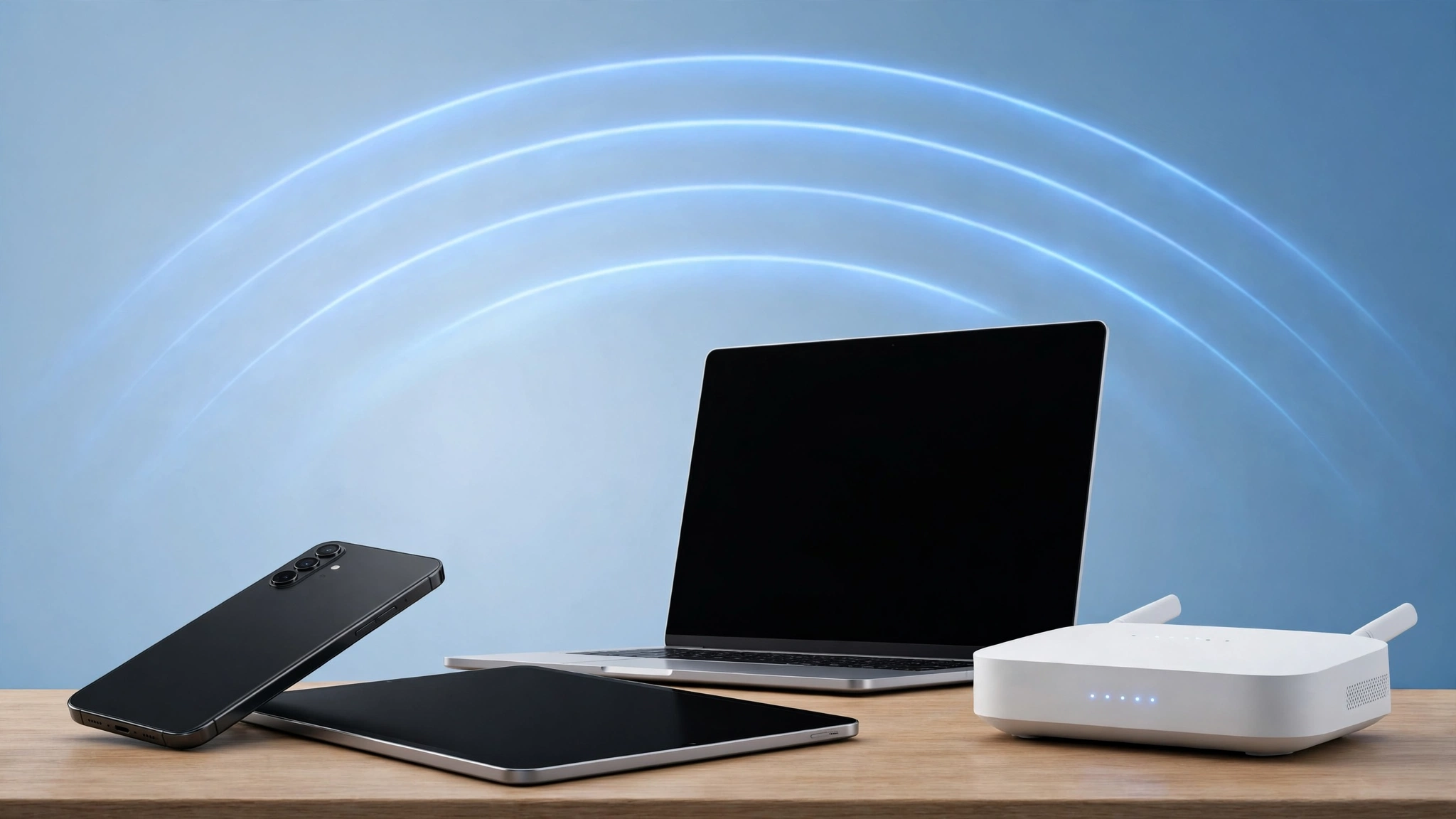
Wi-Fi 7, the IEEE 802.11be standard, is supported by recent flagship phones, many 2024 and 2025 laptops and tablets, and a growing range of routers and mesh systems. You need Wi-Fi 7 radios on both ends, router and device, to get the new features; older devices still connect, just without the speed and latency gains.
If you are shopping for a new router or phone, this matters more than the headline speed numbers. A Wi-Fi 7 router cannot make an older phone faster, and a Wi-Fi 7 phone gets nothing extra from a Wi-Fi 6 router. This guide names the models that support Wi-Fi 7 in 2026 and shows you how to check any device before you buy. At CPN Tech, our wireless networking guides always start from the spec sheet, so expect model-level detail, not vague promises.
Key Takeaways
- Wi-Fi 7 (802.11be) only delivers its benefits when both the router and the client device have Wi-Fi 7 radios.
- Flagship phones from Apple, Samsung, Google, OnePlus, and Xiaomi, released from 2024 onward, lead adoption.
- Many 2024 and 2025 laptops and some tablets with Intel Wi-Fi 7 adapters or Qualcomm Snapdragon X chips support Wi-Fi 7.
- Routers and mesh systems from TP-Link, ASUS, Netgear, and Amazon eero already offer Wi-Fi 7 at many price points.
- Older phones, consoles, and smart home gear keep working on Wi-Fi 7 networks through backward compatibility.
- Always check the spec sheet for “Wi-Fi 7” or “802.11be” before buying, since support can vary by model, country, and year.
- What Is Wi-Fi 7 and Why Does Device Support Matter?
- Which Smartphones Support Wi-Fi 7?
- Which Laptops and Tablets Support Wi-Fi 7?
- Which Routers and Mesh Systems Support Wi-Fi 7?
- Do Gaming Consoles and Smart Home Devices Support Wi-Fi 7?
- How Can I Check Whether My Device Supports Wi-Fi 7?
- Can You Upgrade an Older Device to Wi-Fi 7?
- Should You Buy a Wi-Fi 7 Router If Your Devices Do Not Support It Yet?
- Frequently Asked Questions
What Is Wi-Fi 7 and Why Does Device Support Matter?
Wi-Fi 7 is the marketing name for IEEE 802.11be, the newest Wi-Fi standard, and the Wi-Fi Alliance began certifying products for it in January 2024. It brings three headline upgrades: channel widths up to 320 MHz (double the 160 MHz of Wi-Fi 6), Multi-Link Operation (MLO), which lets a device use several bands at once, and 4096-QAM modulation. In ideal conditions the standard targets theoretical speeds as high as 46 Gbps, about four times the Wi-Fi 6 ceiling.
Those gains live in the radio hardware, not in software you can download later. A phone or laptop either shipped with a Wi-Fi 7 capable chip or it did not, and no firmware update can add 320 MHz channels or MLO to an older radio. That is why device support is the first thing to check. If you want the technical comparison behind these numbers, our Wi-Fi 7 vs Wi-Fi 6 breakdown walks through every generation side by side.
The good news is that Wi-Fi 7 is fully backward compatible. Every Wi-Fi 7 router also speaks Wi-Fi 6, 6E, 5, and older standards, so your current devices will connect and work normally. They simply connect using the best standard their own radios support.
Which Smartphones Support Wi-Fi 7?
Most flagship smartphones support Wi-Fi 7. Apple joined with the iPhone 16 family in 2024, its first Wi-Fi 7 phones, and the iPhone 17 family and iPhone Air continue that support (Apple notes Wi-Fi 7 is available in countries and regions where supported, so check your region). On Android, system-level support arrived with Android 13, which opened the door for chipset makers to enable full 802.11be features.
Phones confirmed with Wi-Fi 7 support:
| Phone | Notes |
|---|---|
| iPhone 16, 16 Plus, 16 Pro, 16 Pro Max | Apple’s first Wi-Fi 7 phones; 2×2 MIMO |
| iPhone 17 family and iPhone Air | Wi-Fi 7 in supported regions |
| Samsung Galaxy S24 Ultra | Wi-Fi 7 on the Ultra model |
| Samsung Galaxy S25 series | Full Wi-Fi 7 with MLO support |
| Google Pixel 9 and Pixel 9 Pro series | Google’s first Wi-Fi 7 flagships |
| Google Pixel 10 series | Continues Wi-Fi 7 support |
| OnePlus 12 and OnePlus 13 | Wi-Fi 7 across recent flagships |
| Xiaomi 14 and 15 series | Wi-Fi 7 on flagship models |
| ASUS ROG Phone 8 | Wi-Fi 7 for mobile gaming |
A few cautions are worth noting. The Samsung Galaxy S24 and S24 Plus sit in a gray area: some spec tables list Wi-Fi 6E and others Wi-Fi 7, so check the exact model number for your region. Mid-range phones are starting to follow, but in 2026 Wi-Fi 7 remains concentrated in flagship models.
Which Laptops and Tablets Support Wi-Fi 7?

Wi-Fi 7 has become standard on premium notebooks and gaming laptops launched in 2024 and 2025. Intel’s Meteor Lake and Lunar Lake platforms ship with Wi-Fi 7 chipsets by default, as do Qualcomm’s Snapdragon X series for Copilot+ PCs. On the client side, Intel lists Wi-Fi 7 adapters including the BE200, BE201, BE202, BE211, and BE213; one of those names in a spec sheet confirms Wi-Fi 7.
- Laptops with confirmed Wi-Fi 7 support: Dell XPS 13 and 15 (2024-25), Dell Alienware m18 R2, ASUS ROG Zephyrus and Strix (2024+), Lenovo ThinkPad X1 Carbon Gen 12+, HP Spectre and Envy (2024+), Microsoft Surface Laptop 7th Edition and Surface Pro 11th Edition, Apple MacBook Pro with M4 chip and newer M5 MacBook Air models with Apple’s N1 wireless chip.
Tablets are following more slowly but the flagships are there: the iPad Pro 11-inch and 13-inch with the M4 chip, the Samsung Galaxy Tab S11 Ultra, and the OnePlus Pad 3 all support Wi-Fi 7. Budget tablets almost never do, so this is one category where the spec sheet check really pays off.
When you shop, look under the wireless or connectivity section of the spec sheet for “Wi-Fi 7”, “802.11be”, or a named adapter like “Intel Wi-Fi 7 BE200”. If a listing only says “Wi-Fi 6E” or “wireless AX”, it does not support Wi-Fi 7. Our laptop buying checklist covers the other specs worth verifying alongside wireless, so you do not trade a great Wi-Fi radio for a weak screen or battery.
Which Routers and Mesh Systems Support Wi-Fi 7?

Wi-Fi 7 routers and mesh systems are widely available from every major networking brand, with prices ranging from a few hundred dollars to well over a thousand for flagship models. These are the access-point side of the equation: any of them will serve your current devices, and Wi-Fi 7 devices get the full feature set.
Notable Wi-Fi 7 routers and mesh systems: TP-Link Archer BE900 and Deco BE85 (mesh); ASUS ROG Rapture GT-BE98 and GT-BE19000AI, plus the RT-BE90U, ROG Strix GS-BE12000, and GS-BE7200X; ASUS ZenWiFi BT10 and ZenWiFi BQ16 Pro mesh systems; Netgear Nighthawk RS700, Netgear Orbi 970, and Orbi 870; Amazon eero Max 7, eero 7, eero Pro 7, eero PoE 7, and eero Outdoor 7; and the Linksys Velop Pro 7 mesh with MLO-enabled backhaul.
Mesh systems with MLO are especially interesting because the technology improves not just the link to your devices but the communication between mesh nodes themselves, which lifts whole-home performance. For picking between these, our Wi-Fi 7 router buying guide compares what actually matters at checkout: band count, wired port speeds, coverage, and price.
One buying tip: look for the official Wi-Fi Alliance “Wi-Fi CERTIFIED 7” mark on the box or product page. Certification means the product passed interoperability testing for the standard’s key features, which matters because early “draft” products sometimes shipped before the standard was finalized.
Do Gaming Consoles and Smart Home Devices Support Wi-Fi 7?
This is where expectations usually need adjusting. The PlayStation 5 supports Wi-Fi 6, and the Xbox Series X and S support Wi-Fi 5. The PS5 Pro is listed as Wi-Fi 7 capable in several retailer spec tables, but console specs have varied before, so confirm on the box or the manufacturer’s spec page for your region.
Smart TVs, streaming sticks, smart speakers, and most smart home gear are even further behind: the great majority run Wi-Fi 5, Wi-Fi 4, or in some cases Wi-Fi 6. No smart bulb or thermostat needs multi-gigabit wireless, so manufacturers have little reason to pay for Wi-Fi 7 radios in low-margin devices. That will not change soon.
None of this is a problem, because of backward compatibility. A Wi-Fi 7 router serves a Wi-Fi 5 TV and a Wi-Fi 6 console at their own native speeds. Just do not buy a premium Wi-Fi 7 router solely for devices that cannot use it.
How Can I Check Whether My Device Supports Wi-Fi 7?
Start with the manufacturer’s spec sheet, the only fully reliable source. Open the product page for your exact model, find the wireless section, and look for “Wi-Fi 7” or “802.11be”, or a chipset name such as Intel BE200 or Qualcomm FastConnect 7800. A sheet that says only “Wi-Fi 6E”, “Wi-Fi 6”, or “802.11ax” means no Wi-Fi 7.
On a Windows laptop or desktop, open Device Manager, expand Network adapters, and look for an adapter name containing “Wi-Fi 7” or “BE200”. On a Mac, open System Information and check the Wi-Fi section under Network. On Android and iPhone there is no on-device indicator of the Wi-Fi generation, so the manufacturer’s published specs are the way to confirm.
Two caveats matter. Support can vary by model, country, and year, even within one product family, so verify the exact model number. Also treat the Wi-Fi Alliance certified product database as a cross-check: “Wi-Fi CERTIFIED 7” means the feature set was independently tested, which is stronger evidence than a marketing bullet.
Can You Upgrade an Older Device to Wi-Fi 7?
On desktops, yes. Wi-Fi 7 PCIe add-in cards are sold by brands like ASUS and TP-Link, and many 2024 and newer motherboards include Wi-Fi 7 natively. If your desktop has a free PCIe slot, this is a straightforward and relatively cheap upgrade.
On laptops, sometimes. A number of Intel-based laptops use socketed wireless modules, so swapping in a Wi-Fi 7 module such as the Intel BE200 is technically possible. Check your laptop’s service manual first: some machines whitelist allowed modules in firmware, antennas may not be rated for the new bands, and opening the chassis can affect your warranty. This is an enthusiast project, not a casual upgrade.
On phones and tablets, no. The wireless chip is soldered to the main board, so Wi-Fi 7 arrives only with your next device. External USB Wi-Fi adapters exist for computers, but Wi-Fi 7 USB adapters remain rare; a PCIe card or a new router is the practical route for a desktop.
Should You Buy a Wi-Fi 7 Router If Your Devices Do Not Support It Yet?
A Wi-Fi 7 router does not upgrade your older devices, but it can still be a sensible purchase in the right situation. Consider one if your internet plan is 1 Gbps or faster, you are about to buy Wi-Fi 7 phones or laptops, or your home has dozens of devices competing for airtime. Buying the router slightly ahead of your devices means the network is ready when they arrive.
You can probably wait if your internet plan is under about 500 Mbps, your router is a Wi-Fi 6 or 6E model bought in the last three years, or most of your devices are a few years old. And if your real problem is a dead zone in the bedroom, a mesh system, even on Wi-Fi 6, often fixes it better than a single Wi-Fi 7 router in the corner of the house. We run the numbers for different households in our guide on whether Wi-Fi 7 is worth it.
Frequently Asked Questions
Do I need both a Wi-Fi 7 router and Wi-Fi 7 devices to benefit?
Yes. Features like 320 MHz channels and Multi-Link Operation need compatible radios on both ends. A Wi-Fi 7 router with older devices, or a Wi-Fi 7 phone on an older router, falls back to the older standard. Upgrade the side you use most first, then the other.
Will my old devices still work with a Wi-Fi 7 router?
Yes. Wi-Fi 7 routers are backward compatible with Wi-Fi 6, 6E, 5, and older standards, so everything you own connects normally. Older devices simply use their own native standard and miss the Wi-Fi 7 speed and latency gains. Nothing must be replaced on day one.
Does the iPhone 15 support Wi-Fi 7?
No. The iPhone 15 family supports Wi-Fi 6, and the iPhone 15 Pro models support Wi-Fi 6E. Apple’s first Wi-Fi 7 phones are the iPhone 16 family. If Wi-Fi 7 matters to you and you are on an iPhone 15, it arrives with your next upgrade.
How do I know if my laptop supports Wi-Fi 7?
Check the wireless section of the manufacturer’s spec sheet for “Wi-Fi 7” or “802.11be”, or a named adapter such as the Intel BE200. On Windows, open Device Manager, expand Network adapters, and read the adapter name. A spec listing only Wi-Fi 6E or 802.11ax means no Wi-Fi 7.
Is Wi-Fi 7 worth it for gaming consoles?
Not yet for most consoles. The PlayStation 5 uses Wi-Fi 6 and the Xbox Series X and S use Wi-Fi 5, so a Wi-Fi 7 router will not lower their latency beyond what a good Wi-Fi 6 router already delivers. A Wi-Fi 7 router suits a gaming household only if the PCs or phones you game on support it.
When will Wi-Fi 7 reach mid-range phones and laptops?
Adoption is moving downmarket gradually. In 2026, Wi-Fi 7 remains concentrated in flagship phones and premium laptops, but upper mid-range models are starting to include it. Following how Wi-Fi 6 spread, expect mid-range devices to carry Wi-Fi 7 widely within the next one to two product cycles.
Conclusion
Wi-Fi 7 support in 2026 is broad but top-heavy: flagship phones from Apple, Samsung, Google, OnePlus, and Xiaomi, premium laptops and a few tablets, and a mature router lineup from TP-Link, ASUS, Netgear, and eero. Everything older still works on a Wi-Fi 7 network thanks to backward compatibility, but only Wi-Fi 7 devices unlock the new speed and latency features. Before you spend, check the exact model specs for “Wi-Fi 7” or “802.11be”, weigh your internet plan and device mix, and upgrade the side of the connection that limits you most. Do that, and Wi-Fi 7 becomes a genuinely useful upgrade instead of a spec-sheet trophy.